


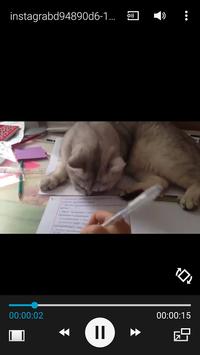
InstaGrab provide a simple way to download and save any media (videos / images) of Instagram to your phone in few steps.
1-open our app and launch AirWidget.
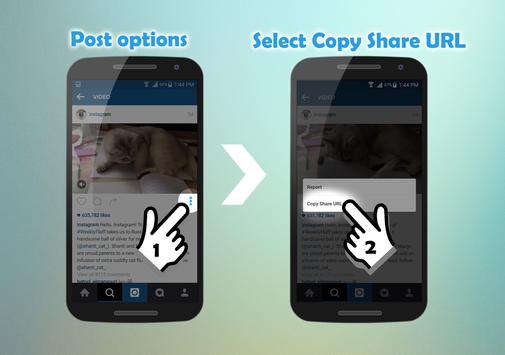
1- Browse Instagram using their official app or website.
2- Copy share url of a video or image post that you want to download then click on AirWidget then go to step4
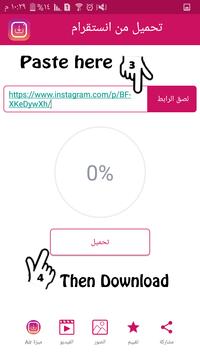
3-Or Open InstaGrab and paste share url in url field , Then press Download.
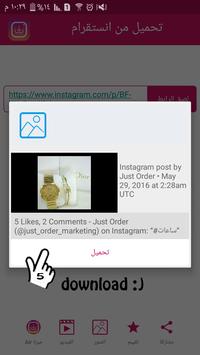
4- A message with media details will be issued ,then Confirm and enjoy :) .
Notes:
*Downloaded videos and pictures can be reposted and shared instantly from our app to Facebook, twitter, BBM, Youtube, Whats app, Keek, Kik etc...
* This app works with public posts only !
* This app is NOT affiliated with or endorsed by the Instagram.
* Any unauthorized re-uploading or downloading of contents and/or violations of Intellectual property rights is the sole responsibility of the user.



9Apps 4.9













