Days To Go (Free) icon

Days To Go (Free)

1.0.4 for Android
3.0 | 100,000+ Installs | Reviews

Rampant Minions

Description of Days To Go (Free)

★ ★ Droid Idol 5 Star App ★ ★
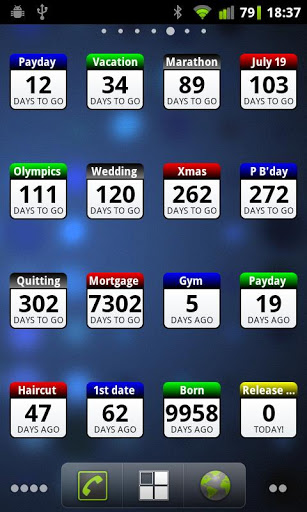
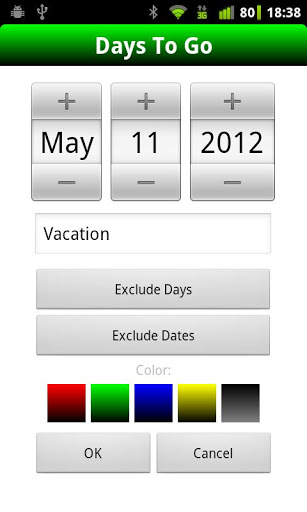
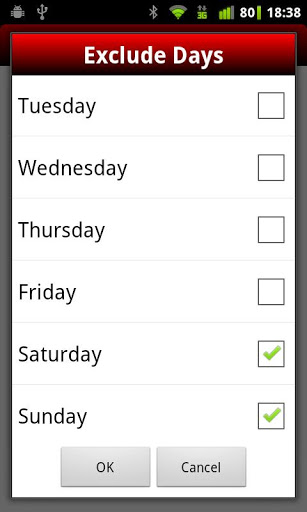
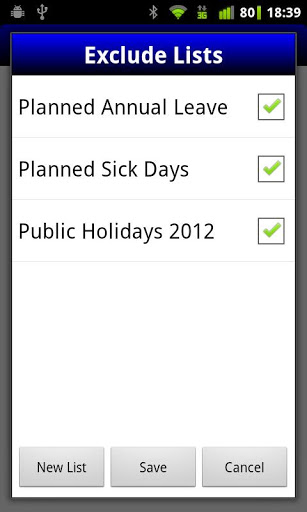
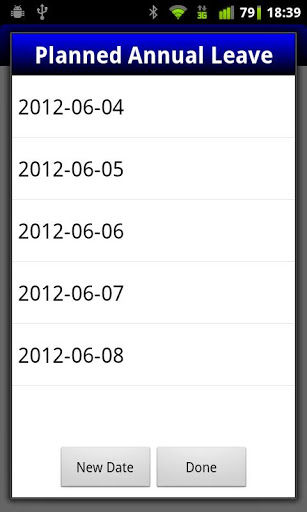
Days To Go is a versatile homescreen countdown widget with a simple, intuitive interface that counts the days until or the days since an event. It also lets you easily and quickly set days and dates to exclude from the countdown e.g. weekends, public holidays, annual holidays etc.
NOTE: This is a widget and does not appear in the list of standard apps. Add on homescreen with Menu -> Add -> Widgets -> Days To Go
Usage examples include:
* Work days to go until payday (and/or since payday)
* Training days left until marathon
* Days since first date
* Days until the Olympics
* Days since quit smoking or quit drinking
* Track days since starting diet
* Working days to go until Xmas
* Days since last haircut
* Countdown days till retirement
* Daily countdown until wedding
Features:
* Add as many daily countdown widgets as you need*
* Quickly exclude days or lists of dates from the countdown
* Define lists of exclusion dates to use across widgets
* Customize widget colors
Limitations of the free version
* Can't create more than two widgets
* Can't select a date that is more than 365 days from today

What's New with Days To Go (Free) 1.0.4

* Fixed issue with Android 4 devices

Information

  • Category:
    Lifestyle
  • Latest Version:
    1.0.4
  • Updated:
    2014-07-26
  • File size:
    53.5KB
  • Requirements:
    Android 2.2 or later
  • Developer:
    Rampant Minions
  • ID:
    com.rampantminions.daystogodemo
  • Available on:
Reviews
  • avatar
    Not maintained anymore, it seems, so the widgets are buggy. They break when the phone resets (maybe not always though?), and then the app complains that I have more widgets than allowed even after removing the broken widgets.
    2020-08-21 06:25
  • avatar
    The widget takes up a space of 4x4 icons, practically taking up half the screen space and no adjustments possible????
    2020-03-29 12:25
  • avatar
    the app is not in th app menu and neither giving option to open from playstore. pathetic experience.
    2019-11-16 04:37
  • avatar
    You can only have two at one time but it's a pretty good app and I have to find something to replace my old one that not avilable.
    2019-10-23 11:51
  • avatar
    good app but can't write longer descriptions
    2019-08-02 06:26
  • avatar
    The app will not work properly, the days left kept disappearing and only showed three dots so I had to remove it from my home screen and place a new one. I could not click on it to fix it, it was like it was frozen. Now I can not use it at all because I can only make two before I have to buy the full app, well I only had to make more than two because it stopped working, not going to buy something that does not work right.
    2019-06-09 01:15