Screenshot Crop & Share icon

Screenshot Crop & Share

2.22 for Android
3.5 | 100,000+ Installs | Reviews

Daniel Huber

Description of Screenshot Crop & Share

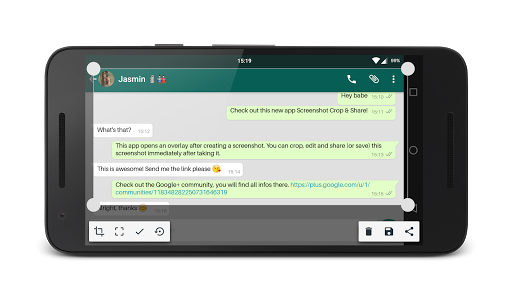
Screenshot Crop and Share is a multifunctional and powerful screenshot application, tailored to your needs.
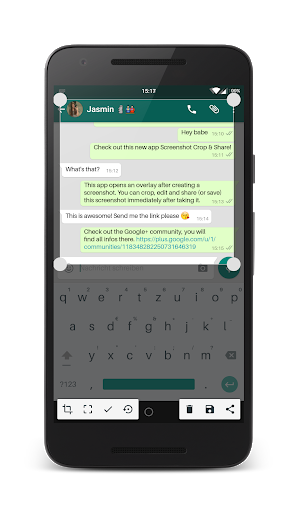
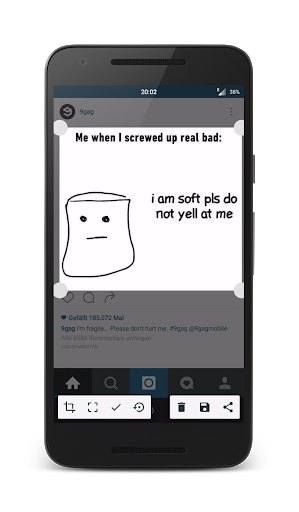
Take a screenshot and this app will be your personal screenshot-assistant. Once you created a screenshot this app will open and it’s going to offer helpful tools like direct sharing, editing, deleting, taking scrolling screenshots and more.
Main Features:
• Take screenshots
• Edit screenshots
• Crop screenshots
• Apply a blur filter to hide private information on screenshots
• Draw on your screenshots to highlight certain things
• Share screenshots directly
Advanced Features:
• Take scrolling screenshots *new*
• Take partial screenshots
• Cut status bar and navigation bar
• Copy text from screenshots to your clipboard with Text Recognition
• Floating Bubble to create screenshots everywhere, even in fullscreen apps
• Demo Mode *Experimental*
• Custom Quick-Settings Tiles to faster create screenshots, partial screenshots and scrolling screenshots
• Share other pictures from your gallery to this app and you will be able to edit them too
Check out the video „How To Create Scrolling Screenshots“: https://www.youtube.com/watch?v=0wu2lU_6Y8Q&t=2s
This app is unique, it's helpful, it’s powerful and it’s mostly free as well!

Information

  • Category:
    Tools
  • Latest Version:
    2.22
  • Updated:
    2020-01-21
  • File size:
    5.1MB
  • Requirements:
    Android 4 or later
  • Developer:
    Daniel Huber
  • ID:
    com.flextrick.universalcropper
  • Available on:
Reviews
  • avatar
    The only reason I downloaded was for scrolling screenshots, but it arbitrarily cuts out the middle parts and crashes.
    2020-10-01 07:24
  • avatar
    Doesn't work for what I wanted it for. I recently switched from an iPhone to Android and now I can't take a screenshot of my bank balance, whereas on the iPhone I was able to. Was hoping this app would let me, but it just shows a black photo in the screenshot, as does a few other apps I've tried.
    2020-09-25 09:10
  • avatar
    Wonderful! It's what I was looking for. Editing each screenshot after taking it was a pain in the ass.
    2020-09-12 07:02
  • avatar
    Really like this. So simple. Would give it 5 stars of there was an option to auto send the cropped screenshot to the clipboard. Would make my life a breeze
    2020-08-11 06:36
  • avatar
    I have always used this app, for convenient and simple to use, never fails when try to use it, great App.
    2020-07-15 09:32
  • avatar
    Nice app. I like the feature of the app it make default screenshot crop right away or edit what u want. I preferred this to user that don't want annoying floating button.
    2020-05-04 07:05