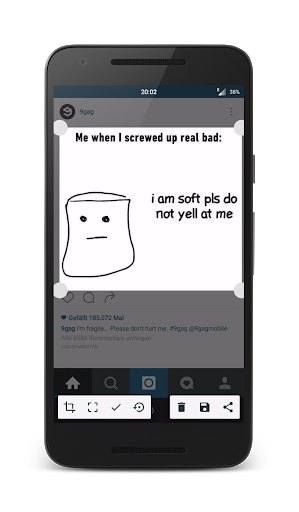
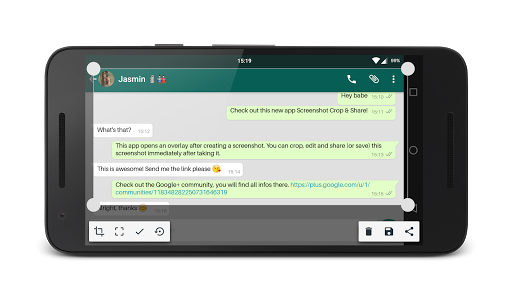
Screenshot Crop and Share is a multifunctional and powerful screenshot application, tailored to your needs.
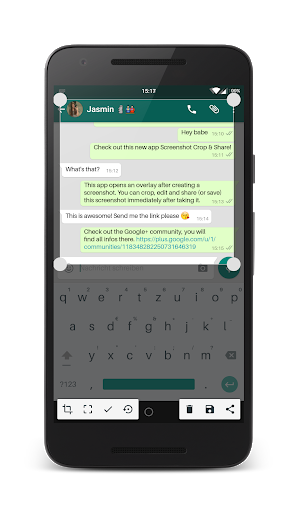
Take a screenshot and this app will be your personal screenshot-assistant. Once you created a screenshot this app will open and it’s going to offer helpful tools like direct sharing, editing, deleting, taking scrolling screenshots and more.
Main Features:
• Take screenshots
• Edit screenshots
• Crop screenshots
• Apply a blur filter to hide private information on screenshots
• Draw on your screenshots to highlight certain things
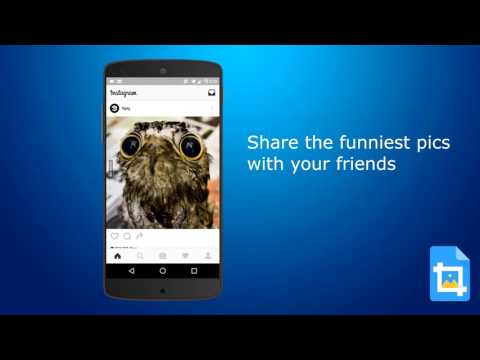
• Share screenshots directly
Advanced Features:
• Take scrolling screenshots *new*
• Take partial screenshots
• Cut status bar and navigation bar
• Copy text from screenshots to your clipboard with Text Recognition
• Floating Bubble to create screenshots everywhere, even in fullscreen apps
• Demo Mode *Experimental*
• Custom Quick-Settings Tiles to faster create screenshots, partial screenshots and scrolling screenshots
• Share other pictures from your gallery to this app and you will be able to edit them too
Check out the video „How To Create Scrolling Screenshots“: https://www.youtube.com/watch?v=0wu2lU_6Y8Q&t=2s
This app is unique, it's helpful, it’s powerful and it’s mostly free as well!









9Apps 4.9