► Signature Maker - Signature Creator
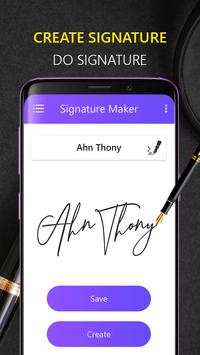
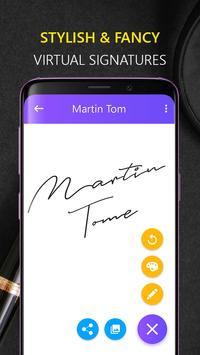
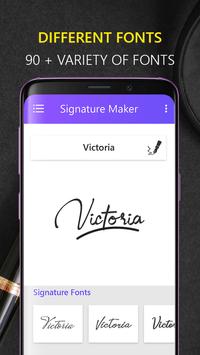
Signature Creator represents an intuitive signature platform that allows you to create your own create signature on Android phone. You can draw your creative signature with 90 autograph styles and with 1000 colors and with x-small to x-large font size. With Signature Maker - Signature Creator it is now possible to create signature and best signature ever.
Signature Maker- Signature Creator allows you to make a signature from text and additionally signature from handwriting or paint. Which is meant for the purpose of entertainment and customization. Signature Maker - Signature Creator are NOT meant for any sort of legitimate use (You may NOT utilize them to sign your value load, payday advance, loan and so on so forth).
► Feature of Signature Maker - Signature Creator:
• Fancy and High Definition Graphics
• Signature Maker - Signature Creator have more the 150 signature Fonts.
• Support Smart Workplace for Save Signatures.
• You can easily Share your created Signature with friends.
• Supported all screen size and android devices.
• Signature Maker - Signature Creator support Handwriting Drawing Signature.
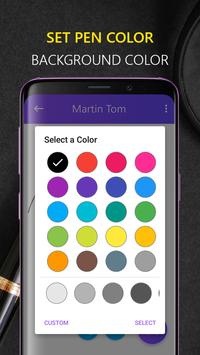
• Multiple Color Picker for Text and Background.
Signature Maker - Auto Signature Mode
Auto Signature Mode is very easy to use. Just type your name and will automatically create signature for you. Different signature styles are available in this signature app. With this electronic signature app (esignature) and digital signature app you can take autograph from celebrities by photography signature option.(docusigh). also useful for document signature.
Signature Maker - Manual Signature Mode
Manual Signature Mode is also simple to make my signature easily. Manual mode can also be used for autograph, handwrite messages, hand writing, handwrite signatures, handwriting, add signature, photo signature app. document signature and much more. You can change
► How To Use Signature Maker - Signatue Creator:
⊹ Auto Signature Mode
On the Home screen you will find signature (If you did earlier) with style
To initiate your signature just click on T button (Right Top corner)
You have to enter your signature text
Slide Signature bottom view to top, here you will find lots of signatures with different style
Select anyone of it
Pinch zoom & Rotate (Multitouch) to adjust the size and angle of signature
Drag (Single touch) to adjust the location of signature
Open options from right top corner
Update size of signature
Change pen color / background color / background image (Gallery and / or live image)
Update style of signature (In this version we’ve provided Bold, Italic, Underline)
⊹
Manual Signature Mode
You have to do your signature on signature board
Change pen color / background color
Change the thickness of pen to adjust the thickness
► Thanks For Used Signature Maker - Signature Creator. Please rate us 5 * to promote us application development.

9Apps 4.9