

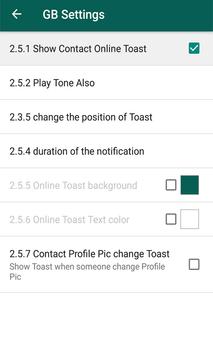
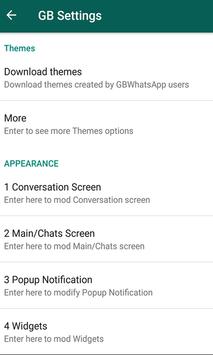
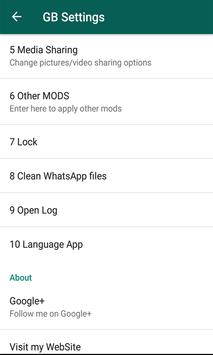
We all know about one the most popular social messaging app that is WhatsApp. Whatsapp provides a cross platform instant messaging service. Text messages now a days have been replaced WhatsApp. It can also provide voice calls, video calls, documents, and other media transfer also. Today’s smart phones, almost all of them have the dual SIM. You can call using different SIM card but can we also send WhatsApp messages from two different accounts within a single Android?Many of the mobile devices now provide this as in inbuilt feature but what if your device has not this inbuilt feature. In Oppo and Xiaomi, a built in feature is there which allows you to run dual applications. Steps for running dual whatsapp in android which have this as an inbuilt feature: If you have WhatsApp already installed then go to the “Settings” in your device else, first install whatsApp and then to go “Settings”. You can see an option called “Dual App” or “App Twin” or “Clone app”. Click on whichever option you find in your device. You will see a list of applications which can be run in dual within a single device, just click on “WhatsApp” if it is there. So now you can install another WhatsApp and follow the same set up process as we do in the official WhatsApp application. Thus, you have dual WhatsApp installed in your Android. Many of the WhatsApp MODs are provided in the market. One of the most popular one is GBWhatsApp. GBWhatsApp is a modified WhatsApp application and have a lot of features like to change WhatsApp theme, chat color etc. GBWhatsApp is developed by a senior manager of XDA. This gives an ability to run to dual WhatsApp in a single Android device. Many of the popular features of GBWhatsApp are: Copy message without date and time. Hide last seen. Hide blue tick. Hide second tick. Share big files. Smooth working of application. Calling feature is there. Set large group name, upto 35 characters. Set up status of 255 characters instead of 139 characters. Distinguish between normal and broadcast messages. Multiple language support. Option to save status. Send 90 images at one time instead of 10 images. Send 50 MB video instead of 16 MB. Send 100 MB audio clip instead of 16 MB. Lock for individual chats along with the lock for WhatsApp. Pin up more than three chats. Broadcast can be sent to 600 people instead of 250 people. So the above listed are some of the features which may or may not be available in the official WhatsApp application.
Now to install and run dual WhatsApp on your device, follow the steps mentioned below: Steps for running dual WhatsApp: Go to the “Settings” in your Android, there you will see an option under “Device Administrators” named as “Unknown Sources”. In order to execute the steps below, you first need to enable this option. You can also see the steps in the pictures below. After executing step 1, you now need to uninstall you WhatsApp app if you have already an installed one. Now download GBWAPlus application and install by following the required set up process for successful installation. Enter your number and verify it using the OTP. Now you will see that WhatsApp has been installed in you Android device. After this, you need to download another application names as GBWA Dual-WhatsApp. Once this application is done with the installation process, you will need to set up the other whatsapp account. This app will have the similar features as that of the original WhatsApp. Thus after all the above mentioned steps gets successfully executed, you will note that you are able to run dual whatsapp on a single android device. So you can set up dual whatsApp in your Android device using the simplest and easy steps and enjoy this amazing WhatsApp feature.
GBWhatsApp Best modded whatsapp with a large no. 1 of impressive features.



9Apps 4.9















