
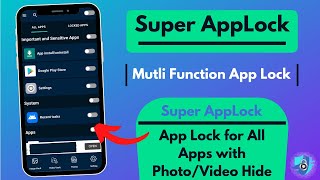
AppLock can lock Facebook, WhatsApp, Gallery, Messenger, Snapchat, Instagram, SMS, Contacts, Gmail, Settings, ... .. Ensure the security of the phone.
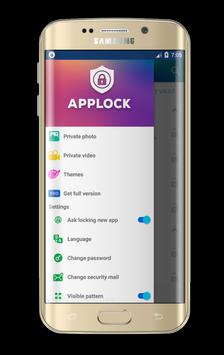
AppLock can hide images and hide videos. Hidden images and videos disappear from the gallery and are visible only in the photo and video vault. No pin, no way.
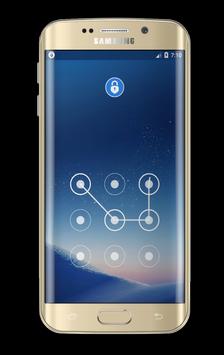
Application Lock has the option to enable Invisible Template Lock. No more worries, people can take a look at the brooch or pattern. Stay safe!
AppLock is one of the best Android lock app with privacy protection, best application locker with password and lock screen style, smart app that provide high security features in the app unique.
Privacy of your photo, note, call, sms, email, settings ..., all privacy protection features to ensure the safety of your phone and keep your privacy safe.
=== Features ===
- Lock apps with a password, template password securely with anyone
- The vault: Safe gallery, the private photo gallery helps hide images and hide videos.
- With the image safe and gallery lock, the app moves the photo / video to the secret vault by automatically removing hidden images from the gallery after hiding the photos and hiding the videos
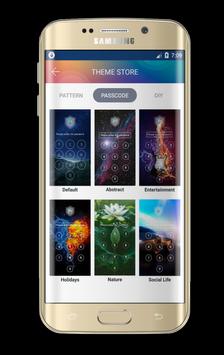
- Lot of beautiful password lock themes, pattern lock screen themes
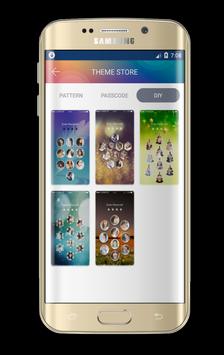
- Custom lock screen password theme for the app, make the privacy screen with the style you wanted
- Block settings automatically after the app is opened to the first screen, help prevent an uninstall application
- Three titles in private mode: Lock applications with password lock, template lock or DIY. The keypad lock screen with password, DIY help you to make the keypad lock screen yourself, the lock template screen using your photo on the gallery)
- Ability to make an invisible pattern on the unlock screen, people can not see your model lock screen while you unlock. Safer!
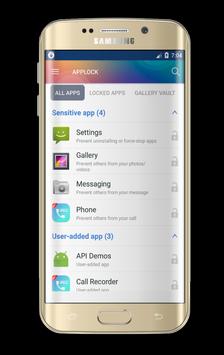
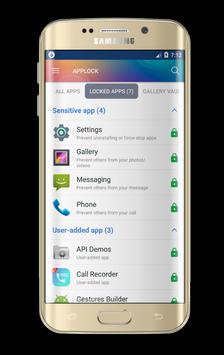
- Easily lock phone applications, unlock phone applications easily from a list of apps with one click
This app is much secured even other people with this permission, you have enabled this option from settings.
We are using device admin permission for this future.
FAQs
• Can I lock any application?
- Yes, you can lock all the applications installed on your device.
• How can I lock the application?
- It's simple, please add apps you want to lock, and set your password.
• How can I prevent this app from being uninstalled?
- Please enable the option "Uninstall Prevention" in the default settings, then AppLock is never uninstalled.
• Is there a forgotten password feature
- Yes, if you set your email or QnA security, you can initialize your password when you have forgotten the password.
• You can not run AppLock (or AppLock disappears in the Drawer App)
- If you hide Icon AppLock in the options, then AppLock will disappear. To run it, please put 'Widget' of AppLock in the Widget list and click on it.
• Can I detect instruder
- Yes, if you activate the "observer" function, "observer" will take a photo of instruder and send it via your email address.
• What is Remote Lock
- If you send Lock (or Unlock) Keyword by SMS to your phone from another phone, then your phone will be locked (or unlocked) -. Phone number does not matter
AppLock uses device administrator permission (used only to prevent AppLock from being uninstalled)
AppLock uses accessibility services.




9Apps 4.9














