Installation Instructions :
Install Alphabetical Keyboard go to Settings, Language and Input,
Select Alphabetical Keyboard and it's done.
Start Keyboard. Tap on new icon to get Alphabetical Keyboard.
To get back to the previous keyboard tap new icon.
Features of Alphabetical Keyboard :
Start at the very beginning,
ABC
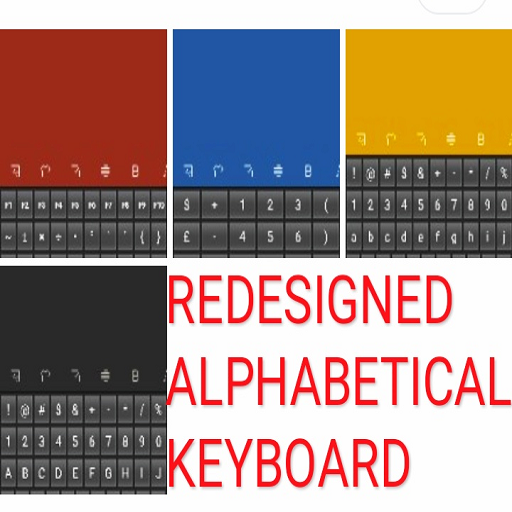
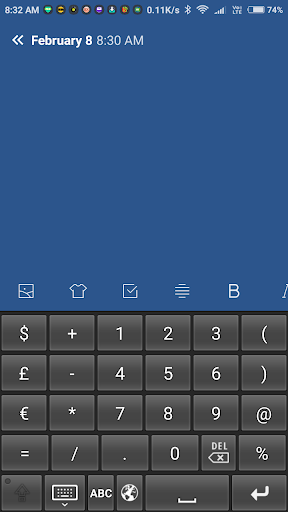
screen has 123 numerical input and essential symbols input.
+ - * / % on
ABC
screen.
! @ # $ & ;
: _ also on
ABC
screen.
You can use google task bar as your calculator .
Redesigned with your valuable suggestions and for your convenience.
No double taps.
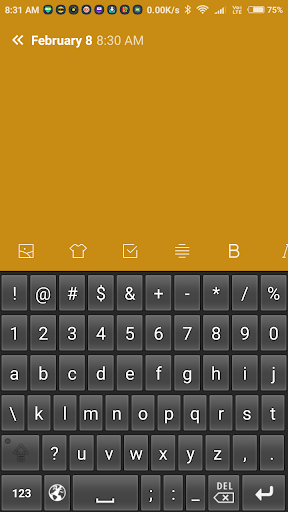
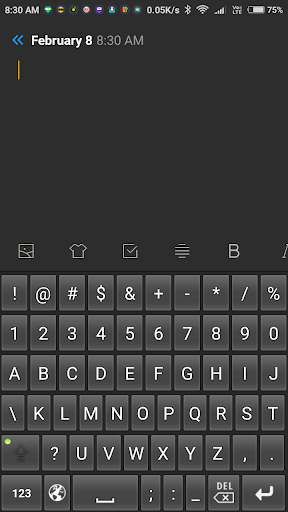
Begin with abc+123+Net Symbols .
Shift
to ABC+123+Net Symbols.
Go to
123
.
Shift
from
123
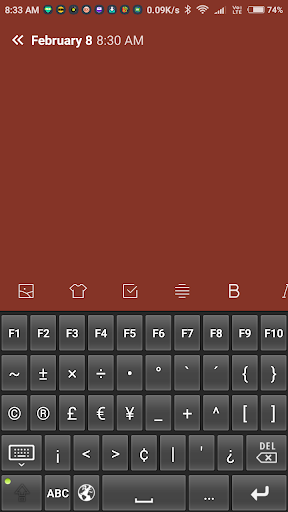
to F1 to F10 and symbols.
Special Features :
Swipe left for backspace.
Swipe down for closing the keyboard.
Advantages of much faster more natural input.
No need to relearn Alphabet.
More instinctive usage.
The qwerty keyboard was designed to slow us down because of hardware constraints. No such constraints anymore.
We think A to Z virtually hardwired into us from when we were children.
Now we can input more natural.
No Setup Time, Easy input to Net, Docs and Spreadsheet.
Think Alphabet. Input Alphabetic.
Each screen has a separate numbers line.
Easier for net input.
Separate numbers page with arithmetical calculation symbols.
Symbols page with brackets and F1 to F10 keys.
Now even better for the net, documents and editing.
Free Version With Ads.
Installation Instructions.
Paid Version without Ads also available.





9Apps 4.9