*** The Classic v6 ***
Let the stable v6.6.5 Holding the Position of the Old School App Cache Cleaner.
In case of any complain about the new version - 7, better keep this Classic v6 for the sake of usability.
We are working on new version 7, however, it is also very important that to keep a stable Version online.
- Settings Scroll down bug fixed.
- Location permission removed.
- Fix some page frozen on Samsung/Sony/MOTO devices
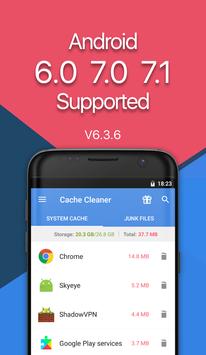
*** Support devices with
Android 6.0、7.0、7.1
Android operating system. ***
***Better coverage with advanced service. ***
App Cache Clean Master
is an
Easy and Simple
cache manager for Android devices. It can
Clean Cache & Junk
for apps,
Free Up
storage space,
Boost Up & Speed up
your phone's speed and performance ! Always release storage space for your favorite
APPs
. With this space saver, you can remove junk and free up storage space from these apps without worrying about cleaning the wrong files. Besides, the power cleaner can help speed up your device when you play Games. And the best thing is, you DON’T have to ROOT your phone by our cache tool !
App Cache Cleaner Highlights:
Cache Clean Tool
★
Cache Cleaner
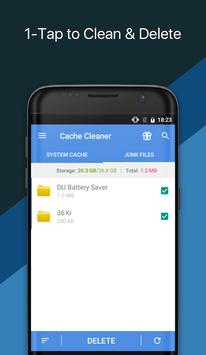
- 1 tap Clean & Scan and refresh. System Cache Clean tool for all apps
★
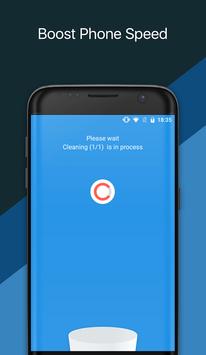
Boost up phone
- Clean cache for better game experience. Speed up phone.
★
Power Cleaner
- Clean background tasks, remove junk files, release storage space and save battery power
Junk Remover
★
1 tap Clean & Scan & Eraser junk files on your Android phone and Eraser them
★
Remove junk files which you think useless
★
Release storage space & your phone's RAM , so you can enjoy using a bigger and speedier phone
★
Clean history to save phone memory
App Manager
By long tap any app in the app list, you can:
- Uninstall multiple unwanted applications
- Backup & Upload apps to cloud drive such as Google Drive, Dropbox, etc.
- Share apps by a third party
- Show app detail page
- View app on Google Play Store
- Open/launch app
- No ads ( all users )
Features
★
Refresh & Clean cache when you open the app
★
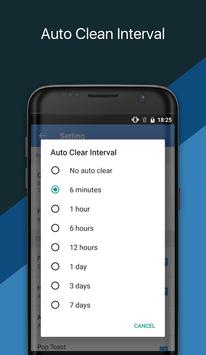
Auto cache clean at a specified interval
★
Cache Clean tool for chosen apps
★
Sort apps by either cache size or app name
★
Clean up files which are full of junk
★
Release storage space on your device
★
Auto clean history
★
1 tap phone boost up Widget
★
Optimize your Android in just a few clicks
★
Easy & simple user interface
✔ Remarks
---------------------
If you just want to clean up all cache files AND boost up your phone, you don't need to wait for the completion of the apps list. When you open the app, it have already refreshed the cache files automatically, Just tap the 'Clean All Cache Files' button.
You can rebuild the app list by tapping the refresh button and choose a sort type by using Sort button.
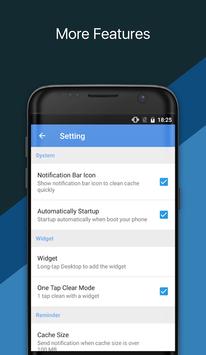
For more settings, please tap MENU > Settings.
✔ FAQ
---------------------
Q: How to clean up the system cache?
A: Open App Cache Cleaner and tap the refresh button and then tap the clean button, and it will clean cache for your phone automatically.
Q: What is a cached file?
A: A cached file is a mechanism for the temporary storage (caching) of web documents, such as HTML pages and images, to reduce bandwidth usage, server load, and perceived lag. A cached file stores copies of documents passing through it; subsequent requests may be satisfied from the cache if certain conditions are met.
The cached files are stored in the phone built-in memory and sometimes can take a lot of storage space. By clean files, you are able to release storage space and boost up your phone. Most importantly, the cached junk files can be removed.
Contact us if you want to help making the app into your language: support@apexapps.xyz
- Bug fix

9Apps 4.9