
Notes icon

Notes

2.3.0.Pro for Android
4.4 | 100,000+ Installs | Reviews

Vitaliy Panov

$3.99

Description of Notes

This is Pro version.
In this version of the application all functions are available.
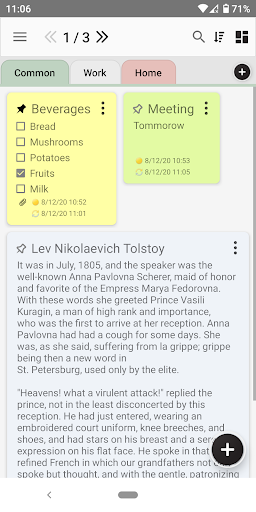
Android application Notes - Stickers. It allows to write down your notes. You can input notes as regular text or list of items. You can attach to notes any files what you want. So it's interesting and useful application :)
Pro version Features:
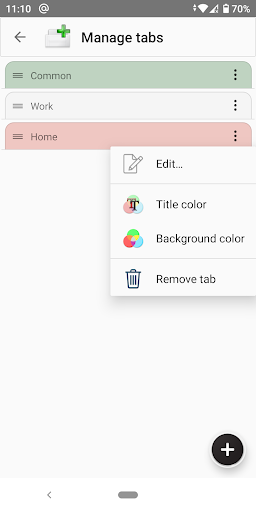
✓ Manage tabs
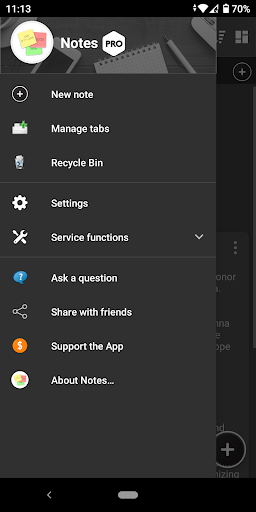
You can create, modify and delete any tabs in application. This feature allows you to organize your notes much easier and more convenient for you
✓ Attachments
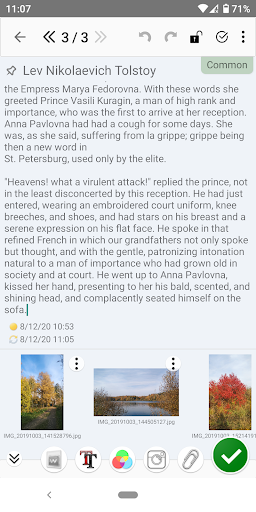
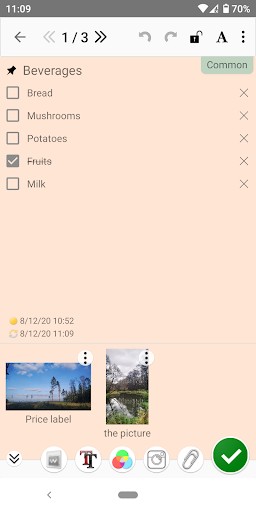
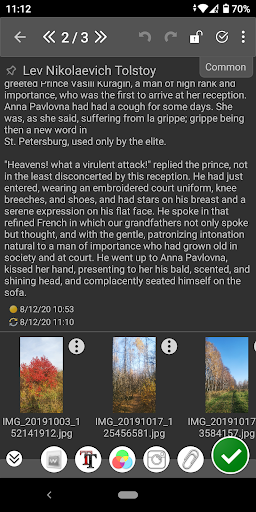
You can attach to your notes any image file. Later you can view or delete these attachments
✓ Photos
You can take photos and attach them to your notes. Later you can view or delete these photos (in attachments)
✓ Widgets. Full functionality
You can add a widget to your phone screen. This will allow you to always have in front of your eyes the most important note or to do list. And also get quick access to the most frequently used functions of the application from the widget
✓ Dark theme
You can use the dark (night) theme in the app interface. The dark theme reduces the brightness emitted by your device's screen and also helps to improve visual ergonomics by reducing eye strain, and makes it easier to use the screen in low light conditions. Also, the dark theme saves battery power
✓ Colors settings
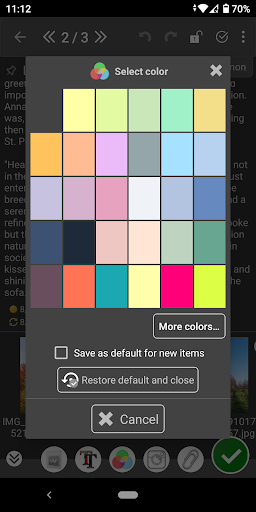
You can color your notes in any available color. I allows you to manage your notes much easier and more convenient for your needs

Information

  • Category:
    Productivity
  • Latest Version:
    2.3.0.Pro
  • Updated:
    2022-05-15
  • File size:
    22.3MB
  • Requirements:
    Android 4.4 or later
  • Developer:
    Vitaliy Panov
  • ID:
    vitalypanov.mynotes.pro
  • Available on:
Reviews
  • avatar
    Very good
    2023-09-08 01:40
  • avatar
    Excellent App
    2023-08-22 04:32
  • avatar
    P.S. from 2* to 4* for reply. I saw that, works, separate from view mode icon, ok! Other main big remains, I have to click in tiny area under title! Samsung & xiaomi phones!g as I said no auto-title if title in note left blank, TRIM (5) chars! OLDER REVIEW edited:To start writing the note content, you have to click a tiny area under the title.. Clicking in the large area under area does nothing. This is unbelievably bad. many apps (Colornote etc)use first words as title if no title, do this.
    2023-08-21 05:39
  • avatar
    Really good. It has almost all the features i want in a note app. The UI might take a bit of time to get used to but so far it's been working pretty well.
    2023-08-20 12:18
  • avatar
    2 big problems for basic note app 1) LIST OF NOTES TOO TALL in list view mode. Colornote or even Many simpler apps have options for list view mode: title only, title + some details... This app fills up screen with a few notes! Not for for professional users with many notes. 2) To start writing the note content, you have to click a tiny area under the title.. Clicking in the large area under area does nothing. This is unbelievably bad. many apps (Colornote etc)use first words as title of no title
    2023-08-17 04:57
  • avatar
    The reason why there are no plans to release updates to the Pro version of the App on the Google Play store anymore isn't revealed.
    2023-08-17 10:36