unTouchable - touch protect icon

unTouchable - touch protect

1.2 for Android
3.8 | 5,000+ Installs | Reviews

Astratech

Description of unTouchable - touch protect

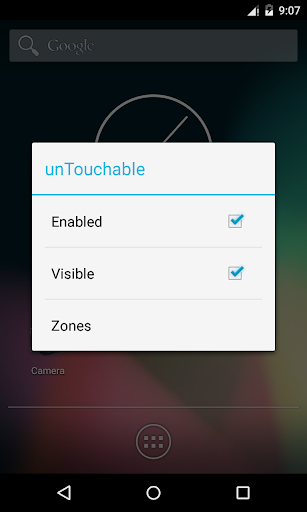
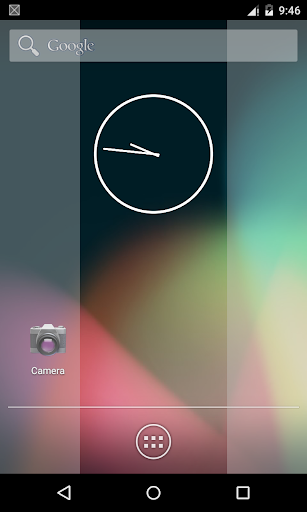
Sometimes you need to block some touchscreen zones of your screen from touch. For example, you want to hold your device while reading, without accidental touches; or your screen is broken and generates false touches, creating a chaos.
The blocked zones can be selected from some built-in ones, or defined in the unTouchable.txt file on the SD-card (one zone per line - see the sample file). The latter is especially useful when the display is broken, and it's hard to use the UI.
ATTENTION: in new Android versions you might need to add the "Draw over other apps" permission to the app, under System Settings -> Apps & Notifications -> unTouchable -> Advanced -> Display over other apps -> Allow display over other apps
Keywords: touchscreen protector, screen touch guard, touch protect, touch blocker

Information

  • Category:
    Tools
  • Latest Version:
    1.2
  • Updated:
    2017-10-04
  • File size:
    1.3MB
  • Requirements:
    Android 4.0 or later
  • Developer:
    Astratech
  • ID:
    com.astratech.untouchable
  • Available on:
Reviews
  • avatar
    Can someone please give me a sample txt custom config with WORKING top, bottom, left, and right borders. I only managed to add Left and Top borders. No matter what I do, I can't find a way to add a Right and a bottom border.
    2018-12-15 04:33
  • avatar
    unLaunchable, unStartable, always crashing even before opening
    2018-11-06 01:03
  • avatar
    I wanna give more stars but I can't find the txt file anywhere.. and so I can't enable it. Unsure if it runs on startup by default, but if it did, and you weren't tech-savy, you could find yourself easily frustrated. It's a good idea though.. i will check back later with revisions.
    2018-02-21 04:47
  • avatar
    Idiot give instructions
    2017-12-18 10:22
  • avatar
    So this developer didn't feel any need to leave helpful instructions on how to use the .txt? And all these other bholes here who claim to have figured it out, like Greg Brown who only needed a "minute" wont bother to leave helpful instructions either? Why claim to have figured it out in the first place then, Greg? Think of the sort of people who would show off like that. How lonely they must be with no friends. Probably gearing up to go on a shooting spree at a concert just to prove something to the world that never accepted them. When I figure this out, I'll leave instructions here, like an actual normal person would do.
    2017-11-25 12:56
  • avatar
    Very useful once you get used to the .txt file. Only took a minute of trial and error. Nice to be able to block just portions of the screen instead of the entire thing. Great work!
    2017-10-05 05:05