
SimPlayer File Sender for Gear icon

SimPlayer File Sender for Gear

2.9.0 for Android
3.7 | 10,000+ Installs | Reviews

UGHO

Description of SimPlayer File Sender for Gear

0. Check the connectivity of your Gear and phone
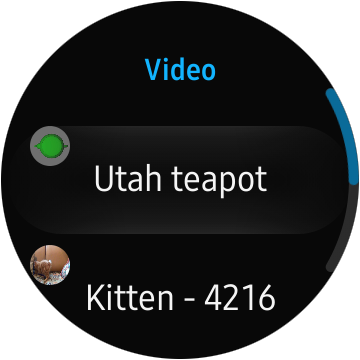
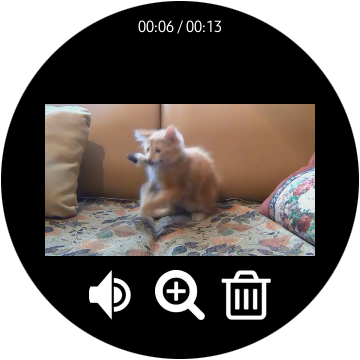
1. Launch SimPlayer app on your Gear. It should be launched after 1st installation or device rebooting to transfer video file.
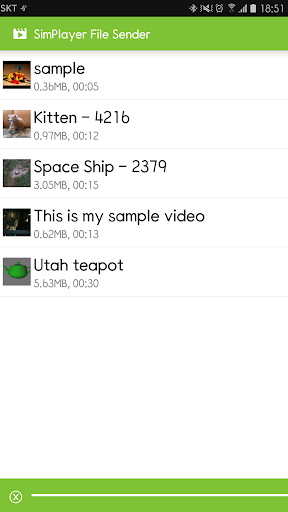
2. Launch SimPlayer File Sender on your phone.
3. Select video file to be transferred on your phone.
4. Sometimes, file can not be transferred due to H/W reason. In this case, please re-run the smart phone app and try again.
* The video file transferred by SimPlayer File Sender does not support thumbnail!

What's New with SimPlayer File Sender for Gear 2.9.0

- Fix scrolling bug on Samsung devices
- Reduce resource consumption

Information

  • Category:
    Tools
  • Latest Version:
    2.9.0
  • Updated:
    2018-02-05
  • File size:
    5.2MB
  • Requirements:
    Android 4.0.3 or later
  • Developer:
    UGHO
  • ID:
    ugho.tizen.simplayer
  • Available on:
Reviews
  • avatar
    Unable to know what the videos ai
    2020-07-01 11:36
  • avatar
    It doesn't seem to work. Choose a video, but it never started playing on my Galaxy Watch. Also, the UI I horrible. No filter or browse, just a list of ALL videos on the phone
    2019-11-05 02:14
  • avatar
    Love it
    2019-10-10 01:48
  • avatar
    does not work it shiw nithing only green line on bottom and star on top right screen please fix app
    2019-07-30 09:47
  • avatar
    work well without issues. I'd add thumbnails to see which video I'm choosing.
    2019-05-27 03:55
  • avatar
    ok
    2019-04-13 09:02