
(This application is deprecated)
Newest Android has similar feature built-in called Screen Pinning.
Please use the Android built-in feature instead.
Thank you.
UnTouch - This app is a touch blocker that prevents babies from screwing up your phone while you let them play with it.
This is the only app in Google Play that can block HOME, BACK, and RECENT LIST buttons, as well as screen touches while playing movie or music.
Similar to Guided Access with more options.
There are hundreds, if not thousands, of baby friendly contents on web, app, YouTube, and other video source.
"UnTouch" allows you to open any of those contents for your baby and protect your phone from being destroyed by baby random clicking on the screen.
Features:
★ Block touch on any apps, including YouTube, browsers, and Netflix (Netflix compatible mode http://youtu.be/k78AMDPPXbY)
For Android Lollipop or later, you just have to time it yourself because apps can no longer detect other apps running.
★ Block home, back button, recent-app button, and menu button
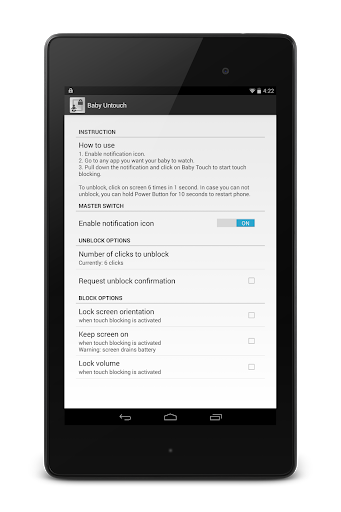
★ Lock volume
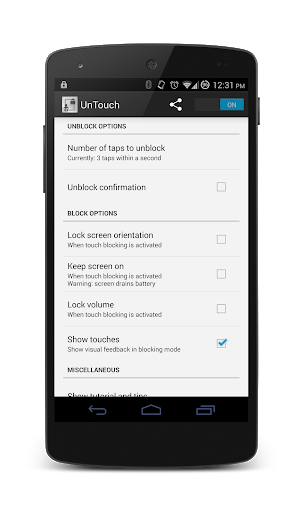
★ Easy unblocking with options
★ Even works on lock screen to prevent calling to 911 or emergency numbers
★ Unblock confirmation
★ Option to "Keep screen on" while touch blocking
★ Option to "Lock orientation" while touch blocking
★ Support third party automation - Tasker ready (info is in the menu)
★ Super simple start.
Only need 10 seconds to fully understand how it works
★ Super optimized; next to zero memory and CPU usage
★ Tiny app size
★ No ads; that's right, no ads
★ No sneaky permission
★ No data usage, it doesn't even need internet access permission
★ No sign up, no email, no phone number, and no information is saved or required
Instruction:
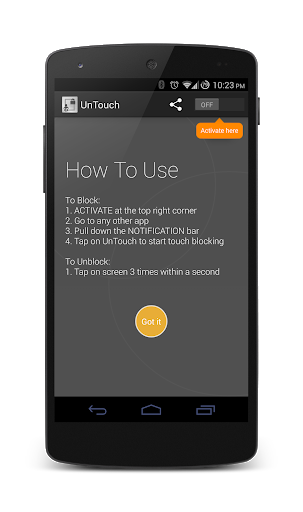
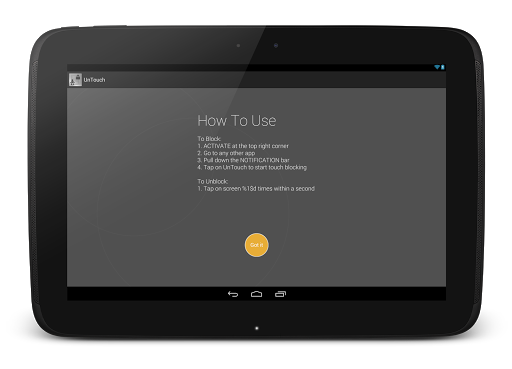
- To block touches -
1. Turn on UnTouch
2. Go to any app you want to show while touch blocking
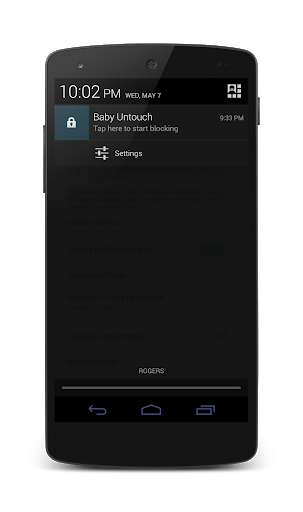
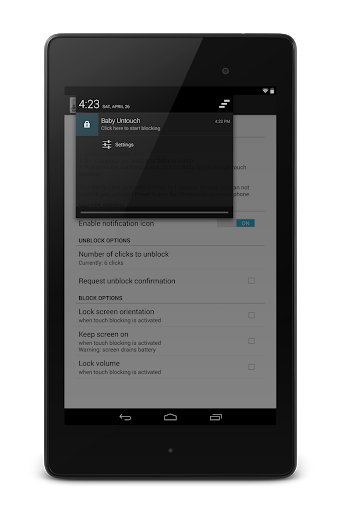
3. Pull down the notification bar and click on "UnTouch" to start touch blocking
- To unblock touches -
1. Tap the screen 4 times within 1 second
Other notes:
UnTouch does not block power button for safety reasons.
Volume lock reverts volume changes.
If you can't unblock after start blocking, you can press and hold power button (10 seconds) to restart phone and that will fix it.
I have tested "UnTouch" on as many phones and apps that I can, but if you do find an app or a phone that this is not compatible with, please email me the phone model, android version and the app link, so I can test it and fix it.
This app was not inspired by Guided Access from Apple.
Samsung devices' recent list button cannot be blocked by their implementation.
No purchase necessary to be fully functional.
Some additional advanced features will be available for in-app purchase as an option in the future.
Please email me at udevel.developer@gmail.com if any problem so that I can fix it right away.
Add option to remove Notification Icon.







9Apps 4.9














