

【Advanced features of the silent - fast imaging camera】
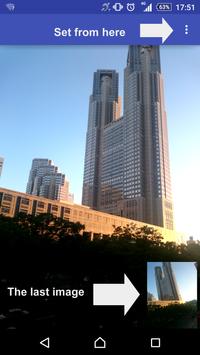
・Open the app can immediately shooting ( just tap the screen )
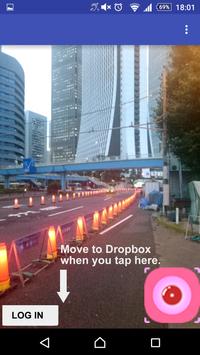
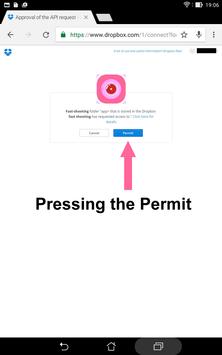
・Captured the cloud at the moment (Dropbox support ) to can be saved
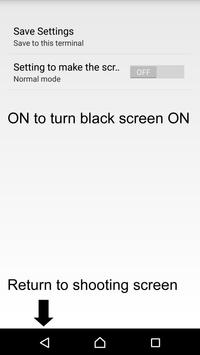
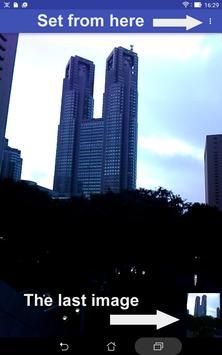
・Simple settings ( setting the destination from the upper right of the screen)
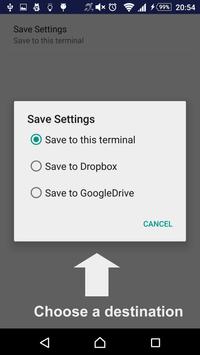
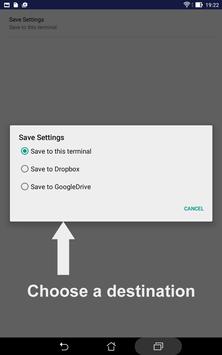
・The storage location only choose whether the " save to the terminal " or " save to Dropbox"
・Destination , " stored in the terminal " is saved to MyPhoto folder of DCIM folder .
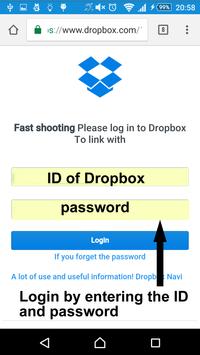
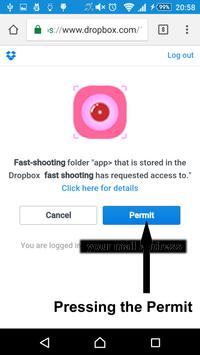
・Destination , " save to Dropbox" is saved to "速撮" folder of the app folder in Dropbox. It is not saved to the terminal .
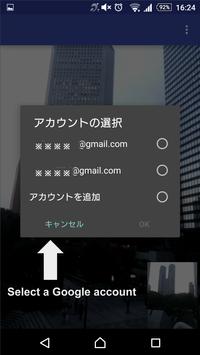
・The destination of the "Save to GoogleDrive" are stored in the GoogleDrive. It is not saved to the terminal.
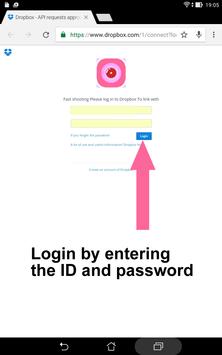
・Cloud data such as user ID and PASS at the time of use is , because to the developers will not be sent at all , please use it at ease .
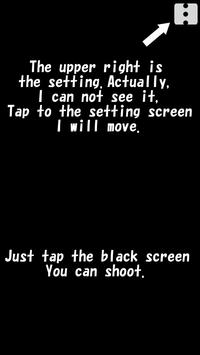
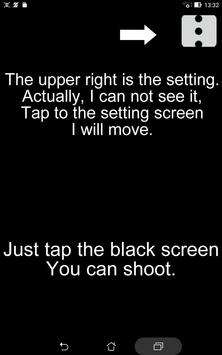
・To turn the screen black, set it to "ON".
・When setting the screen black, tap on the top right.
【Permission permission settings】
・Camera
・Connecting to the Internet
・Access to storage
・Google account
【For cloud storage】
・In the current 1.1 version, it supports Dropbox and GoogleDrive.
・Dropbox is also cloud services GoogleDrive also available free of charge.
・Please use all means it is possible to save without the capacity of the terminal.
【How to use】
・When you can not be shooting and the sound out
・If you want to quietly taken with , such as animals of observation
・It would have encountered at the moment of such an accident , when you want to immediately shooting
・When there are people to the shutter sound mind
【Notes】
・And use of illegal acts such as voyeur Please stop .
・Cloud storage is required communication environment .
【Compliant version】
・android4.1 more
【Release status】
September 8, 2016
Release start
October 10, 2016
Version 1.1 update
GoogleDrive correspondence and others
October 18, 2016 Version 1.2
It corresponds to English, Korean, Turkish.
October 19, 2016 Version 1.3
Bug fixes, etc.
November 27, 2016 Version 1.4
Capture from black screen state
Change setting screen and setting button
Chinese (Traditional) correspondence
December 23, 2016 Version 1.5
Do not let the screen go to sleep
Bug fixes and others
December 23, 2016 Version 1.5
Do not let the screen go to sleep
Bug fixes and others
November 27, 2016 Version 1.4
Capture from black screen state
Change setting screen and setting button
Chinese (Traditional) correspondence
October 19, 2016 version 1.3
Bug fixes, etc.
October 18, 2016 version 1.2
Added support for English, Korean and Turkish.




9Apps 4.9













