
If you have any problem write us an email please (mflorek@gmail.com).
This is the ad-free version of the TBW. You can try the free version with ads first. This version has no ads, no internet permission and has tiny app size. You will not find this version in the app's list, it is a pure app widget. If you cannot find it in the widgets list restart your device please (it is a system bug since ICS).
KitKat users: The notification must be in the notifications center (not in the status bar), otherwise the widget will freeze because of a KitKat system bug. You can disable the notification at your own risk.
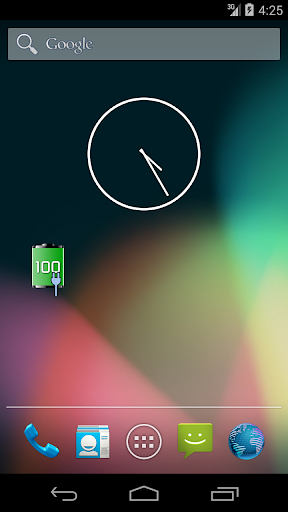
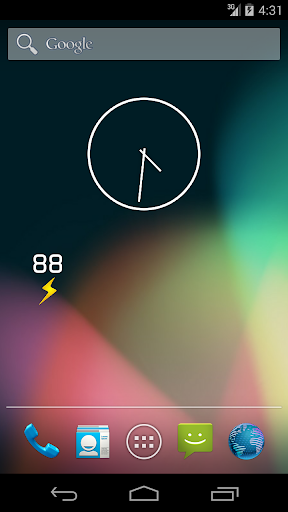
This does not open, it is a Home screen 1x1 widget only. Place on homescreen with Menu > Add > Widgets > Tiny Battery Widget. If it does not show in widgets' list, move it to the internal memory (widgets do not work when on SD card).
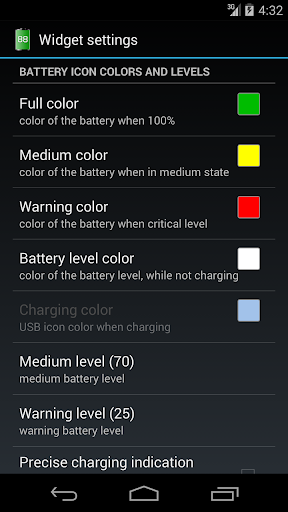
Multiple icon sizes (widget is always 1x1, but icon can be large, normal or tiny) and customizable colors for different values of the battery level!
It shows exact battery level also for some Motorola devices (1% steps confirmed on droid x, defy+, razr and others. It is a precise value not an estimate. If you have problems, email us please). Battery level text on the widget can be hidden (check settings).
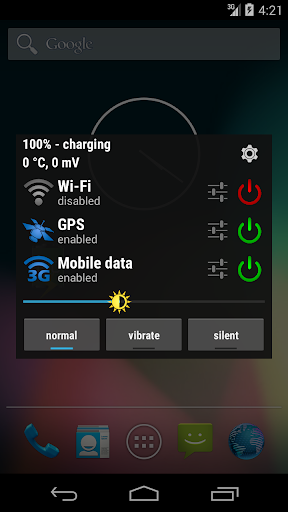
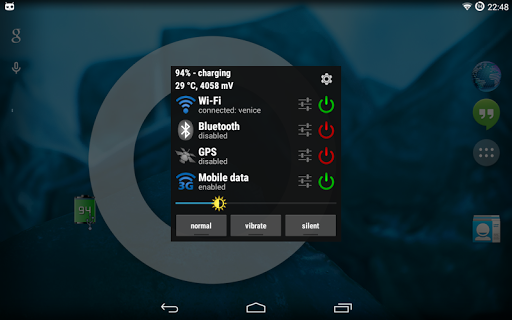
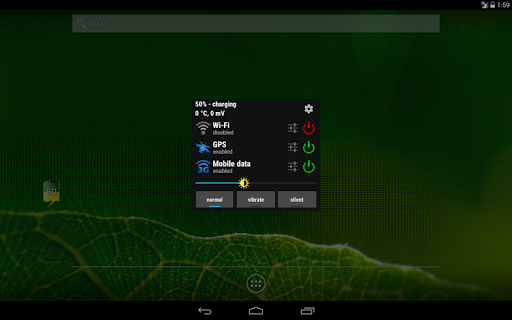
To quickly toggle some system settings, just tap the battery.
- turn WiFi on/off
- turn Bluetooth on/off
- turn GPS on/off
- turn mobile data on/off (CDMA phones android 2.3.3 and newer only), not working on L for now
- turn auto-sync on/off
- turn WiFi tethering on/off (experimental. this will not enable WiFi tethering/hotspot if your phone does not support it)
- turn airplane mode on/off (optional, enable in settings. Android 4.2 just opens system settings, because Google removed this functionality from non-system apps)
- toggle ringer modes (sound only, sound+vib, vib, silent. choose in settings)
- NFC toggle opens system settings only (NFC toggle is not permitted for non-system apps)
To quickly access WiFi/BT/GPS/APN settings, tap the settings button next to the toggle button.
There is also a quick screen brightness option. Just move the sun on the seekbar.
Battery colors can be customized. There are three levels: Full (>70%), Medium (> 25%) and Warning (
Custom vertical alignment option to perfectly align with other widgets.
Settings toggler dialog can be automatically closed after some events e.g. WiFi connected/disabled, BT enabled/disabled (check the settings).
*PERMISSIONS*
GPS: for quick GPS enable/disable and open GPS system settings. Apps can not enable the GPS whenever they want since android 2.3.3.
Before giving us a bad rating, write us an email and we will help you (widget stopped updating, battery level off, wrong/random colors, anything?).
Please write an email (mflorek@gmail.com)
. Thank you.
thanks to:
WHITE-CZ for Czech translation
Наиль Шайхутдинов Russian translation
This widget was made for us, to be the best battery widget, and released to the public. Enjoy!
v1.4.1
* initial release of the ad-free version
* memory consumption tweaks
* removed "battery usage button" - tap the battery info at the top
* fix: cropped longer wifi network names
* fix: displaying wifi as connected when not connect
* fix: mobile data switch crash on Android L








9Apps 4.9