


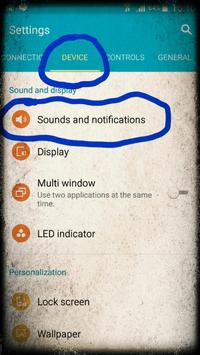
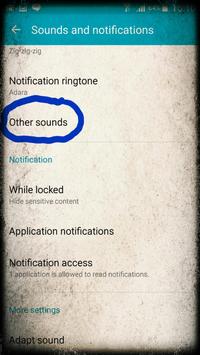
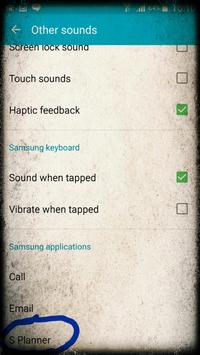
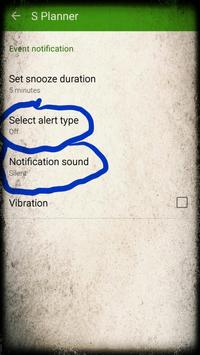
You can disable S Planner in system settings in Android 5.0 Lollipop
, this app is not needed anymore if you have Lollipop. Follow instructions in the screenshots to disable it.
If you don't have this option in system settings, get
adb
command from Android developer tools, plug your phone into PC, enable USB debugging in Android settings, and run this command on your PC:
adb shell pm hide com.android.calendar
If nothing helped, you can try installing this app, but this is not recommended, as it works only 50% of time.
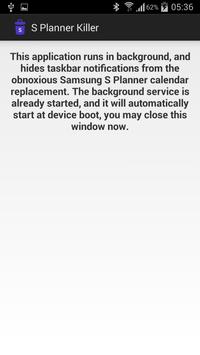
This app will hide all notifications from Samsung S Planner calendar, so you can use another calendar app without having all your notifications duplicated.
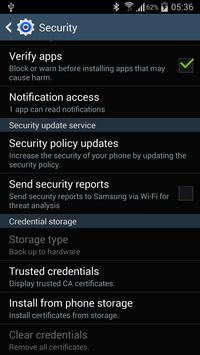
It starts at boot, and runs in background, so you only need to launch it once, and enable it in Notification Access system dialog.
S Planner cannot be turned off in any other way without rooting in Android 4.4 or older - disabling notifications in S Planner settings will be reverted after reboot, de-selecting calendars will disable them for all your calendar apps, it cannot be turned off in Application manager, and clearing it's data won't help either.
Source code: https://github.com/pelya/s-planner-killer






9Apps 4.9













