Flowchart Editor Lite icon

Flowchart Editor Lite

1.0.1 for Android
3.0 | 10,000+ Installs | Reviews

Alexander Ionov

Description of Flowchart Editor Lite

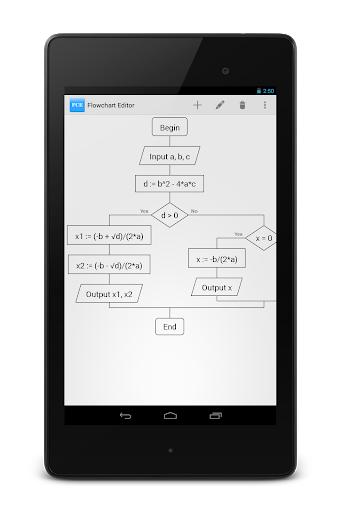
Flowchart Editor - editor which helps you to create simple flowcharts with maximum speed.
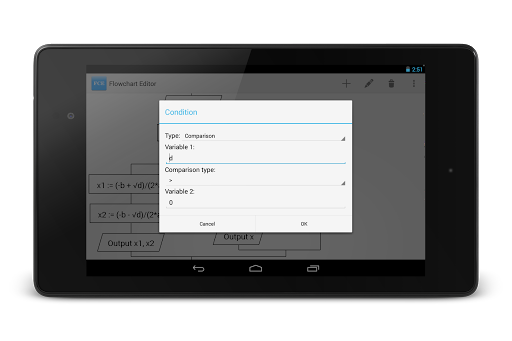
You don't need to draw lines, resize blocks or choose better position for them. Program will do it for you. Just pick a block you want, put it in your flowchart and fill it with content. Much faster, isn't it?
First block would be added automatically after choosing his type. To add another block, you should select block's position by tapping one of "add" points.
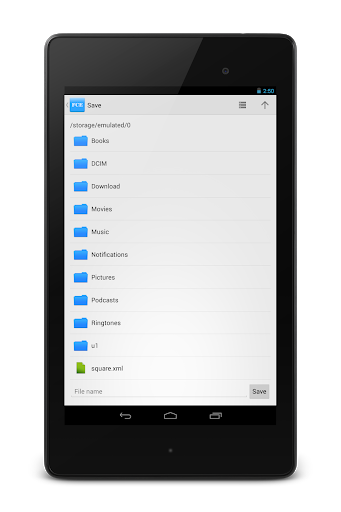
Editor can save flowcharts to XML files and PNG images.
Lite version restrictions:
1) Advertising banner
2) Opening and saving XML files are not available
3) Internet connection required

What's New with Flowchart Editor Lite 1.0.1

Version 1.0.1:
Fixed:
- Problems with conditions
- Problems with undo/redo, screen rotation and file opening after changing text in some cases
- Optimization of calculations
Version 1.0:
New:
- Now you can customize symbols, keywords, margins and other things
Fixed:
- Minor bug fixes
Known issues:
- Sometimes condition doesn't look properly when using multiple lines

Information

  • Category:
    Productivity
  • Latest Version:
    1.0.1
  • Updated:
    2013-11-09
  • File size:
    874.6KB
  • Requirements:
    Android 2.2 or later
  • Developer:
    Alexander Ionov
  • ID:
    ru.alexanderionov.fce.lite
  • Available on:
Reviews
  • avatar
    very much bad madman stupid
    2019-02-14 12:00
  • avatar
    not free
    2019-01-21 01:13
  • avatar
    Had potential, but abandoned too soon. No saving, you cannot edit a node's location once it is placed, and a few other problems. I wish more developers would make their projects open source when they give up on them.
    2017-07-21 01:32
  • avatar
    Can't add lobocks
    2016-10-07 02:30
  • avatar
    Tried doing it but does not download
    2016-02-03 07:57
  • avatar
    First of all, no load and save. That's fine in a demo version, but don't pretend it's a "lite" version. The lack of load and save makes having this app pointless. It's also like boxing with the software to get it to work. Most of the time it takes two or three attempts for clicking on a dot to actually add the item you chose, and the entry dialogues are often obscured by the on screen keyboard. This is a badly designed interface made even more frustrating by the buggy response to user input.
    2015-12-04 03:46