
HD Screen Recorder records your phone screen at high frame rates into a highly quality HD video with audio. Using this screen recording App, you can record on the phone during the operation into a video. Then share record video with friends by using various video sharing apps or sites. Easy to use app, one clicks Video Recorder. Support multiple languages.
Screen Recorder for android is perfect for gamer and marketers who want to record their gaming sessions to create tutorial videos, promotional video, or even just to show off. An app developer will find our screen video recorder app very useful to create an app video for their apps.
This screen recorder app will let you make beautiful screencast videos by providing easily and effectively more feature that you need in the user experience material design
Application support you record video to device screen with Full HD, QHD and this is only screen recorder app in the google play market allows you to pause and resume while recording. Additionally, there are many unique features in this free screen recorder :
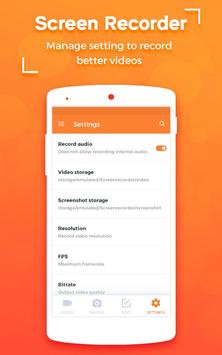
- setting video resolution,
- frame rate, bit-rate
- screen orientation
- record screen control by notification, magic button, blinking dot, when device sleep, when device shake or stop recording when time out
- choose video directory, edit / share or delete your recorded display videos...
- Make a slow motion video, you can also make magic fast motion video.
- display recording duration helps you manage time video much easier
- Show visual feedback for touches while recording. therefore, the people who are watching your videos will know exactly what you are doing.
★Screen Recorder★
With stable and fluid screen recording, you can easily record popular mobile game videos, video calls with family and friends. Also popular programs on live apps!
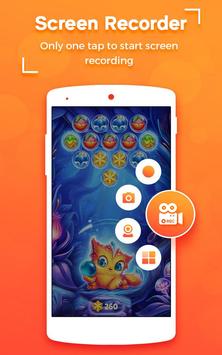
-One tap to start screen recording during ur gameplay & Facetime.
-Intelligent 3 sec preparation after starting the recording.
-Capture your reactions freely with Facecam!
-Easily start/stop recording by quick control panel on notification bar or in floating window.
-Create high quality videos with FUll HD graphics in 1080 p.
-Automatically record sounds from MIC when recording screen video.
★Video Editor★
Recorder provides several amazing features to help you create better videos. You can easily make the following video editing operations with the screen recorder :
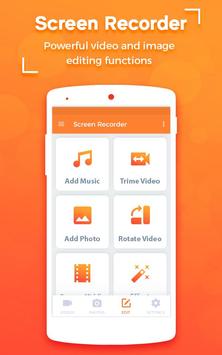
-Trim the beginning/ending redundant parts of the clips to make your perfect videos.
-Remove those unnecessary sessions from the middle of ur video clips to filter useless information.
- Add your favourite background music to video.
★Screenshots★
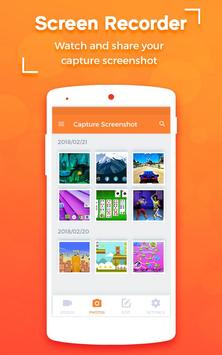
GO Recorder is not only a screen recorder, video editor, but also an app to capture screenshots. With GO Recorder, you can take a screenshot with just one hand. No more double-press and hold. Quick and easy!
-Take a one-click screenshot by the quick controls on the notification bar or in the floating window.
-Share screenshots to ur friends or use the image editing tools for further edition.
★Play and Share Videos★
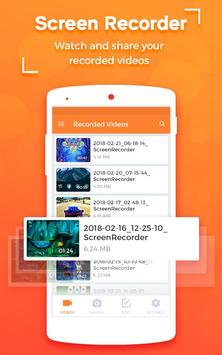
-Play the recorded video clips from the floating window or the notification bar.
-Share ur video clips with your friends on social networking sites/apps.
Download the best screen recorder now and create your first, amazing video!
We appreciate your feedback!



9Apps 4.9














