



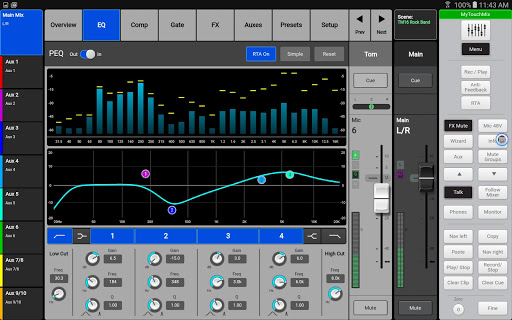
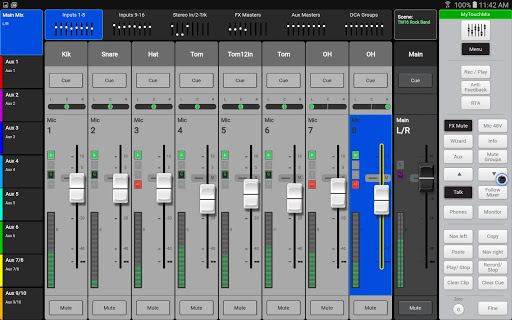
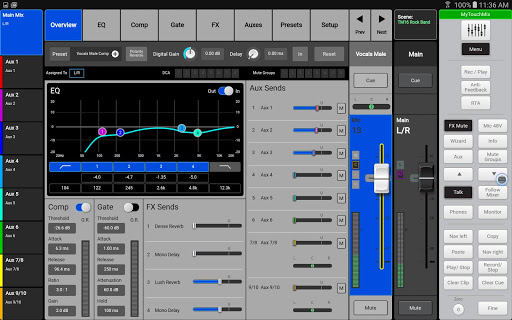
TouchMix-8/16 Control is an app for Android smart-phone and tablet devices running Android OS version 5.0 or higher. It provides wireless control of QSC TouchMix-8 and TouchMix-16 digital sound reinforcement mixers. Visit www.qsc.com for more information. The app is not intended to perform any audio mixing or processing tasks on its own.
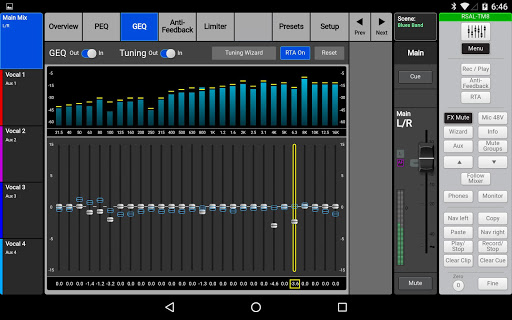
When run on a tablet device, the app closely follows the operational paradigm of the mixers. The app and the mixer GUI operate independently so it is possible for the tablet to act as an additional user interface that can display and control a set of functions completely different from those being controlled by the mixer’s screen and hardware. An alternate operation mode – Follow Mixer – is also available. With Follow Mixer engaged, the tablet follows the fader selection on the mixer. Touch a fader on the mixer and the tablet will display that channel’s Overview, EQ, Compressor, Sends or Gate screen. Touch a parameter on the tablet and the mixer’s rotary control will adjust it – or just drag on the tablet screen. When used without an actual TouchMix, the app acts as a demonstration of the mixer GUI and functionality but does not control audio in any way.
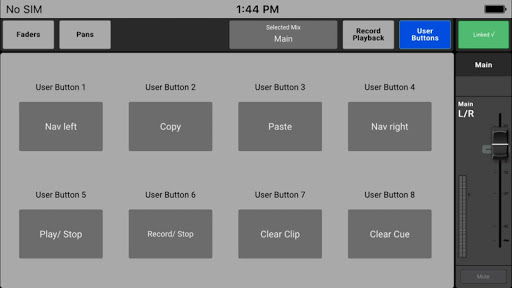
On smart phones, the TouchMix Control app functions as a personal stage monitor mix control with the option to also remotely operate the mixer’s record and playback features as well as programmable user buttons. The mixer operator may allow or restrict access to selected functions on a per-device basis.
Features
• Input channel processing (4-band PEQ, variable high & Low-cut filters, gates, compressor)
• Output channel processing (1/3 octave GEQ, 6-band PEQ, variable high & Low-cut filters, anti-feedback filters and wizard, delay)
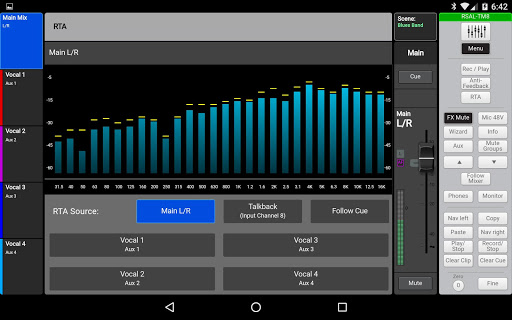
• Real Time Analyzer (RTA)
• Select Simple or Advanced mode
• Displays channel and output level meters
• Channel and output levels
• Effects and aux (monitor) send levels
• Select input presets from extensive library
• Select and control 4 simultaneous effects
• Input and output mutes and cues
• Configure and control DCA and Mute groups
• Multi-track recorder arm, playback and transport
• Includes TouchMix Info system, built-in reference guide.
• And more
Requirements
• Android device running Android OS 5.0 or later
• QSC TouchMix-8 or TouchMix-16 with version 3.0 or higher firmware installed.
• QSC TouchMix-8 or TouchMix-16 with supplied Wi-Fi adaptor installed or connected to a network via USB-to-Ethernet adaptor.
• QSC, LLC Website TouchMix Support Application License Agreement.
• Changes in the Android OS and Chrome browser could cause a condition in which meter activity on the Android device would cause the Android app to crash. This has been remedied with this release.









9Apps 4.9














