



I wants to share an app for all of you. 10,000+ users downloaded Wi-Fi Matic latest version on 9Apps for free every week! A lot of functions and features are contained in this app. This hot app was released on 2013-04-20. Don’t wait any longer– the application will shock you.
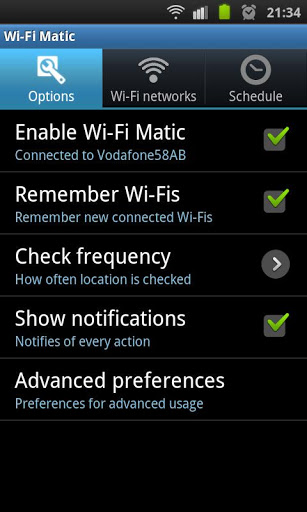
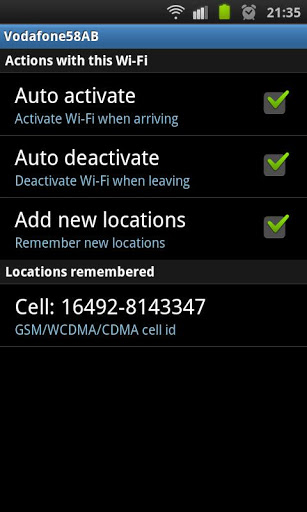
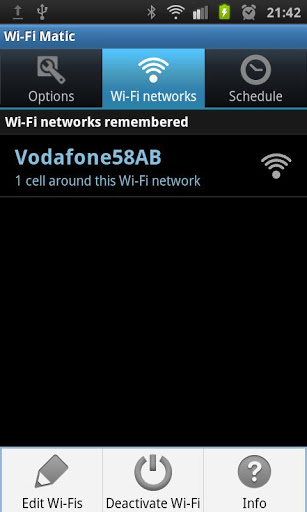
Important: do not download this app if you are looking for WiFi password revealing or WiFi configuration assistant.WiFi Matic activates and deactivates WiFi of your device automatically depending on your location, helping you to save battery and consumption of data through your operator network.It detects automatically the location of known WiFi networks f.i: home, office, etc., turns on WFi when you arrive a place where there is WiFi, and turns it off when you leave.You will simply notice that your device automatically uses WiFi in the usual places where you have wifi access while it keeps WiFi off where you don39;t have it. How does it work?It DOES NOT USE GPS neither requires to have Android network location services enabled, as it uses your operator network cell identifiers cell tower identifiers as the relative location where you are, and where your WiFi networks are. It is designed to minimize usage of resources and battery. WiFi Matic detects and learns automatically locations where you are connected to a WiFi, and doesn39;t need configuration. Besides, it allows you to manage manually your WiFi when needed not interfering with you or with your device data connections. How is it used?1. Once it is installed, click on quot;Enable WiFi Maticquot; and leave the app in the background. 2. Whenever you want to connect to a WiFi for the first time, do it manually in the Android Wireless networks settings menu, or just let Android connect to any of the networks already known by your device.3. And that39;s it: WiFi Matic will learn your WiFi location when you get connected. Whenever you leave that place, WiFi will be automatically turned off and whenever you get back, WiFi will be automatically turned on.See: https:sites.google.comsitewifimaticappkeywords: wifi wifi wireless automatic turn on off location positioning detection scheduler




9Apps 4.9














