

The oeSENC Plugin for OpenCPN brings a new source of high performance vector charts to the OpenCPN for Android application.
This Plugin supports the full set of oeSENC vector charts (ENCs) available from o-charts.org.
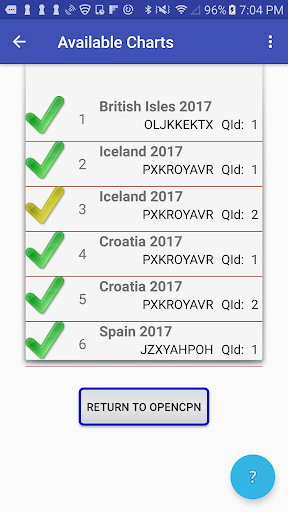
Using the oeSENC Plugin, you may easily download and configure a wide selection of new charts, covering many great cruising destinations.
The oeSENC Plugin is for use with OpenCPN for Android v 1.0.13 and higher.
Here are the basics steps to get you started.
1.
Visit the o-charts.org website and browse the oeSENC chart catalog.
2.
License one or more oeSENC chart sets, using a payment method of your choice.
3.
Download and install the oeSENC Plugin from the PlayStore.
4.
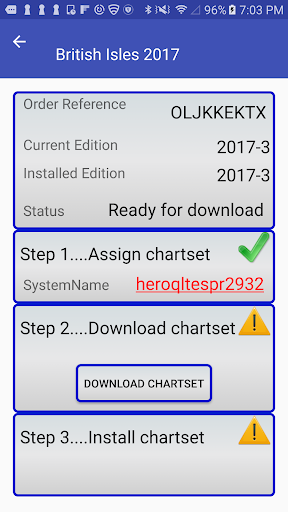
Start the Plugin, and follow the onscreen instructions to configure the Plugin.
OpenCPN will automatically restart if necessary.
5.
In OpenCPN, navigate to the Options->Charts->oeSENC charts tab.
Follow the onscreen directions to download and install your new charts.
That's it.
We hope you enjoy navigating with your new oeSENC charts.
The OpenCPN Team.




9Apps 4.9













