
Navigation Bar - Smart Control Button
app let you build your specific navigation bar with your own background task. The
Navigation Bar - Smart Control Button
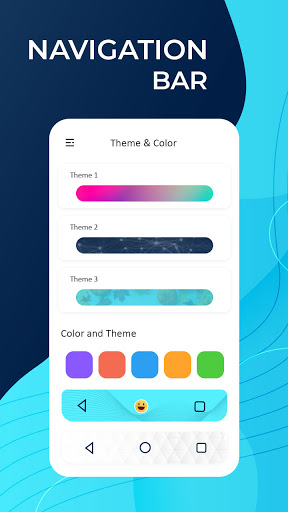
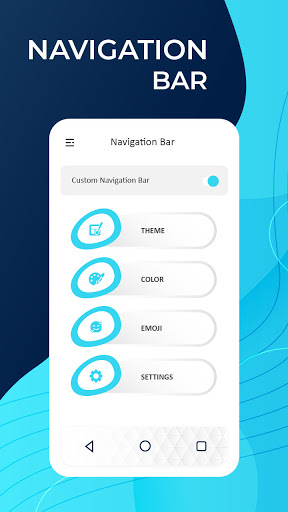
- Optimized includes a variety of editing features for creating customized navigation bars, as well as a floating feature that allows the user to quickly move the navigation bar across the screen.
The back, home, and recent buttons are all available in the
Navigation Bar - Smart Control Button
, as well as a button to switch the navigation bar animation to the specified area on the screen. You may also adjust the root of the navigation bar and the colour of the navigation bar. This bottom navigation bar makes it easy to use. The back button for touch mobile and a custom navigation bar - navigation bar customize - are located at the bottom of the navigation bar. The most popular app in the Play Store is the Home Back Button. The most commonly used navigation animation key is the home back press. The control navigation bar's home and back buttons are locked.
This is a navigation bar with simple controls and a navigation bar background with simple controls. One type of touch control is simple control safety. This application's soft key is this custom navigation bar. We may also adjust the bottom bar's arrow keys. This is a navigation bar app's complete set of controls. The custom navigation bar is used to turn off the fast navigation soft key. The navigation app is bottom bar of your smartphone.
Navigation Bar - Smart Control Button
Bar includes the back, home, and recent buttons, as well as a button that moves the navigation bar to the specified area on the screen. Long-press options can also be used to configure the functionality of these buttons.
Navigation Bar - Smart Control Button
is a small navigation bar that can be placed anywhere on the screen for quick access. It also allows you to customize your navigation bar by selecting and applying various themes to it. The Navigation Control Bar is supposed to be as clear as possible.
✦ What is Navigation Bar?
➠With a floating bar on the screen, you can conveniently use your Android smartphone. The best system for securing physical buttons is the Navigation Bar (home button, back button, recent button). It's ideal for a smartphone with a big screen.
✦ Navigation Bar
➠ Virtual Home key, easy touch to go home screen, back, and open recent task
✦ Buttons added are:
➠ Back button
➠ Home button
➠ Recent Button
Features of
Navigation Bar - Smart Control Button
(Back, Home, Recent Button) - NavBar
📱 Single press action : Home, Back, Recent.
📱 Separate settings for individual navigation buttons on screen hide.
📱 Simple app to offer simple Navigation control bar for easy access.
📱 Tap On/Off button to easily on and off the custom navigation control bar.
📱 Long press action for back, home, recent buttons.
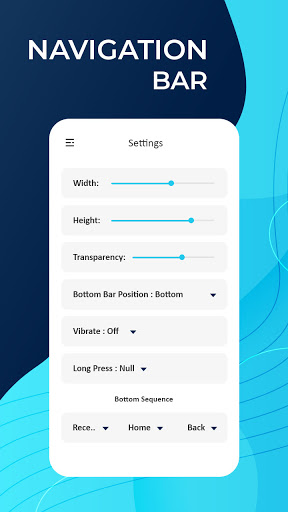
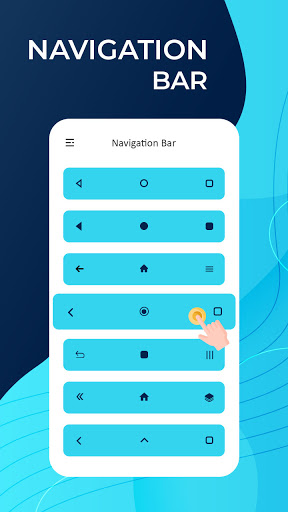
📱 Ability to change navigation bar with background and button color.
📱 Ability to adjust the scale of the navigation bar in relation to its height.
📱 Vibration on touch can be set.
📱 The ability to lock the navigation bar.
📱 Ability to activate and disable the background color.
📱 Easy to set up.
📱 It's a simple and pleasant way to use.
📱 No root access is needed.


![How To Bring Back The Android Back Button [Back Button Missing] screenshot 5](https://i.ytimg.com/vi/XMl0AKeHIZ0/mqdefault.jpg)

9Apps 4.9













