Screen Dimmer icon

Screen Dimmer

1.2.2 for Android
4.3 | 500,000+ Installs | Reviews

Nu-Kob

⚠️ You need 9Apps App to install .XAPK File. How to install XAPK?

Description of Screen Dimmer

If your screen is so bright and you want to reduce the brightness. You need this application called "Screen Dimmer".
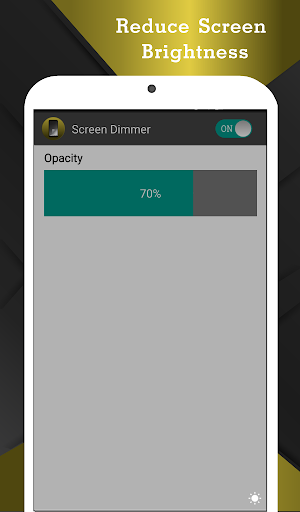
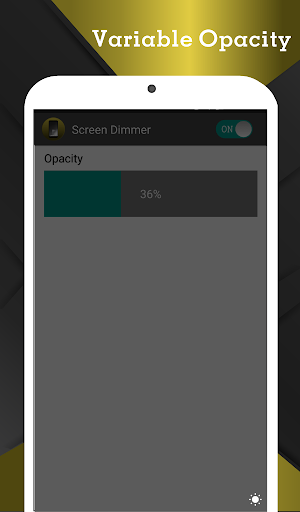
"Screen Dimmer" application helps you adjust screen brightness to any level. You can adjust brightness from 0% to 100% with this app.
Features
- Adjust screen brightness to the minimum.
- Auto start after reboot.
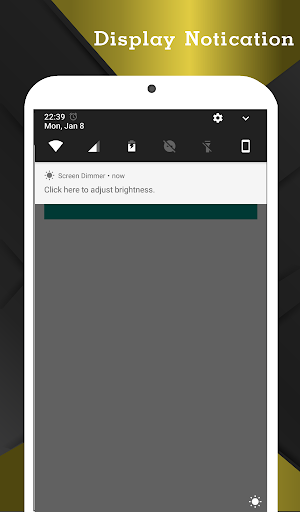
- Able to open application via notification bar.
- Stable, lowest memory usage, minimum battery usage.
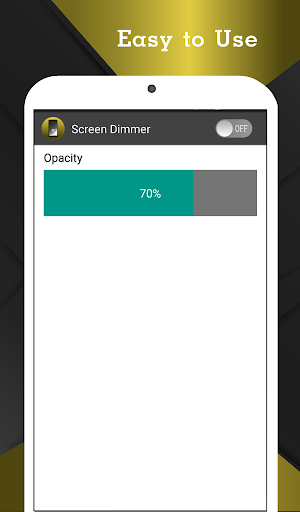
- Easy to use. Just choose percent of brightness you want to set from seek bar.
- Smallest size of application.
- No permission required.
- Emergency button to turn off the service in case of black screen in some devices or accidentally set the brightness to 0%.

Information

  • Category:
    Tools
  • Latest Version:
    1.2.2
  • Updated:
    2021-11-17
  • File size:
    3.5MB
  • Requirements:
    Android 4.4 or later
  • Developer:
    Nu-Kob
  • ID:
    nu.screen.dimmer
  • Available on:
Reviews
  • avatar
    This is an amazing app but sometimes it has problems but any how this is so amazing I have never been this happy with a app this app can low your light and it is so good I love itt am dit makes thing wayyyyyyy easier
    2020-10-10 10:13
  • avatar
    it is a very nice app and it actually works !!
    2020-08-24 08:53
  • avatar
    Great, just a note: only works on amoled! LCDs have a backlight, and OLED pixels make their own light, so it works great on OLED
    2020-07-01 08:22
  • avatar
    Unfortunately, it doesn't affect the lock screen (so the display's painfully bright till you unlock), and doesn't dim notifications or the Quick Panel. But I understand Google has prevented apps from doing this "for security"—so till phone makers realize their displays don't dim enough, I guess apps like these are the best we can hope for. BTW, why cover the whole screen when changing brightness? Why not just show the slider over the current screen, so we can actually see what we're changing?
    2020-04-08 05:33
  • avatar
    I can still use the app but every time i access the app it said : " the app is built for an older version of android, pls check updates " i was like wh@t th€ f*¢k cus im using the oneplus 7 pro at android 10
    2020-01-21 08:16
  • avatar
    It's good but in between adds comes which are really irritating ones...otherwise I would have been given five stars
    2019-08-26 05:36