
Make Notes using your Voice!
Got to do things but keep forgetting? Need some help in remembering how to start and what to be done? Taking help works but this does not work all the time!
Want to be independent and all by yourself? Try taking notes of everything that needs to be done! It is not too dumb to accept that we all need help. Technology has done an amazing job in adding ease to our lifestyles. And one of the best way, to witness that ease is, in the form of a voice notepad!
With this notepad, texting and recording stuff is made easy. Take possible advantage of this technology and add ease to your work!
Here is how speech to text notes work!
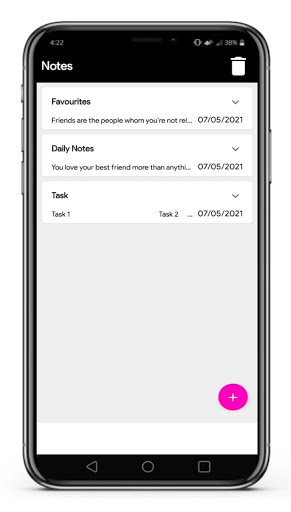
1. Tap the app and then on the plus sign to add a new note.
2. Create a title either by using the voice function or by using the keyboard.
3. Cancel the note creation process anytime by clicking on cancel.
4. To delete a note, tap on the downwards arrow on the pre-saved note. Click on the Delete option then.
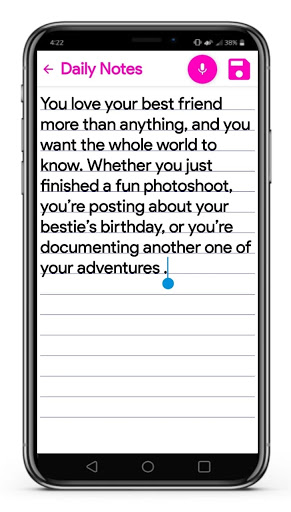
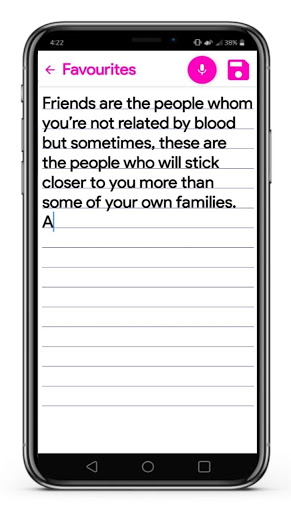
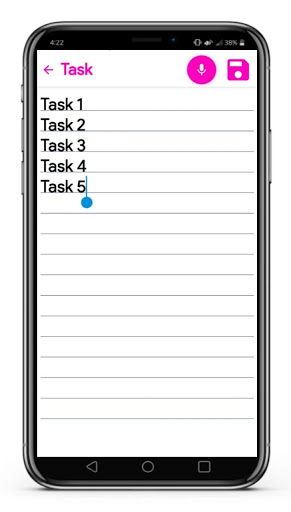
5. To add details in the created note, click on anyone as per desire. Use the voice button to add more details to this voice notepad. To save it all, click on the floppy like button.
Why count on Smart notes?
· Want something quick to help you with note-making? The Voice input method is just for you!
· Its speech to text converter does not leave you with weird speech to text translations.
· Want to improve your English pronunciation? Use its speech to text feature. Get to know how your pronunciation puts out the meaning.
· A light app. It does not hamper your phone’s smooth functionality.
· Easy to install and gives a smooth experience in its use.



9Apps 4.9














