
Launchster Side Launcher icon

Launchster Side Launcher

1.1.7 for Android
4.0 | 5,000+ Installs | Reviews

Bert de Ruiter

Description of Launchster Side Launcher

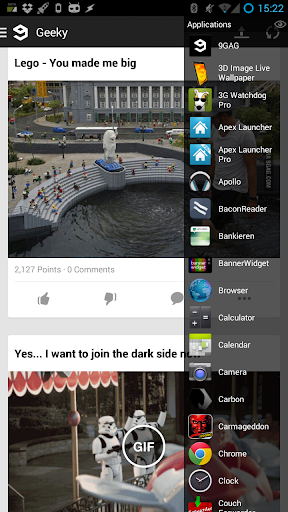
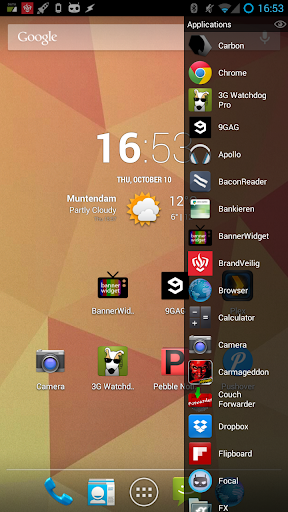
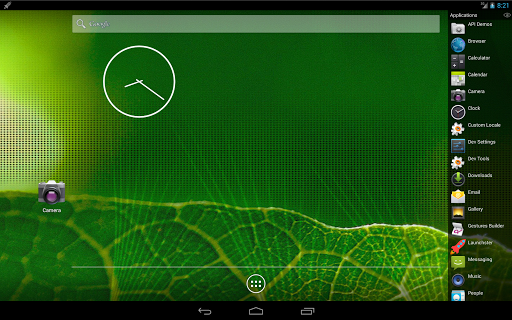
Switch between your apps in a fast and intuative way.
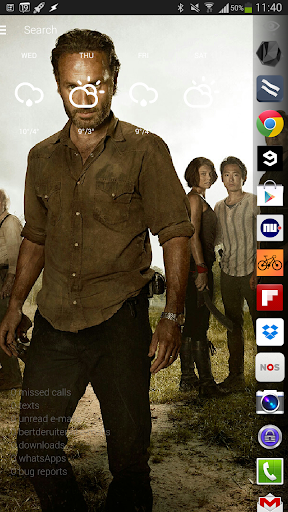
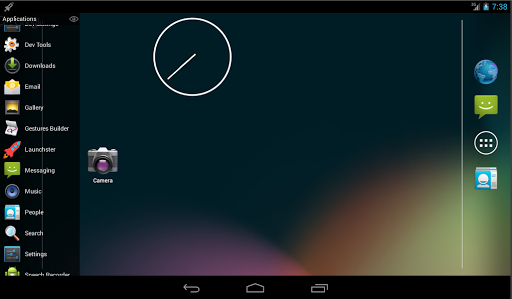
Get your app list by swiping in your screen from left (or right).
Features:
- Launchster will learn which apps you start the most and will prioritise them to be on top off the list.
- swipe in from either left or right
- adjust the size of the swipe area
- hide apps from the list by swiping them to the left.
- reset an app to it's original position by swiping it to the right.
- uninstall apps by long pressing them.
- choose your favorite list animation
- toggle hidden apps with the "eye" icon
If you run into crashes/bugs please report them

What's New with Launchster Side Launcher 1.1.7

*1.1.7
- added lock function to disable swiping

Information

  • Category:
    Personalization
  • Latest Version:
    1.1.7
  • Updated:
    2015-02-06
  • File size:
    1.5MB
  • Requirements:
    Android 4.1 or later
  • Developer:
    Bert de Ruiter
  • ID:
    nl.phlux.launchster
  • Available on:
Reviews
  • avatar
    Too many glitches. well trying to scroll most of the time I open up applications I didn't intend to. if trying to scroll fast to the bottom it glitches then lags out.
    2019-08-06 08:38
  • avatar
    Don't really need it on bare run newer phones like a now note 5/7 or s7 edge. BUT it's fast light and didn't require ANY permissions to run the install. So it's not trying to spy on you amd collect Metadata to sell. Love that. And it works smooth. Doesn't get better for a App than that. Keep up the good work Bert de Ruiter and team (if you have a Dev team. Don't know if you do this all yourself or a partner or a team but whatever it is is working out great. Keep pushing out the goods and klean apps)
    2017-01-03 06:32
  • avatar
    Love the simplicity!
    2015-10-31 03:15













