
Like most of us, you have these days a large DVD collection. When the physical discs are stored in one or more big cases, you already experienced the hassle finding a certain disk in such a big collection. Keeping a good registration of where the discs are stored is already one step in helping you. However life would be so much easier if there would be a nice application on your Droid to keep track and find any disk in a snap.
DVD Catalogue is the nice, easy to use and light weighted DVD catalogue application for your Droid.
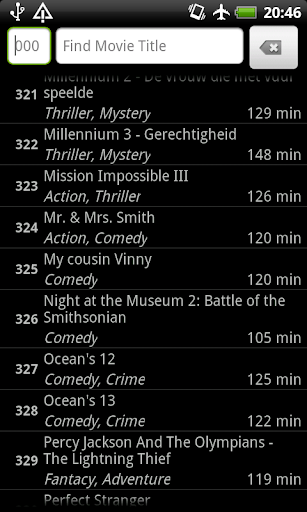
When looking for a particular disc, run DVD Catalogue and the program provides an at-a-glance overview of your entire disk collection. Just enter the keyword into the search box and all results matching your criteria will be shown in a filtered view.
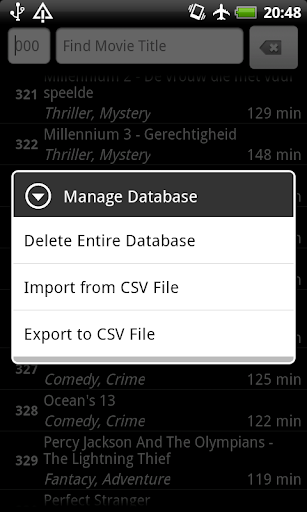
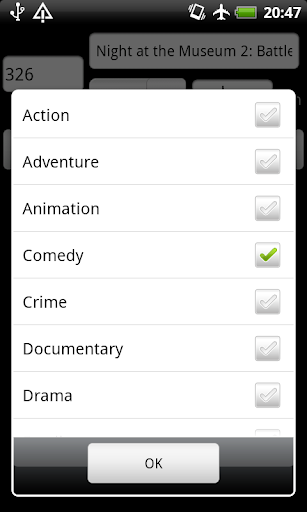
With each DVD additional information can be shown, like movie length and genre. Clicking on any of the listed items opens a context menu allowing individual modifications (Add, Modify or Delete) Maintenance commands, like: Add Record, Database Import and Database Export are available from the main applications menu.
Feature list:
- Show Movie Title, Genre(s) and Length
- Browse complete collection
- Quickly search/filter on movie title to find exactly what you're looking for
- Quickly Add new, Modify or Delete existing entities
- Import data from separated values file
- Export entire catalog to separated values file on SD card
Release 1.3
- Added Display options to the menu:
-> Show or Hide the Disc Number
-> Select what to show first, Disc Number or Title
-> Sort on Disc Number or Title
- Added option to automatically renumber the disc based on the alphabetical sort order on title.
- Minor layout changes.
- Small bug fixes.




9Apps 4.9













