
Secure Clips clipboard manager icon

Secure Clips clipboard manager

SecureClips 2.4 for Android
3.9 | 5,000+ Installs | Reviews

EasyJoin

$2.99

Description of Secure Clips clipboard manager

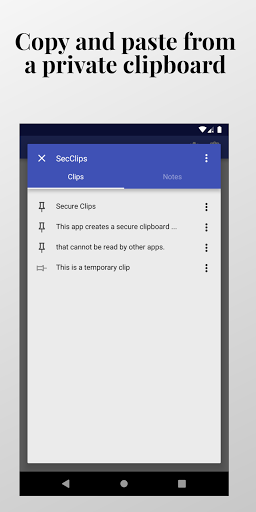
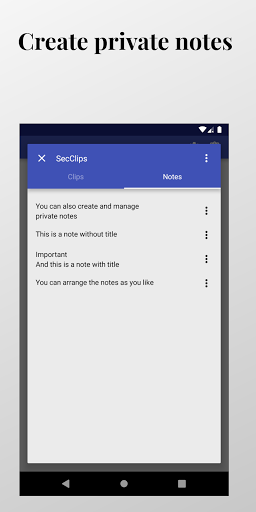
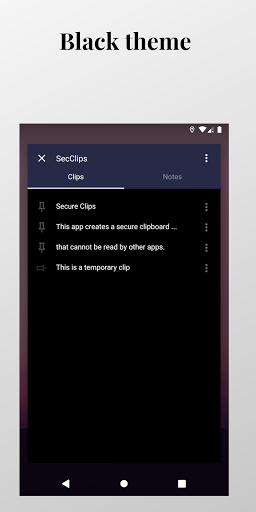
Creates a private clipboard that cannot be read by other apps. You can also create and manage private notes.
TIP: by giving permission to use "accessibility service" you can copy and paste text to editable fields that do not offer the "three-dot" submenu.
To copy text to your secure clips:
• Select the text to be copied.
• In the context menu, select the icon to see further options - normally a three-dot icon.
• Choose "Copy to SecClips".
• Or, if you have given permission to use the "accessibility service", long click the selected text and click on the corresponding icon in the popup window.
To paste text from your secure clips:
• Select the text to replace. If you don't want to replace an existing text you need to write a couple of characters and select them.
• In the context menu, select the icon to see further options - normally a three-dot icon.
• Choose "Paste from SecClips".
• Or, if you have given permission to use the "accessibility service", long click the text field (even without selecting a text to replace) and click on the corresponding icon in the popup window.
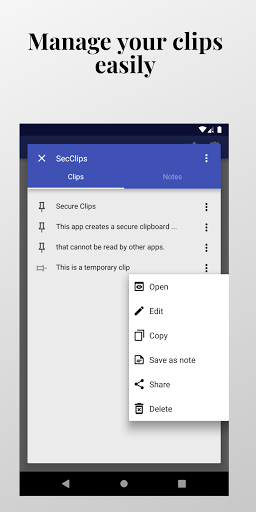
To view and manage secure clips and notes:
• Choose the corresponding icon at the top right of this page.
• Or, choose "SecClips" in the context menu.
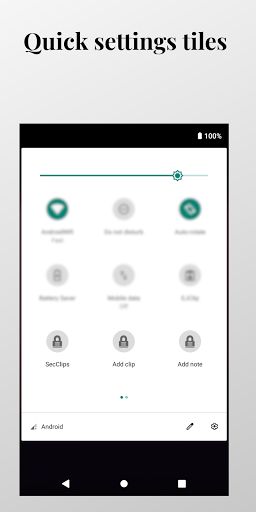
• Or, use the quick settings tile "SecClips". You may need to give the application permission to create popup windows to use this feature.
Powered by EasyJoin.net
This application uses Accessibility services.
It uses the accessibility service in order to paste text to editable text fields. This permission is not required if the editable text fields offer the "three-dot" context menu.


Information

  • Category:
    Tools
  • Latest Version:
    SecureClips 2.4
  • Updated:
    2021-11-21
  • Requirements:
    Android 0 or later
  • Developer:
    EasyJoin
  • ID:
    net.easyjoin.secureclips
  • Available on:
Reviews
  • avatar
    Paste function doesnt work on all editable text eg WPS Office docs, im guessing because WPS has "changed the standard context menu but forgot/decided not to implement the standard Android APIs." (2019.9.15 quote from easyjoin developer about a previous, similar app of his that didnt work on Telegram) (works with Signal tho). Works great on my password managers & plain text editors. Helps keep sensitive info off my Android 10 system-wide clipboard. Well done easyjoin! Thanks!
    2024-02-16 08:29
  • avatar
    The longer I had become easy to open like it holds the world/ no' indefinite comes in handy quite a bit
    2023-03-15 02:00
  • avatar
    I've been playing around with the 'Automatic popup closing' feature, and it doesn't really make sense to me. I still want to use the popup, I think it's awesome, but the "closing" should be handled differently. It needs a delay, or some way to detect when the keyboard has opened/disappeared, because that's really the only time the popup is needed most. Otherwise it's redundant. It doesn't make sense to fly in and kill the popup, when the popup technically doesn't have to show in the first place.
    2022-11-05 07:30
  • avatar
    Até agora ótimo! Five stars. Seguro. Confiável.
    2022-09-25 01:03
  • avatar
    Seem that bigger company has put a stop on this app being able to be used as it did say before 2020
    2022-08-03 06:47
  • avatar
    Very bad
    2022-02-20 09:52