

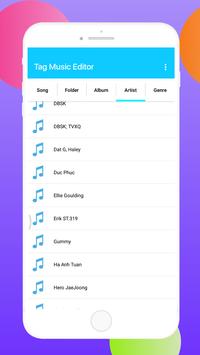
Replace wrong album art and edit inaccurate audio tag with
Music Tag Editor – Audio Tagger
! This is a brand new app that includes functionality of
album art grabber
and
music tagger
.
Music Tag Editor
is a powerful and easy-to-use tool to edit metadata of audio files. This application is the best
iTag Editor
. It has been created in order to edit the meta-information (artist, album, artwork, lyrics, etc.) such as mp3, m4a, flac, wma files.
Most
Tag Editors
only edit ID3 tags.
Music Tag Editor – Audio Tagger
directly makes changes to Android Media Store as well as ID3 tags. MediaStore is a database where android stores meta data of media files.
# Feature of
Music Tag Editor – Audio Tagger
:
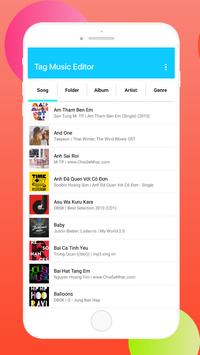
Powerful music tag editor
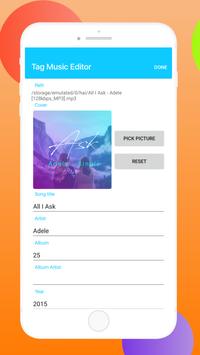
Edit Music all the most known tag information (Supports manual tag editing modes):
✔ Edit song title
✔
Edit song artist
✔ Edit song album name
✔ Lyrics editor
✔ Editing year, track, genre, composer and disc number of songs.
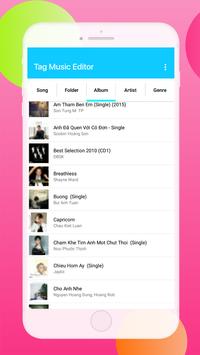
✔ Edit album, album artist, genre and year of albums.
✔ Update cover art of albums.
✔ Update cover art of songs.
✔ Remove album art from songs.
✔ Remove album art from albums
✔ Provide an easy UI to fix incorrect(garbled) texts in fields at once
✔ Provide file browsing to select a media file in "Files" tab.
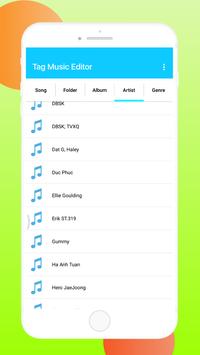
✔ Filter Search Cover, Artist, Album
✔ Support multiple formats: M4A, MP4 , FLAC, OGG, MP3, WMA, MPGA, WAV, RM , M4B, AIF, AIFF, DSF
✔ Tag editor is designed to be easy and intuitive to use
The new album art and track info are written directly to music file, and cached by Android OS (build-in media scanner starts after every music tag or album art change)
Music Tag Editor – Audio Tagger
powerful audio editor is instead of MP3 tag editor, ID3 tag editor… Excellent editing music files, promises not to disappoint! 👌
Please leave feedback for us, we are really interested in it. If you like
Music Tag Editor – Audio Tagger
then please give us a review. Thanks for all!

9Apps 4.9















