
THIS IS THE AD-FREE VERSION OF LUA PLAYER.
☆ Are you looking for a Handy and less limited multitasking popup media player ?
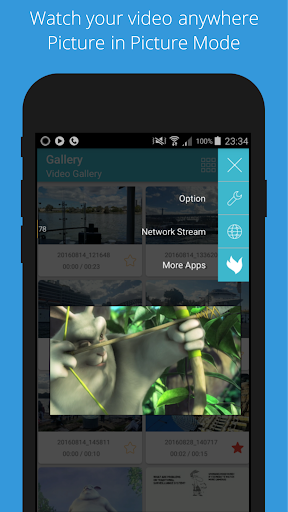
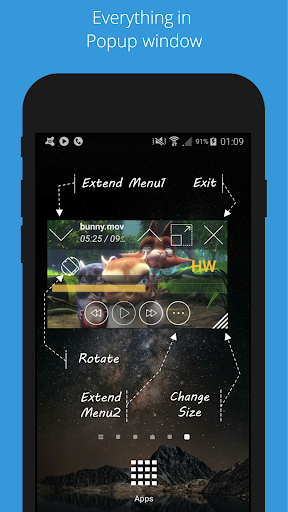
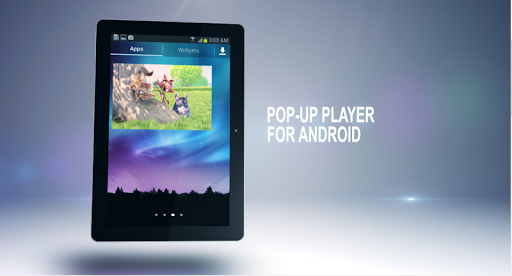
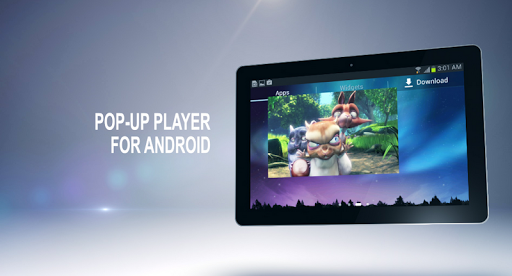
With re-sizing in popup window and multitasking feature, Lua Player is by far the most powerful media player on android market. This supports "Real multi-tasking" with "Picture in Picture" mode.
Lua Player plays most multimedia files and various streaming protocols. It is supporting most codec with containers including MP4, AVI and more. File subtitles and online subtitles is supporting and multi-audio selection as well.
Just enjoy the video and do anything else at the same time with this video player.
>
Real multitasking means not just supporting a floating window, but supporting all menu and functionalities from pop-up window!
☆ Main Features
★ MULTITASKING with FLOATING WINDOW
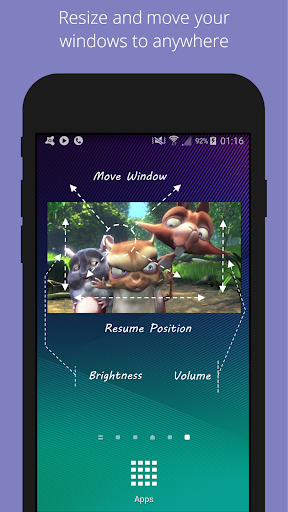
• Easy to resize and move to any screen positions! Play your videos with game or chatting screen.
• Can start from external file managers with popup window mode, which is the most beneficial feature among video player apps.
★ HD VIDEO PLAYER
• Supporting high quality videos including 720p, 1080p and more, which depends on hardware and software decoder.
★ AUDIO PLAYER WITH POPUP
• Now Audio play with floating window mode supported !!
★ HIDE WINDOW AND BACKGROUND PLAY
• Hiding and Restoring window any time, any place is the definitely unique feature for multitasking and only from this media player !
★ PLAYBACK SPEED CONTROL
• 0.3x ~ 4.0x
★ SEARCH VIDEO AND AUDIO
• Query video or audio with your keywords to local storage
★ SCREEN CAPTURE & SCREEN ROTATION
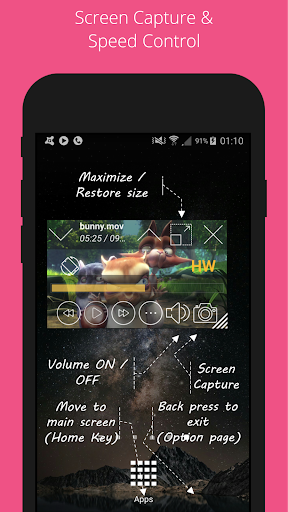
• Supporting screen capture and screen rotation during playing video files
★ Network media play through SMB (SAMBA)
• Video and Audio are available from window share or NAS via SMB
★ Beautiful UI & THEMES
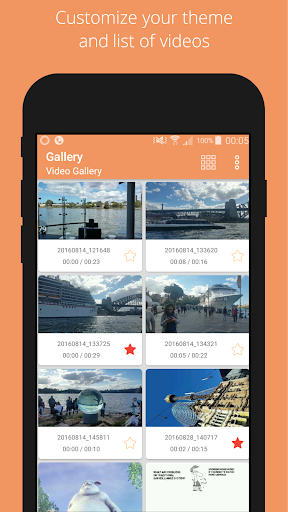
• Beautiful user experience within complicated multitasking popup window media player.
★ BETTER USER INTERFACE
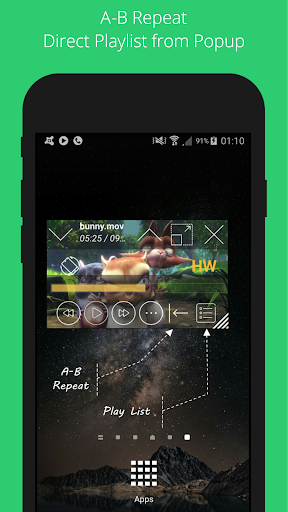
• AB Repeat mode and auto-resize subtitle in accordance with window size are supporting. You can control BRIGHTNESS and VOLUMN even current VIDEO POSITION by gesture
★ EASY TO SAVE YOUR FAVORITE VIDEOS
• Very easy to add, delete your favorite Video from local media files and from streaming url
★ Support for most video, audio file formats and codec.
★ Support for most subtitle file formats with online subtitle.
★ Supports network streaming.
★ Automatic detect videos on device and from micro SD card.
☆ Video Codecs
• H.264, H.265, H.263, MPEG4, XVID, VP6, VP8, MPEG-1, MPEG-2 and etc
☆ Audio Codecs
• AAC, AC3, Vorbis, MP3, MP2, WMA, FLAC and etc
• Multi-audio selection supported.
☆ Network Stream
• RTSP, RTP, RTMP
• HTTP
• MMS
• HTTP Live Streaming with multiple bit rates (m3u8)
• Supports SMB/CIFS (SAMBA)
☆ Subtitle
• SAMI(.smi), .ssa/.ass, SubViewer(.sub), Subrip(.srt), MicroDVD(.sub)
• Unicode Multibyte charset supported.
• Online subtitle supported.
☆ Permissions
• Read phone status an identity: to pause player when receiving incoming calls. It needs for floating player being resized.
• Modify or delete the contents of your USB storage: to delete media files and thumbnails when receiving user action
• Full network access: To open network streams.
• View network connections: To see network state.
• Prevent phone/tablet from sleeping: to prevent your phone or device from sleeping during playback.
• Draw over other apps: to draw floating window over any position.
Some of the screens are from the Big Buck Bunny licensed under the Creative Commons Attribution 3.0.
(c) copyright 2008, Blender Foundation / www.bigbuckbunny.org
Some of the screens are from the Sintel licensed under the Creative Commons Attribution 3.0.
(c) copyright Blender Foundation | www.sintel.org
Support for Android 11







9Apps 4.9