

App Backup Restore use accessibility services to improve auto uninstall feature in some devices.
This app is the Pro Version of App Backup & Restore. Unlike the Free Version, Pro Version is More Stable and Reliable without any ADs.
Backup & Restore & Transfer whenever and wherever!
App Backup Restore - Transfer is to Backup & Restore apps and personal (contacts/SMS/call) to local or cloud, Transfer & Share apps, personal information for Android devices.
★ Editor's Choice
No.1 in "10 best Android backup apps and other ways to backup Android!” - Android Authority
No.1 Free app in “10 Best Android Backup Apps” - Tom’s Guide
★ Function
● Backup & Restore
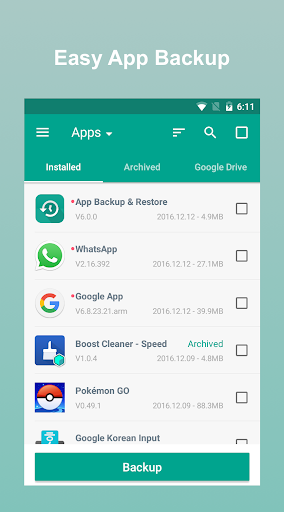
· Backup & Restore apps that are not used frequently
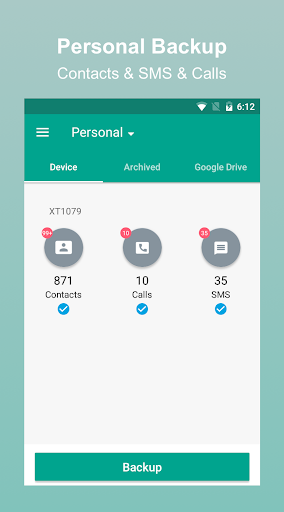
· Backup & Restore personal information for safety
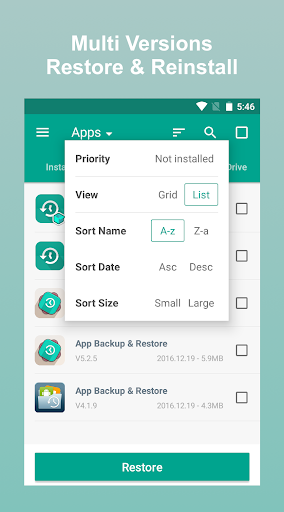
· Backup & Restore multi-versions to recover unnecessary updates
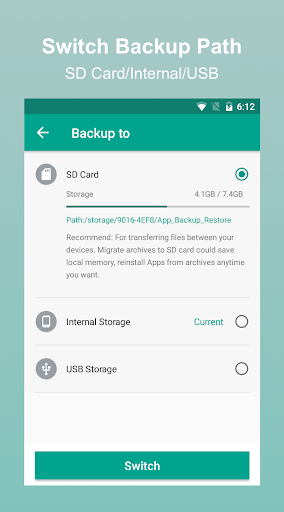
· Backup & Restore all to internal storage or external SD card
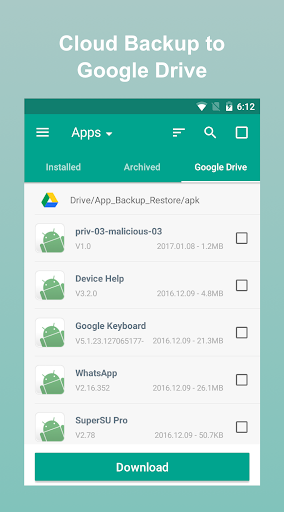
· Backup & Restore to cloud such as Google Drive, Dropbox, etc.
· Auto Backup at all times
● Transfer & Share
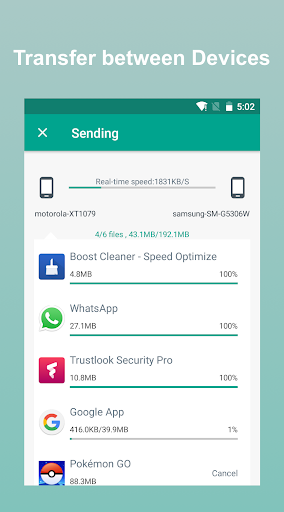
· Transfer & Share app/APK/contact/SMS/call
· Transfer & Share through building private Wifi-hotspot
● Google Drive Backup
· Backup & Restore to Google Drive, never lose your favorites!
· Backup & Restore to Google Drive, free up your Android!
★ Features
· Backup & Restore to phone memory in default
· Backup & Restore to SD card or USB
· Cloud backup to Google Drive, Dropbox, etc.
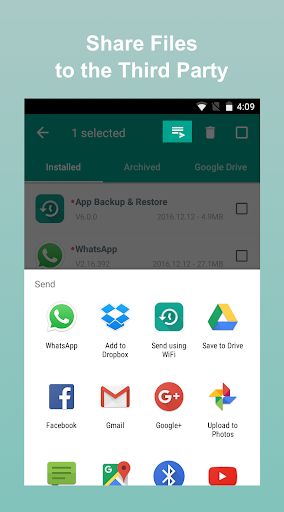
· Send files to the third party platforms
· Backup & Restore apps, contacts, sms, calls
· Extract & Retrieve APK files
· Overwrite, downgrade app versions
· Auto backup at all times
· Set auto backup list
· Transfer & Share by building private Wifi-hotspot
· Wireless Transfer & Share with dizzying speed
· Auto backup & personal update with notifications
· Google Drive upload/download with notifications
· Onekey backup & restore system apps
· Scan APK files stored in your phone
· Scan virus for more protection
· Auto install/uninstall
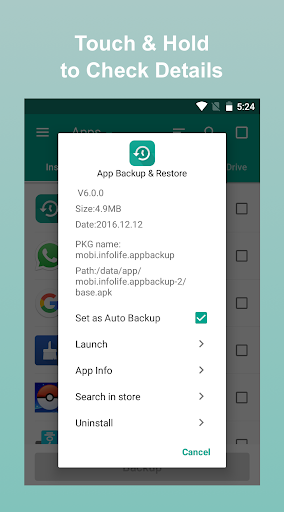
· Touch & Hold apps to check details
· Batch backup, restore, transfer, share
· Manage app by installed, archived, Drive
· Sort files by name, date, size
· Show backups’ size & time
· Show used & total storage
· Recover phone after factor reset, Samsung supported
Notice:
App Backup & Restore cannot backup/restore/transfer data or settings of apps, it only backup/restore/transfer the apk files.
Please backup to sd card or cloud before factor reset, or all backups will be deleted due to system restriction.
For Android 4.4 and above, Google reserved the permission to write plug-in SD card. It is now granted only for Google and cellphone manufactures.
Requested Permissions:
READ CONTACTS/SMS/PHONE to backup & restore your personal information
READ PHOTO/MEDIA/FILES to transfer & share your media files
READ WIFI/BLUETOOTH/GPS to ensure transfer feature
REQUEST CERTAIN PRIVACY PERMISSIONS to enable virus scan & Google Drive backup
Contact us if you want to help making the app into your language: support@apexapps.xyz
English, Español, Pусский, العربية, Italiano, 简体中文, 繁體中文, Português (Brasileiro), Čeština, Nederlands, tiếng Việt, 日本語, Slovenčina, Deutsch, Français, Polski, Indonesia, Türk, বাংলা, català are supported now.
Like us on Facebook: https://goo.gl/9Blp5L
Join our Google Community: https://goo.gl/rViS0q
Any question, please share at menu->feedback in our app App Backup Restore Transfer, or support@apexapps.xyz.
- Fix Restore Crash Bug!!
- Fix Google Drive Sync Fail Bug!!










9Apps 4.9














