

📥 What you need:
-
Kustom Live Wallpaper
-
Kustom Live Wallpaper Pro Key
- Compatible launcher (Nova Launcher recommended)
🤳 Setup:
- Nova needs blank 5 pages before applying this preset. If anything is out of place or animations don't look right - open Kustom and click the save icon to reapply the preset. This is a bug with how KLWP handles multi-page animations. Re-applying the theme should correct this.
Please ensure you have wallpaper scrolling enabled in your launcher.
- Open Kustom and load the theme.
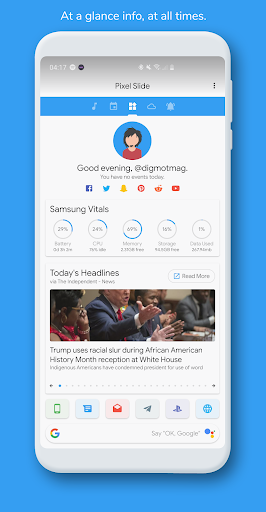
- On the GLOBALS tab change the titleTxt global to whatever you want.
- Change the
yourName
global to... You guessed it.
- Choose a profile image with the
avatar
global.
- Change the
feedURL
to an RSS feed URL of your choice.
- Change the
dst
(dock search text) global to string of your choice.
- If you wish, you can continue to modify the globals for your status bar (
sbar
) and you navigation bar (
nbar
) - but these can be modified from the theme itself in the settings menu*
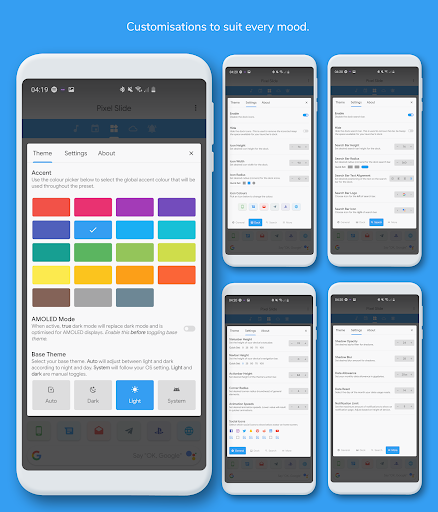
* To access the settings menu, click the three dots at the top right and select settings from the dropdown menu that appears.
Additional Notes:
💙 Supports all aspect ratios and will automatically adjust to fit your device.
Added: Built-in statusbar that will change to suit theme
Added: New settings page to house statusbar customisations.
Changed: Target SDK 29



![How To Customize Android Like a True PRO in 2025 [Ft. Liquid Glass Setup] #Ep02 screenshot 5](https://i.ytimg.com/vi/_bXrzilCDBo/mqdefault.jpg)





9Apps 4.9














