

Mobiezy Customer App has simplified the connectivity between the customer's respective Cable Operator and Fitness Centers.
Salient Features of Mobiezy Customer Application
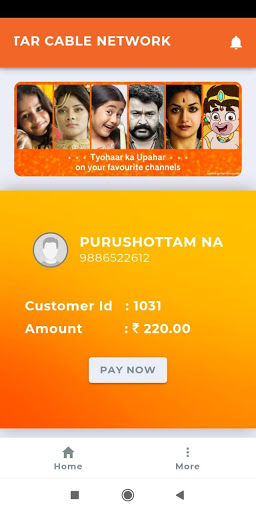
View the list of subscriptions (Cable/Gym)
Make Online Payment
Register Complaints
View Payment History
View Bill History
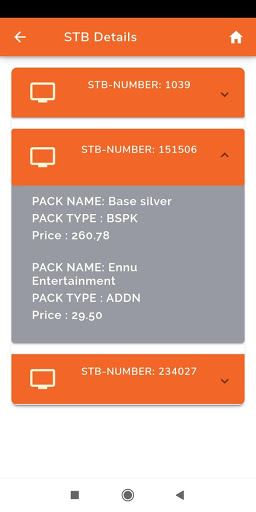
View Set-Top Box Details
Check Plan/Subscription Details
How does Mobiezy - Customer App work ?
1. Download Mobiezy - Customer App on your phone
2. Open the App & Enter your Phone Number
3. Upon successful login, you can find the list of Subscriptions
4. Select the relevant subscription and do the needful
Note : If you are unable to login, please check with your respective Cable Operator and/or Fitness Center
How to make Online Payment ?
1. Login to Mobiezy - Customer App
2. Select the relevant subscription
3. You will see "Bill Details"
4. Click on "Pay Now"
5. Select the payment mode & complete the transaction
What are the different Payment methods for online payments ?
With Mobiezy - Customer App, we have different payment methods
UPI, PhonePay, BHIM
Credit Card
Debit Card
Net Banking
NEFT/Bank Transfer
Wallets - OLAMoney; Mobikwik; Freecharge; JIOMoney
For any other queries & feedbacks please get in touch with us on
Phone : 8088835000
Whatsapp : 9008923939
Email : mobicollector.bangalore@gmail.com
Website : www.mobiezy.com











9Apps 4.9














