
iPhone 11 has released the first version. Do you like the lock screen of ios 11?
=>> Let's download “iLock: Lock Screen for iOS 11” now and experience.
Lock Screen for iOS helps protect your phone from unwanted access by others.
Main features:
Interface:
😘The simple and intuitive interface
😘Cool flat style design of OS 11
😘Beautiful, Secure, Customizable and Easy to use.
😘Cool flat style UI - Very simple to use
Features:
❤️Screen Lock is beautiful, secure and customizable
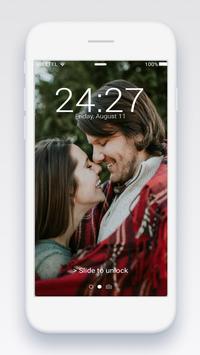
❤️Side to unlock, Easily Slide to unlock
❤️Display unread sms and missed calls as well as the different notifications against the lock screen (inoty always display/ always on).
❤️DIY Animated Slide Text (default is "> Slide to unlock")
❤️Change text Slide to unlock, example: "I miss you" or "Apple lock screen" or iLock: Lock screen OS 11"
❤️Best locker for iphone lock screen
❤️Easy touch screen lock with finger print lock with one touch
❤️Support Fingerprint LockScreen (if your phone support Finger Print: xiaomi 5, samsung s7, htc 10, xiaomi 6, LG g5, note 5, galaxy s8 ...)
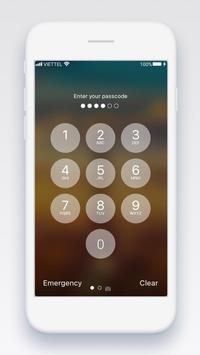
❤️Nobody can access your phone without the correct password. Define the access code to improve the security of screen lock, Deactivate HOME / MENU / RETURN.
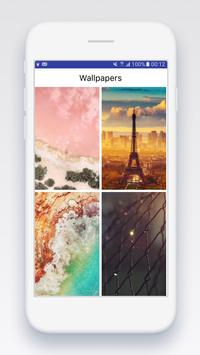
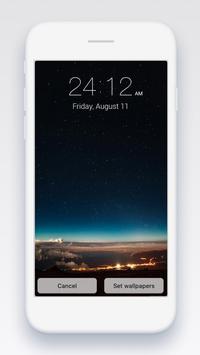
❤️Many wallpapers full HD from iPhone 8/ iOS 11 wallpapers.
❤️Support time format: 12h, 24h
❤️Show battery, network signal on the lock screen.
❤️Simple and quick, consume less memory and battery
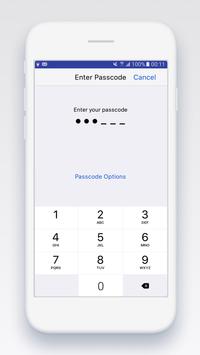
❤️Support many type password for lockscreen
• Custom numeric code
• 4-digit numeric code
• 6-digit numeric code
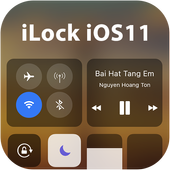
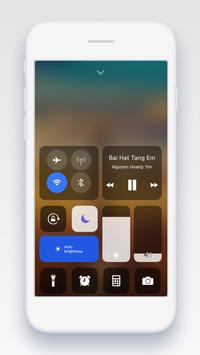
❤️Support smart control (control center) on lockscreen.
Include support:
• Support Toggle for Airplane Mode, Smart Wi-FI, Silent mode
• Support Toggle for Screen Timeout, Vibration Mode, Bluetooth
• Support Toggle for GPS, Connection, Lockscreen OS 10
• Support OS 10 Wallpapers.
• Support Night Shift mode – protect your eye.
• Support iGallery, iCamera OS 10 display
• Support shortcut for iNoty, Calculator, Clock, Camera
• Support shortcut for System settings, Control center settings.
• Music center provides music control. For example: next song, previous song, pause. Allow to use wallpaper from Your own gallery for personalization.
Customize:
😍Support change text slide
😍Support change time format: 12 Hour or 24 Hour format
😍Enable/disable, set or changes passcode for lockscreen iPhone.
😍Enable/disable sound for apple lockscreen
😍Enable/disable vibration for lockscreen.
😍Enable/disable notification on lock screen.
😍Enable/disable lockscreen with Fingerprint (finger lockscreen)
Other:
💚iLock: Lockscreen for iOS 11 is 100% FREE.
How to use app?
1. Download and install “ilock: lockscreen for ios 11”.
2. Enable lockscreen to use
3. Enable/disable passcode for lockscreen
4. Customize wallpapers, format time, sound, vibration or timelock.
Many features for lockscreen will be update soon. We will update app monthly by fixing bug (if have any) and add new features for it.
iLock is free but contains ads inside the application. Revenue from advertising will help us to create new attractive applications.
If you found any bug, please report it to us via email.
If you love it, Please help us by giving us 5 star rating with nice review comments.
Thank for your download so much!
iLock new



9Apps 4.9















