Dioptra™ Lite - a free camera tool icon

Dioptra™ Lite - a free camera tool

1.0.10 for Android
4.2 | 100,000+ Installs | Reviews

Workshop512

Description of Dioptra™ Lite - a free camera tool

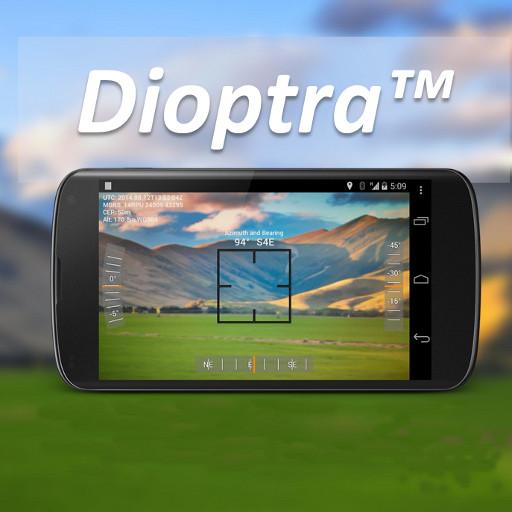
Dioptra™ Lite - a camera position and angle measurement tool for navigation, surveying, positioning, and measurement - - with over 35,000 users!
Stay tuned for an enhanced Dioptra app in 2020 with more features, better sharing integration, and supporting more phones and devices!
Instructions: Press the on-screen camera button to save an image. View saved images in your device's gallery app.
[⊹]
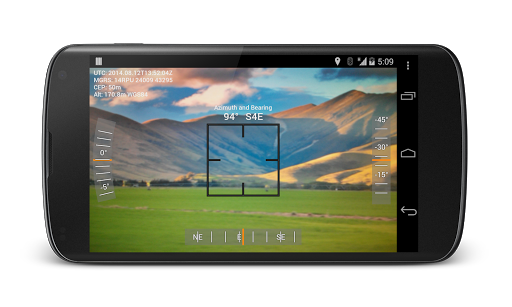
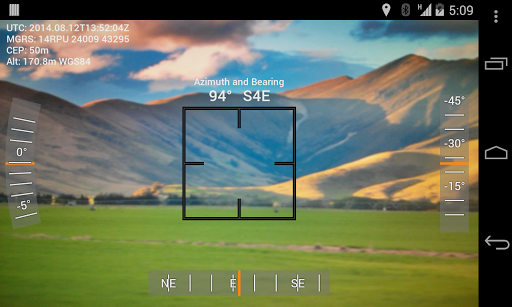
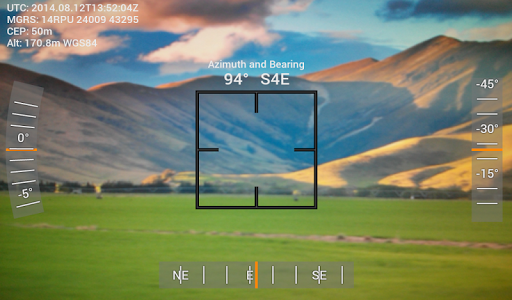
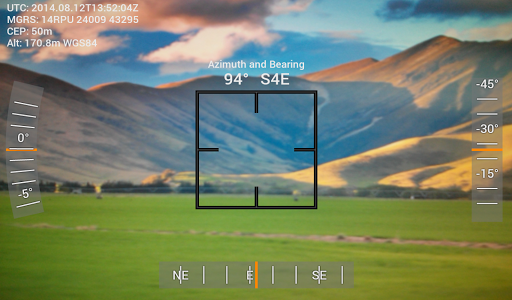
Dioptra™ Lite provides the following information like a theodolite optical instrument -

yaw indicator (compass)

pitch indicator (tilt degrees)

roll indicator (tilt degrees)
along with -

GPS position

azimuth and bearing to photo subject
The ancient greek "dioptra" was a classical astronomical and surveying instrument, dating from the 3rd century BCE. The dioptra was a sighting tube or, alternatively, a rod with a sight at both ends, attached to a stand. If fitted with protractors, it could be used to measure angles.
[⊹]

What's New with Dioptra™ Lite - a free camera tool 1.0.10

-Added drop shadow to onscreen text for better visibility in light scenes
-Added support for volume keys to take photos
-Added option to use the phone's alternate (front) camera
-Stability improvements

Information

  • Category:
    Tools
  • Latest Version:
    1.0.10
  • Updated:
    2017-12-29
  • File size:
    542.8KB
  • Requirements:
    Android 4.0.3 or later
  • Developer:
    Workshop512
  • ID:
    com.glidelinesystems.dioptra
  • Available on:
Reviews
  • avatar
    I know it's borderline extortion but I'll give 5 stars when they come out with the Pro version. Perhaps different color options for the reticle as the white coloring tends to get lost in the background of a bright day in the field. Otherwise, please continue to upgrade & support this product. It's perfect for my work usage and I haven't found a similar solution. Keep up the great work!
    2020-10-19 02:34
  • avatar
    Well, the display shows a lot of information. And, the app can be moved to external SD memory.
    2020-08-16 09:05
  • avatar
    I don't know how many stars to give it, I have only used it a short time, I have not tried all the options, but I can say it installs correctly and easily and operates smoothly on this Pixel 4 XL.
    2020-08-10 12:28
  • avatar
    Great. Looking forward to the pro version, definitely worth paying for. Hope it will have maidenhead grid system as option as well as some control over where extra info is shown, instead of just everything on the top left. Great job.
    2020-07-04 05:28
  • avatar
    Work ok but not particularly accurate, showing about 25 degree error. To much for my liking
    2020-06-13 09:22
  • avatar
    Dioptra lets you take a selfie (or regular photo) with Time & Longitude & Latitude added to the top-left corner of the photo. It's useful for documenting the time and location of important events. I've been using Dioptra for 12 months, and I'm very satisfied with it. Suggested future enhancements: - Let user choose color of text (currently, white is the only choice) - Get Dioptra to work with videos
    2020-06-10 08:57