
Before the purchase, please read the compatibility section below and contact us in case of any questions!
FEATURES:
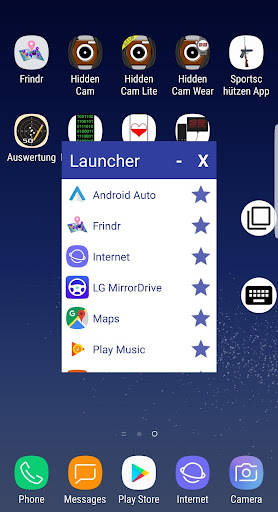
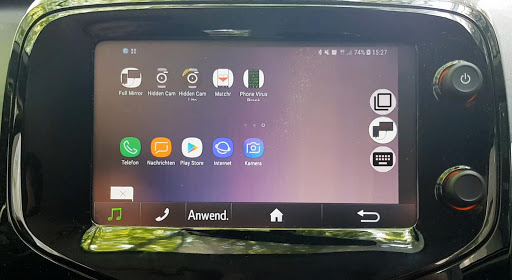
All your favorite apps in the car
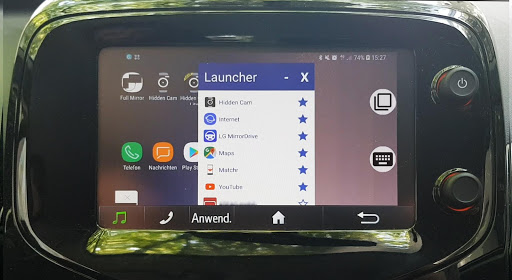
Add apps to favorites
All apps run full screen
Switch between apps
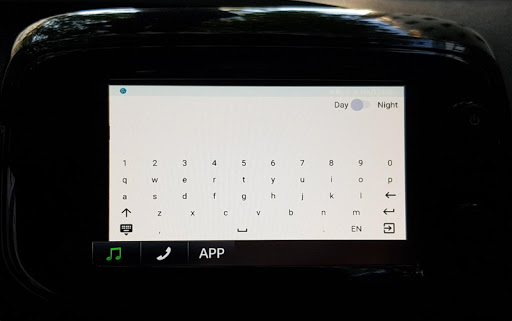
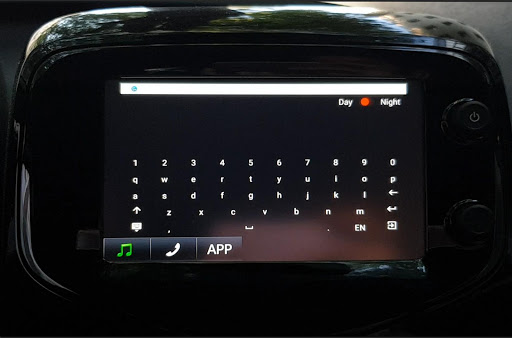
Keyboard
VIDEO TUTORIAL:
https://youtu.be/A_IKXsJmgGs
INSTRUCTION:
Set-up
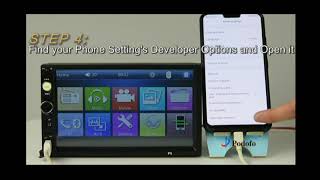
First, make sure your phone is developer unlocked. To check it, open the settings, then “about phone”, there click on “software information” and tap rapidly on the “build number” till it says “you are a developer”. After this, return to the settings and select “developer options”, activate them, then scroll down and activate “force activities to be resizable”.
The app
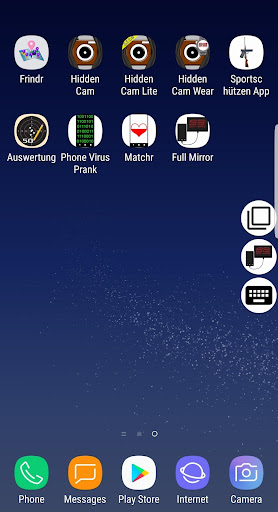
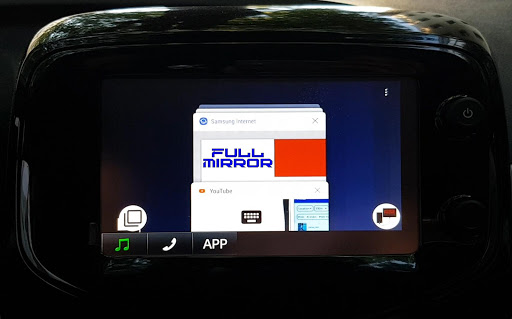
Start the app and grant the overlay, accessibility (scroll down to the app Full Mirror, select it and activate this option) and other permissions. Then use the back button to return to the app. Make sure the icons (Full Mirror icon, keyboard icon and recent apps icon) are on the screen. Now connect the phone to your car and start any of the MirrorLink certified apps. Then click on the icon to open the launcher. To add apps to favorites, click on the star, to remove them, click on the star again. Now tap and hold on the app, you started from the car menu earlier. It will open this app again in a small window, which will appear in the lower left corner. Now you can start any app from the launcher, simply by clicking on it. If the connection breaks, click okay on the message and start the same certified app from the main menu, you started first and you will continue where you left. To minimize the launcher, click on the “-“, to close the app, click on the “X”.
Recent apps button
To switch between apps, click on the recent apps icon. If it shows the message that the app cannot be displayed, click okay and select the same certified app, you started earlier. Keep doing it every time the connection breaks.
Keyboard
If you need the keyboard, click on the keyboard icon. You can choose between the day and night mode. To minimize the keyboard, click on the minimize keyboard button in the lower left corner, the text you typed will be saved, so you can open it again and continue typing. When you are done typing, click on the exit button in the lower right corner, the keyboard will disappear and you can paste this text into a search field or any text field (tap and hold on the field till a menu appears, then select “paste”), e.g. in the messenger.
COMPATIBILITY:
Please note that this app doesn't currently work on Android 10.
Compatible cars: Citroen, DS, Honda, KIA, Peugeot, SEAT, Skoda, Suzuki, Toyota, Volkswagen (VW).
Non compatible cars: Audi, BMW, Chevrolet, Ford, Mercedes, Opel, Renault, Subaru, etc…
Compatible phones: our app works best with Samsung devices of the A and S-series, like A3, A5, A50, A7, A70, S6, S7, S7 Edge, S8, S8 , S9, S9 , S10, S10 but also with Note 8, Note 9 etc. Other phones may work, too, please contact us for further information!
Non compatible phones: Asus, Huawei, Lenovo, LG, Sony, Samsung J-series, A6, A8, Xiaomi, etc.
DISCLAIMER:
PLEASE DO NOT USE THIS APP WHILE DRIVING AS IT MAY DISTRACT THE DRIVER. WE DO NOT TAKE ANY RESPONSIBILITY FOR ANY ACCIDENTS CAUSED WHILE USING THIS APP. PLEASE DRIVE SAFELY!







9Apps 4.9