
Universal TV Remote Control - Smart and IR Remotes App
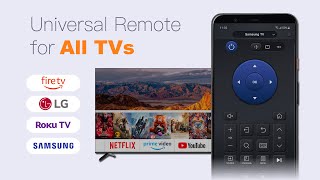
Remote Control For All TV is a free application to control your Television functions through easy functionality of this app.
For Smart TVs / Devices, the only setting required is to connect your phone as well as your Smart TV / Device to the same WiFi network.
Remote For All TV, easily convert your Android phone or tablet into a universal remote for your television. It's simple and easy to set up and use, the mode of operation is exactly the same as the TV remote control.
TV Remote Control app contains all popular brands like sony tv remote, samsung, vizio, LG or many more tv brands. TV remote control is a free app to control your tv through easy functionality of IR based tv remote control app.
Remote for All TV: Universal Remote Control is really easy to configure for your television and is really easy-to-use. The Tv Remote For All Tv app allows you to experience a real TV remote like experience while using the app.
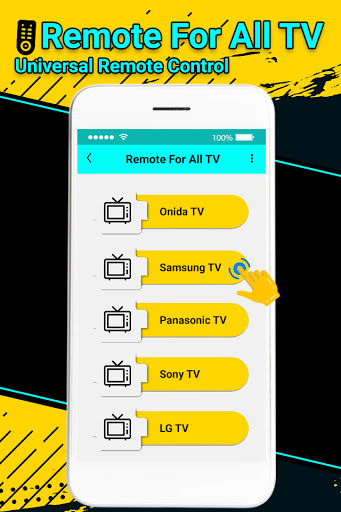
Our app supports most TV brands and models. Whether you have a Samsung TV, LG TV, Sony TV or any other branded TV, you can always convert your android device to a remote for your TV.
Remote control supported all type of connection mode like IP, IR Port or Wifi connections. Tv Remote Control Supported all brands (Samsung, Vizio, Sony, LG, Toshiba or many more).
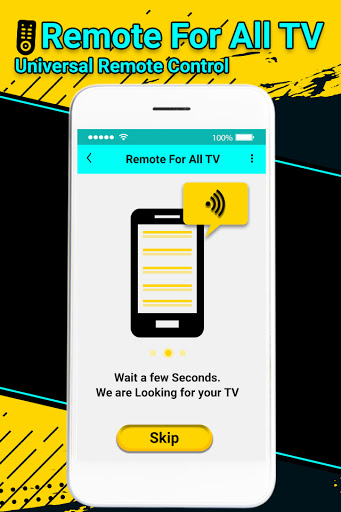
This TV Remote Control app can also connect to your smart TV using WiFi and configuration happens in seconds.
TV Remote For All is complete smart IR based TV remote controls available in this tool app. Remote Control for all TV is to control your smart TV using IR Blaster technology if available in your android device. Its good to use single app to control your all type of TV.
Features Remote Control of All TV:
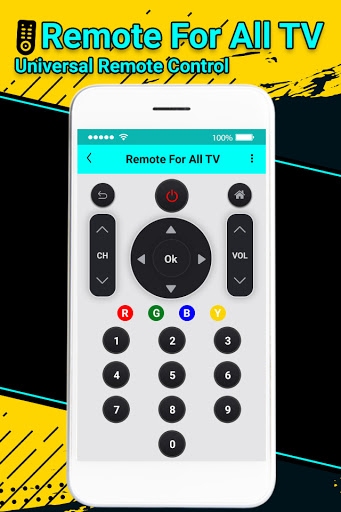
• Power ON / OFF.
• AV / TV.
• Mute / Un-mute.
• Channel Digits buttons.
• Channel index and lists.
• Volume Up .
• Volume Down .
• Channel Up .
• Channel Down .
• Menu Button with up / down and left / right .
• Red / Green / Blue / Yellow (Multiple purpose soft keys).
Solution of the annoying regular temper problems caused by:
- Losing your remote,
- Batteries worn out,
- Smacking your little sibling for breaking the remote,
- Biting and / or boiling your batteries in water hoping it would result in magically recharging them, etc.
It is always good and easy to use a single Universal remote control device to control all you electronic equipment. As mobile phone has become a major gadget that people always carry with them, so having an application installed on your mobile device that works as a TV remote control will make your life easier.
Note:
Remote Control For All TV is a prank application, just for fun and it does not work in real.
Smart TV functionalities :
# Power Control.
# Mute / Volume Control.
# Smart Sharing / Casting: View your Pictures and Videos, and listen to music on your TV.
# Mouse Navigation and Easy Keyboard.
# Input
# Home
# Apps installed on your TV.
# Channel lists / Up / Down.
# Play / Stop / Reverse / Fast Forward.
# Up / Down / Left / Right Navigation.
How to Configure TV Remote Control for all
- Select TV model from Tv List
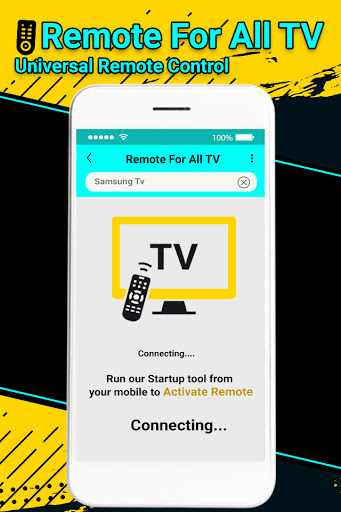
- Select Connection type from IP, IR Port or WIFI for remote connection
- Wait for a second till your connection done successful with TV remote
Disclaimer :
It is IR based remote controller, you should have a built-in IR transmitter or external infrared to control the TV.
Make sure TV and device is connected to the same network to work Universal TV Remote Control. Remote control will only work if phone and TV are on same wireless network.
Compatible with models like Samsung TV, LG Phillips TV or TV among many lesser known but popular television market.
Thanks...!!!




9Apps 4.9















