
VFC - Volume Fast Control Pro icon

VFC - Volume Fast Control Pro

1.6 for Android
3.7 | 5,000+ Installs | Reviews

EzyInfo

$0.99

Description of VFC - Volume Fast Control Pro

You are searching for a very fast way to change media volume of your device?.
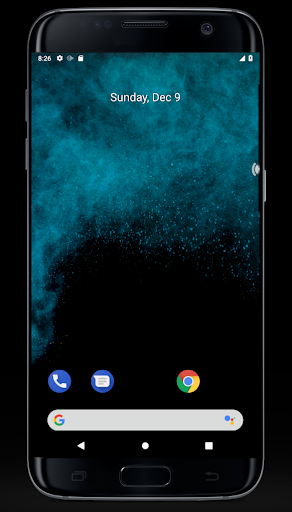
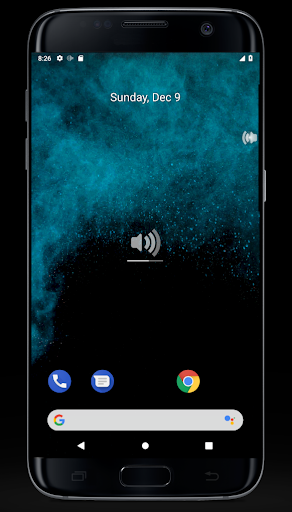
With VFC - Volume Fast Control you always have access to volume control on the right of your screen. (or on the left)
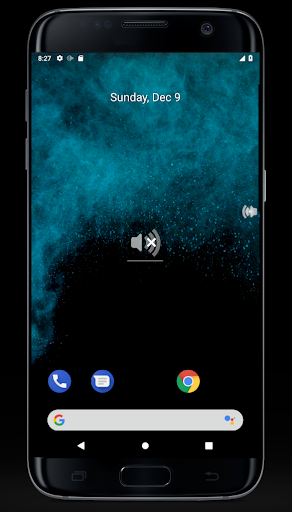
Just move up the cursor to increase volume, or down to reduce.
Fast & Easy change volume of your device.
Same version as free one but with contribute support
Features:
* Always accessible. Change volume in 0.1 second.
* Auto activate at startup
* Popup display
* Hide/Display directly from notification.
* Right or left side (just move it the other side)

What's New with VFC - Volume Fast Control Pro 1.6

Some improovments,
Add Show/hide entry in notification tray

Information

  • Category:
    Tools
  • Latest Version:
    1.6
  • Updated:
    2020-09-27
  • Requirements:
    Android 0 or later
  • Developer:
    EzyInfo
  • ID:
    fr.ezyinfo.app.volumepro
  • Available on:
Reviews
  • avatar
    I had the free version because I liked it so much I bought pro version. It doesn't stay on screen in android 9 tablet but does on android 11. Could use some customization as colour is hard to see.
    2023-07-14 12:59
  • avatar
    I had the free version so because I liked it so much I bought pro version. It doesn't stay on screen. Could use some customization as colour is hard to see.
    2023-07-01 04:55
  • avatar
    No options for pay app
    2020-04-10 11:36
  • avatar
    Very simple, unobtrusive and easy to use. Wish you could set the height. I'd personally like to have it placed just a little further down the side. Just a bit. Overall is not bad. It's nice to have volume control on the side of the screen you want. Makes a phone with bad placed volume keys, (I'm looking at you Samsung 👀) way more user friendly. Nice 😎👍
    2020-01-29 08:53
  • avatar
    Buy pro, satisfied with free one. Can you make an edge for wifi/mobile data switcher, depends on what I manually set the wifi and mobile data status. Ex : the status I make is wifi = On, Mobile data = Off, when I touch the edge, it will change to wifi = off, data = on, and when I touch the edge again, it back to the first status.
    2019-09-14 12:20