
Project Schedule icon

Project Schedule

2.5 for Android
4.2 | 5,000+ Installs | Reviews

Thorsten Krämer

$8.00

Description of Project Schedule

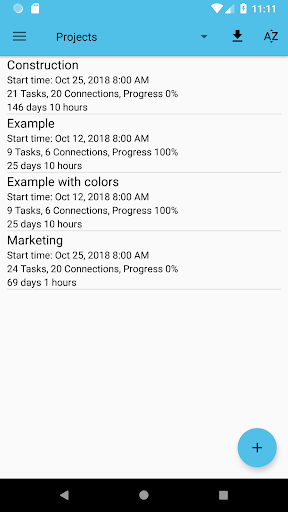
Project Schedule brings project management and task scheduling to your android tablet or phone. Use the app to create or import business projects or schedule tasks of your daily life.
Features exclusive to the paid version
- PDF export of gantt diagrams, tasklists and resource cost and work
- Exported excel files include resource cost data and task duration
- Synchronize project tasks with the device calendar
- Manual selection of the file export location
Features in the paid and free version
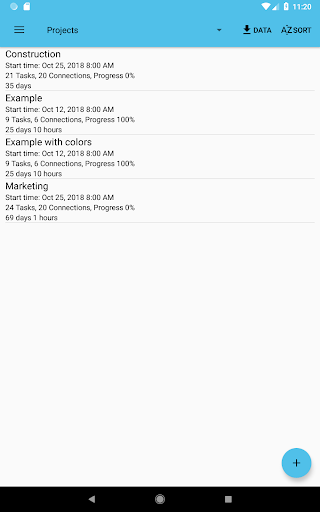
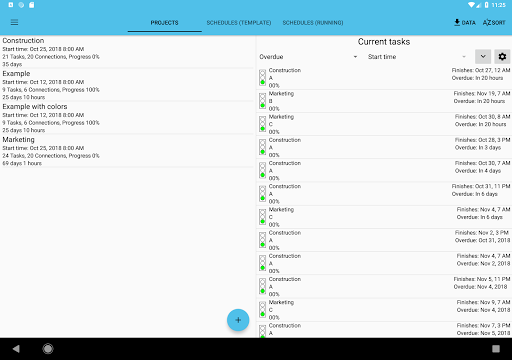
- Multiple projects
- Overview of tasks across all projects that might need your attention
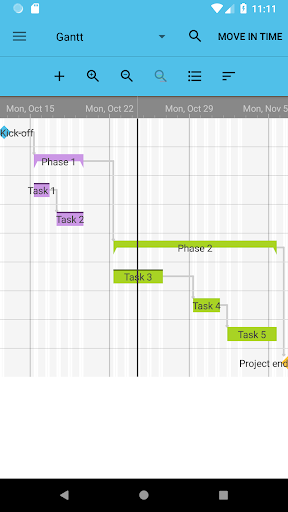
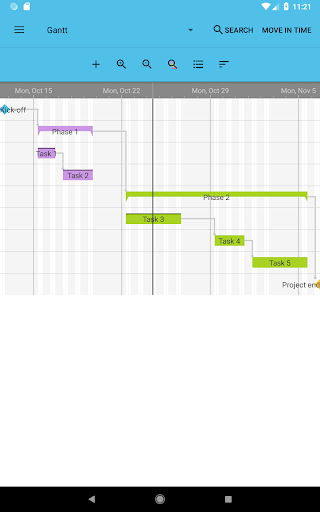
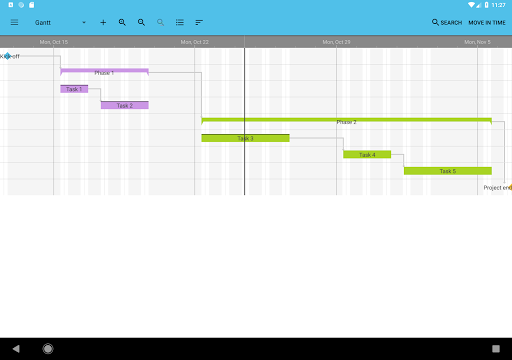
- View your tasks in a gantt diagram or a simple task list
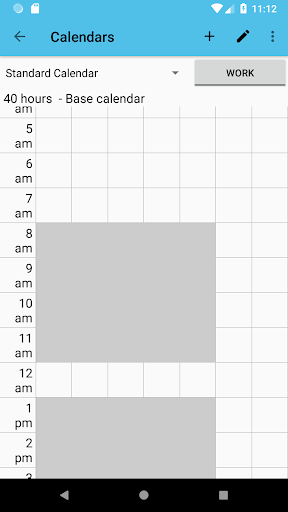
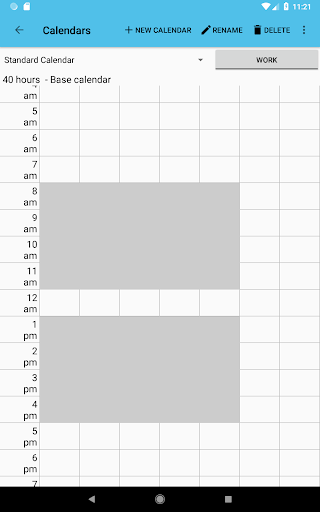
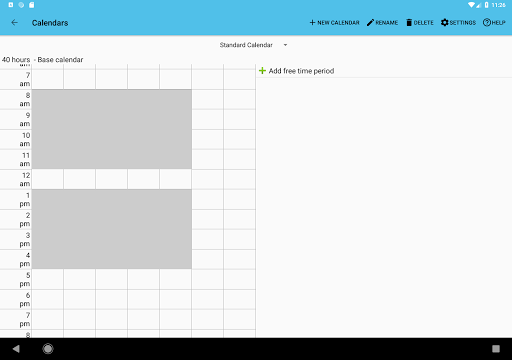
- Custom calendars allow you to plan your tasks with respect to your working and free times
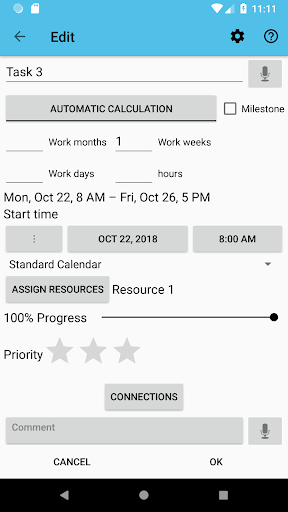
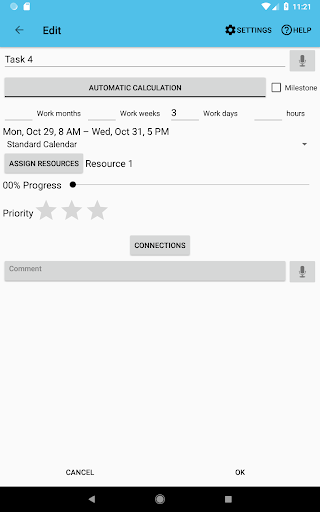
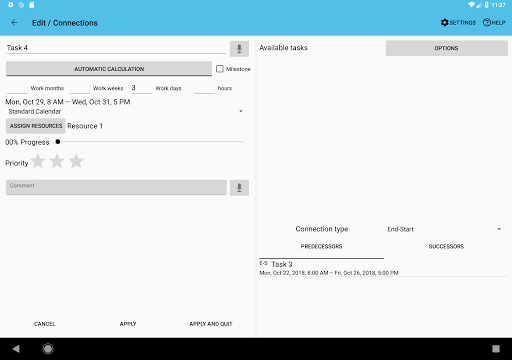
- Use resources to keep track of cost and work for each task, resource and project
- Assign contacts to your resources
- Add the tasks of your projects to your device calendar or use the app internal notifications
- Import MS Project .mpp-files (additional plugin needs to be installed)
- Load and save MS Excel files (xls, additional plugin needs to be installed)
- Load and save MS Project MSPDI-XML files
- Load and save CSV files as supported by spreadsheet software like Excel
- Notification system to notify you when a task is starting or finishing
- Android Backup Service support to automatically backup your data (can be activated in the settings)
Supported project file formats
- MS Project (.mpp) – read-only support
- MS Excel (.xls) – reading and writing
- MS Project (.xml) – reading and writing
- CSV (comma separated values) – reading and writing
Output formats
- PDF documents (Paid version only!)
- PNG images
Separately available plugins
- Project Schedule – CloudSync
Please report your thoughts about app features, feature requests or bugs by email or use the contact form on the website.

What's New with Project Schedule 2.5

• Some improvements
• Stability improved

Information

  • Category:
    Productivity
  • Latest Version:
    2.5
  • Updated:
    2022-01-28
  • Requirements:
    Android 0 or later
  • Developer:
    Thorsten Krämer
  • ID:
    de.thorstensapps.tt
  • Available on:
Reviews
  • avatar
    Brilliant product with regular enhancements including user suggestions. I use this product daily.
    2022-01-11 09:50
  • avatar
    I dowloaded this app to help with a research project for uni please dont waste your money on this application, it would not let me share the calender between tasks and would crash regularly.
    2021-11-17 03:46
  • avatar
    Really 3.5 stars. App is above average but has too many quarks to be very good or great. Best feature is the wide variety of data export options. However, the time calculations are wrong. Eg. 3 hrs available over 5 days; assigning a task with 15 hrs of work gives an end time of 15 hrs & 45 minutes. A nonstandard week where M to F 3 hrs per day & Sat & Sun with 5 hrs each end times are wrong. The inability to designate a fix number of hrs p/d for a task for the length of the proj is a biglimit
    2020-12-27 07:25
  • avatar
    I am still impressed by this app. I still used it almost 5 years later after downloading it. The two things I would add, if I could, is to be able to move noncompleted items, all in a group, and add dates to linked items. I tried moving an entire set of noncompleted items and the program also moved the completed ones. Still a fantastic program.
    2020-10-02 03:44
  • avatar
    HARD IS GOOD I've noticed that apps that take only 5mins to learn run out of puff and get deleted. This app takes some learning. I've also noticed that as I keep banging away at it, my projects run better too. It's a maze worth figuring out..:-)
    2020-09-10 10:29
  • avatar
    Works well. Wish it had a calander view
    2020-09-03 04:01