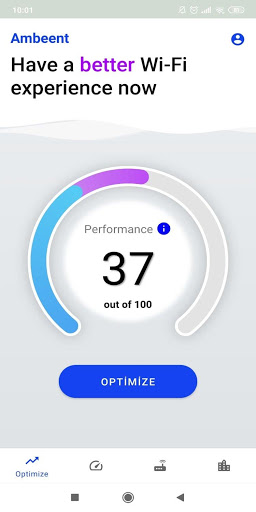
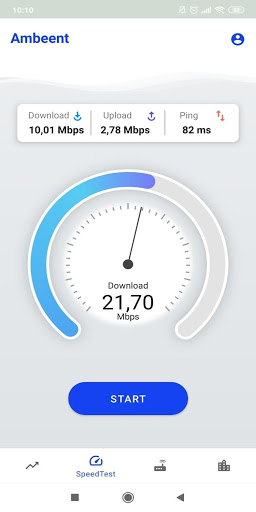
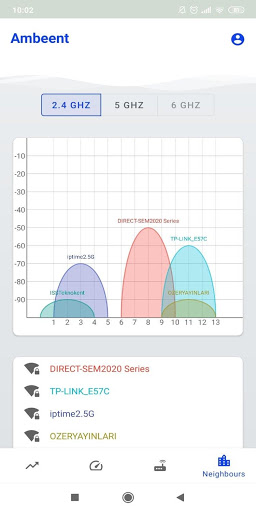

You may experience problems such as slow Wi-Fi connection or bad coverage in certain rooms in your home. With 1 tap, Ambeent focuses on” you” and tunes your modem to solve any interference problem you may have.
Each room in your home might have a different interference problem, with the Ambeent App you can start your movie in your living room and finish it in bed without any interruption. Ambeent will understand your problem and make sure you have the fastest Wi-Fi experience possible. We evaluate access points in your vicinity. We don’t just give you statistics, the Ambeent app changes your access point channel(s) to reduce neighbor interference problem instantly, before your Wi-Fi is impacted. We ask you to give us permission to access your location data when the app is closed or not in use to enable comprehensive Wi-Fi performance optimization.
Ambeent.ai is the first Inter-Home Wi-Fi Performance Solution empowering both end users and operators to unleash the maximum potential of Wi-Fi and increase Internet speed. Our unique cloud-based, artificial intelligence powered platform brings order and dynamism to chaotic unlicensed spectrum of Wi-Fi networks. Our technology can reach hundreds of millions of access points to optimize the performance of Wi-Fi worldwide, and provide instant solutions for every user.
Install our application now for a superior Wi-Fi experience.
Currently supported operators:
Vodafone,
Verizon,
Charter Spectrum,
AT&T,
Comcast XFINITY,
Time Warner Cable,
Cox,
BrightHouse,
Claro,
Millenicom
Turknet
Turk Telekom,
Turkcell,
Telmex,
iinet,
T-mobile,
Allnet,
STC,
Romtelecom,
Telekom Romania and more with following Wi-Fi make and models:
- AT&T
- Verizon
- Comcast XFINITY
- Charter Spectrum
- Time Warner Cable
- Cox
- Vodafone
- BrightHouse
- Claro
- Millenicom
- Turknet
- Turk Telekom
- Turkcell
- Telmex
- iinet
- T-mobile
- Allnet
- STC
- Romtelecom
- Telekom Romania
Currently supported Wi-Fi make and models:
2wire 3800HGV-B
2wire 5031NV-030
Actiontec GT784WN
Actiontec GT784WNV
Actiontec MI242WR
AirTies Air4450
AirTies Air5341
AirTies Air5342
AirTies Air5343v2
AirTies Air5442
AirTies Air5443
AirTiesAir5444TT
AirTies Air5452
AirTies Air5650
AirTies Air5650v2TT
AirTies Air5650v3TT
AirTies Air5750
AirTies Air6372
AirTies RT_204v2
AirTies RT_205
Airties RT_206v4TT
Arris 5268AC_FXN
Arris NVG510
Arris NVG589
Arris NVG599
Arris SBG6700-AC
Arris SBR-AC1750
Arris TG862G
Arris TG862A
Asus DSL-AC51
Asus DSL-AC52U
Asus DSL-N17U
Asus-DSL-N16
Billion 8400NXLR2
ClaroCH8568
CompalCH7465LG
Dark RangeMAX WRT302
DLinkDSL 2740U
DLinkDSL_2750U
EFM Networks ipTIME A604
EFM Networks ipTIME A604G_MU
EFM Networks ipTIME A604M
EFM Networks ipTIME N704BCM
Everest SG_1600
EzNet NEXT504N
Fatst3686V1B
LiveBoxAc22
Huawei HG253s
Huawei HG255s
Huawei HG531s
Huawei HG532s
Huawei HG552e
Huawei HG556a
Huawei HG630A
Huawei HG630A-50
Huawei HG655d
Huawei HG658 V2
Huawei HG658c
Huawei HG658cV2
Humax HGB10R
Humax HGA12R
Keenetic Kn 2111
Linksys WAG310G
Motorola MG7315
Motorola MG7550
Netgear R6080
Netmaster Infinity 401
Nokia G-240W-C
Samsung SWW-3100BG
Tenda D301_v2
Tenda D305
Tenda F3
Tenda NEXT-504N
Tenda V300
Tp-Link Archer C1200 | AC1200
TP-Link Archer C20
TP-Link Archer C7 | AC1750
Tp-Link Archer C9
TP-Link Archer MR200
TP-Link ArcherC50
TP-Link ArcherVR_300
TP-Link ArcherC5V
TP-Link EAP110
TP-Link EAP225
TP-Link TD_W8961N
TP-Link TD_W9960
TP-Link TD-W854
TP-Link TD-W8951ND
TP-Link TD-W9970
TP-Link TD-W9970v3
TP-Link TL_WR841N
TP-Link TL-WR842N
TP-LinkTL WR740N
TwoWire 3800HGV_B
TwoWire 5031NV_030
Verizon FiOS-G1100
Vodafone H300s
Zte H168N
Zte ZXHN H267N
Zte ZXHN_H108NV2
ZTe ZXV10_W300
Zyxel NBG6604
ZyXel VMG1312-B10D
ZyXel VMG1312-T20B
ZyXel VMG3312-B10A
ZyXel VMG3312-B10B
Zyxel VMG8623_T50B
Zyxel WAP3205 V3
Zyxel-1312_T10Dv3
ZyXEL-P-660N-T1A
Zyxel-P-660W-T1v3
Updates;
-Saved Networks,
When you are connected to a new network, this screen will record it and will provide information about that network.
Location Permission Screen;
The screen, to be encountered only during the initial installation, which contains information about why we would like to get location permission, explains where it will be needed
while using the app, and gives information about which options you may choose.


9Apps 4.9