
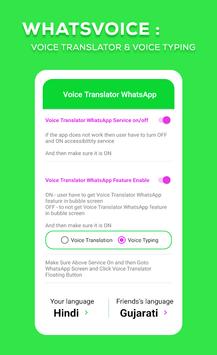
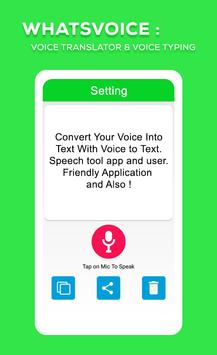
To begin using this App inside Typing & Translator:
- Navigate to Settings > Accessibility
- Locate and turn on Voice Translator Social App
App Permissions Notice:
Accessibility Service: Because this app is an accessibility service, it can observe your actions, retrieve window content, and observe text that you type.
Convert Voice into Text*
Facing trouble in talking to a foreign friend? Want to seal an international deal without facing any miscommunication issues? Try the app and enjoy quick and easy voice conversion into text. With its highly moderated and Google supported text translation feature, it can not only translate your voice into any language but also save it in the form of text.
Multiple Languages supported*
No need to worry about the languages as this app supports tons of new languages from all over the world. You can perform voice to text Hindi, voice to text Bangla and voice to Text English with just a single tap on the screen. Download and use this safe, secure and highly useful app today.
How to use WhatsVoice
App:
• Download and launch the WhatsVoice
app
• Enable mic access for app on your device
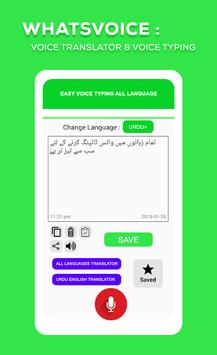
• Tap on the mic icon to record and initiate voice typing
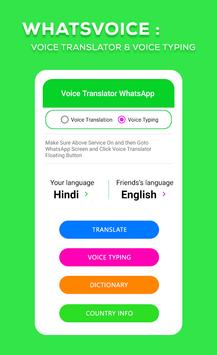
• Convert voice text to English, voice text to Bangla, Voice text to Hindi and other multiple languages
• Tap and hold to record and convert text in notepad
• Hit the save button to save the converted text
• Copy and paste the text to use it anywhere you like
• Record, convert and enjoy!
Features :
- Simple and easy speech to text converter app design
- Hassle-free layout and single tap voice to text conversion
- Quick voice typing in multiple languages supported by Google
- Enjoy voice to text English, Voice to text Hindi, Voice to text Bangla and many other conversions
- Fast and accurate voice recognizer for quick typing
- Save voice type note within the app notepad
- Share or copy/paste the final text anywhere you like
- Safe and secure voice to word converter and voice recognizing app
- 100% data security and privacy as app is highly moderated
- Online speech to word converter and recognizer app for everyone
- Tap and hold functionality to record voice instantly
- Share text with just a single click
- Accurate Voice recognizer
- Convert Voice into Text
- Multiple Languages supported
Disclaimer and note:
This app is not affiliated with nor endorsed by WhatsApp Inc.




9Apps 4.9














