

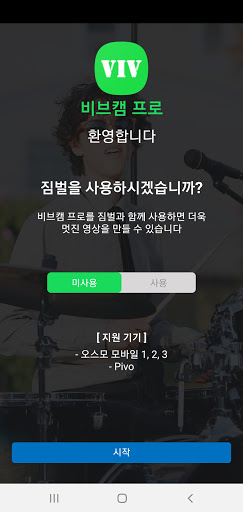
The VivCam app allows students to participate in online video classes using smartphone cameras without a webcam, and teachers can use wireless smartphone cameras to move freely and conduct online video lectures.
VivCam is a online video lecture essential app that lets you use your smartphone's camera like a webcam on your PC by wirelessly connecting with the VivCam PC App if you don't have a webcam on your PC or you want a higher quality cam than the existing webcam.
The VivCam can be used smarter when used with the DJI OM gimbal or the smart tracking device PIVO.
* Virtual Webcam, Virtual microphone
VivCam adds a virtual webcam and virtual microphone function to your PC, allowing you to use your smartphone camera and microphone voice as a webcam and microphone on your PC.
This feature allows you to freely use high-definition cameras and microphones wirelessly using a smartphone when using online collaboration tools such as Zoom and Webex, which are video conferencing systems.
* Smart Tracking
VivCam's smart tracking is a function that automatically recognizes the face of the subject and drives and tracks the gimbal according to the movement of the subject. Vivcam automatically adjusts the focusing and composition around the subject's face so that you can conduct online video lectures.
※ Supported function that must work with smartphone gimbal
* High video quality / low delay
VivCam can send video of various resolutions such as FHD (1080p60, 1080p30), HD (720p60, 720p30), SD (360p30) with short delay time.
* Various camera controls
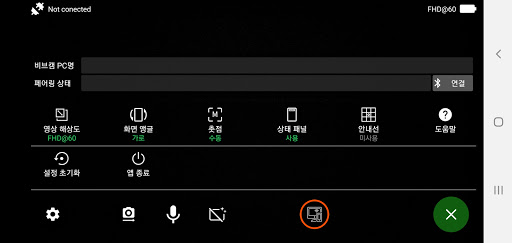
VivCam offers various camera device control functions such as face tracking , front / rear camera, vertical / horizontal screen angle, automatic / manual focus, flashlight control, mute function.
[Support specifications]
Supported platforms
Android 4.3 or higher
Supported technical specifications
Codec(Video/Audio): H.264/AAC
Video resolution: FHD(1080p60, 1080p30), HD(720p60, 720p30), SD, CIF
Video encoding: Hardware accelerated video encoding
Streaming protocol: RTMP
Wireless network: WiFi, 4G, 5G
[Feedback]
VivCam waits for user feedback.
VivCam users community - https://cafe.naver.com/vivcam
Install: https://play.google.com/store/apps/details?id=com.weandsoft.vivcam
Telephone: 82-2-793-8797
Homepage: http://www.weandsoft.com
Blog: http://weandstory.tistory.com



9Apps 4.9













