

Write anything you want with your VOICE, no need to look up for characters.
Thai (ไทย) Voice Typing Keyboard
Thai (ไทย) Voice Typing Keyboard - Speech To Text can Easily type your native language, Just Type Thai (ไทย) with use of many functions like Voice Typing Keyboard, Thai (ไทย) Voice & Indic Typing Keyboard, Indic Typing Keyboard.
Use of Thai (ไทย) Voice Typing Keyboard - Speech To Text:
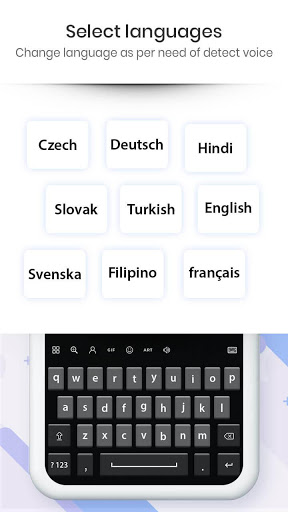
>> Thai (ไทย) Voice & Indic Typing Keyboard - Speech To Text used to get Thai (ไทย) typed smooth and automatically on speaking Thai (ไทย) sentences or typing direct as HINGLISH.
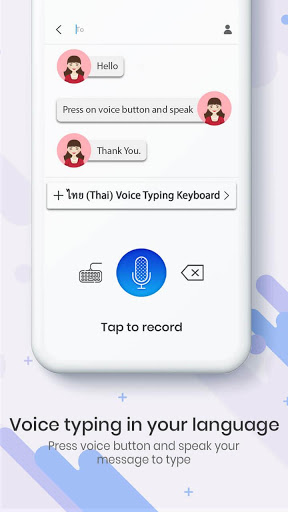
>> Press MIC button and speak in Thai (ไทย) to get Thai (ไทย) text automatically typed.
>> Thai (ไทย) Voice & Indic Typing Keyboard to share using different application as text message, use it to chat on chatting application.
>> Use with many ways like you can tweet in Thai (ไทย) , draft a text message in Thai (ไทย) , send message on social websites in Thai (ไทย) , learn how to write Thai (ไทย) and many more ways.
>> Type using voice or indic anywhere you like.
Some Key Features Of Thai (ไทย) Voice Typing Keyboard - Speech To Text:
No memorizing key positions.
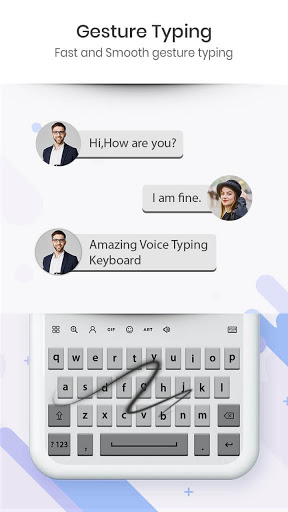
- Simple and intuitive typing in Thai (ไทย) keyboard using regular English (QWERTY) keyboard.
No fluency in Thai (ไทย) is required.
- Voice Typing Keyboard encourages users to think in their language.
Thai (ไทย) Voice Typing Keyboard - Speech To Text will help you to write your articles faster and this will provide you a good quality speech recognition.




9Apps 4.9













