
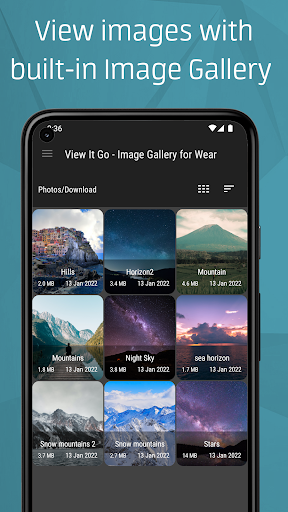
View It Go - Image Gallery for Wear features an intuitive, powerful and a full fledged image gallery app. View images on your wear device with this standalone image viewer for Wear OS(Android Wear).
Important note: Purchasing the pro version on mobile automatically unlocks the wearable version. Sometimes it would take some time to sync your purchase on your wearable device. Make sure you use the same account on your wearable device to access the purchased app.
Features:
▪️ View It Go - Image Gallery for Wear is optimized and enhanced for Wear OS by Google
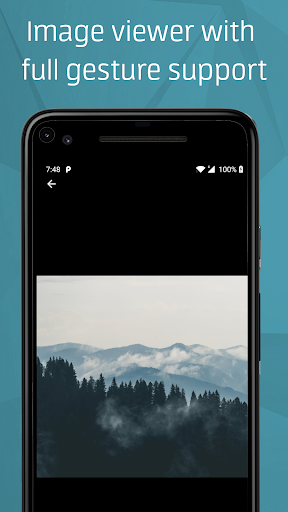
▪️ Has an Internal image viewer with gesture support(double tap to zoom, slide etc.)
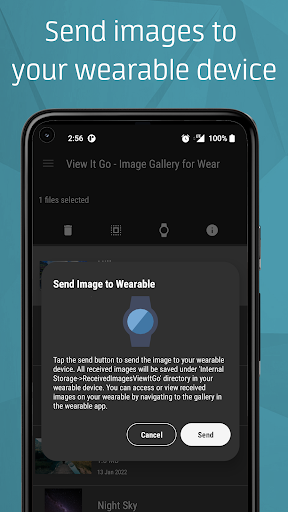
▪️ Has a mobile version to view and transfer images to your wearable device
▪️ Has a customizable slideshow mode(image slideshows) for viewing images automatically
▪️ Shows GIF previews for images
▪️ Has option to delete images on the wearable device
▪️ Clean, reliable and fast with an intuitive Material You UI
▪️ Thumbnail customization: Has circular/square thumbnail view types
▪️ Has three different themes with a battery saving AMOLED theme. ▪️ Wear gallery app has AMOLED theme by default and is battery efficient
▪️ Zero Ads
▪️ Has option to set wallpaper in the mobile version of the app
▪️ Show or enable image extensions
▪️ Sort and view images by name, size or date in ascending or descending order
▪️ Two different view types in the mobile app - list and grid view
▪️ Light and fast, occupies less space
▪️ Compatible with both round and square Wear OS devices
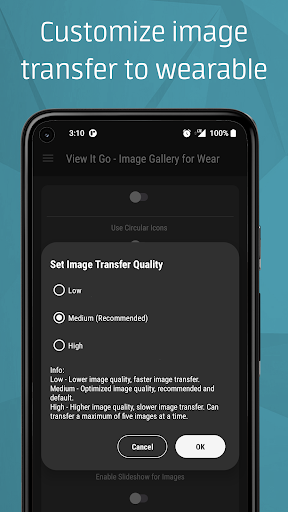
▪️ Image transfer from mobile to the wearable device, automatically optimizes the images for the wearable devices
Note:
View It Pro is a standalone wear gallery app that can be used to view/delete photos present on the wearable device. The app also has a mobile version which can be used to transfer photos to the wearable device.
The mobile version also includes a light weight image gallery that has all the options found in the wearable version.
View It Pro cannot access photos on the mobile device directly and photos need to be transferred to the wearable device to view them. Multiple photos can be transferred to the wearable app using by using the mobile version of View It Go. Make sure that you are using the same version of the app on both the devices before transferring images.
Requirements:
Wearable Gallery App:
Wear OS 2.0 devices
Android™ Nougat 7.1(API 25) and up.
Mobile Version:
Android™ Marshmallow 6.0(API 23) and up.
This photo/image gallery app is a paid app fully compatible with all Wear OS 2.x(Android Wear) smart watches running a minimum wear base Android Nougat 7.1(API 25).
View It Go - Image Gallery for Wear is crafted with❤️ and passion for Android™. Enjoy using View It Go.
Android is a trademark of Google LLC. WEAR OS BY GOOGLE is a trademark of Google LLC.
© 2019-2022. 'View It Go - Image Gallery for Wear' is developed and published by Vishtek Studios LLP. 'View It Go - Image Gallery for Wear’ and associated elements are owned by Vishtek Studios LLP. Vishtek Studios LLP is a registered, bootstrapped, self-funded and incorporated LLP. ‘Vishtek Studios’, The Vishtek Studios logo® (brand) are registered trademarks of Vishtek Studios LLP. All rights reserved,
- Added compatibility for Android 12L.








9Apps 4.9