
Timer4TM icon

Timer4TM

2.2.0 for Android
4.4 | 10,000+ Installs | Reviews

ValidConcept

Description of Timer4TM

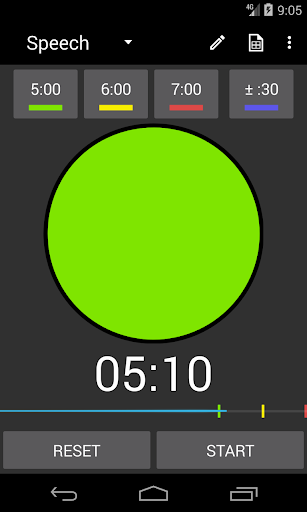
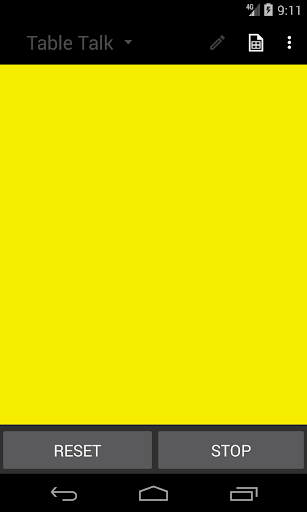
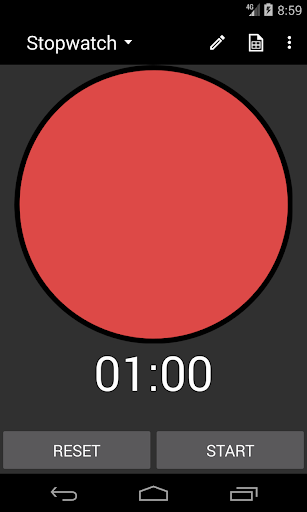
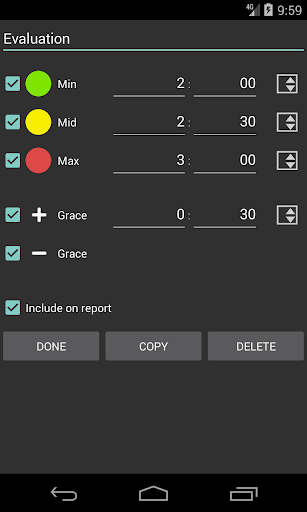
A better TIMER FOR TM MEMBERS, making the timing role quick and simple for club and contest as well as for practicing your own speeches. It includes a stopwatch and standard time settings, but you can easily add your own timers or quickly adjust the timing for the next speech. Each completed speech is added to a report that you can reference at the end of the meeting. Its many settings allow you to adjust Timer4TM to your personal preference or club needs.
Features and Benefits
- Support for most Android smartphones currently in use, even "last year’s model".
- As easy as a stopwatch for the first-time user, with many conveniences for the regular user.
- Fast timing changes between each speech, with help from intelligent auto-adjustments.
- No typing required during the meeting or contest; can set up a timer for each speaker in advance.
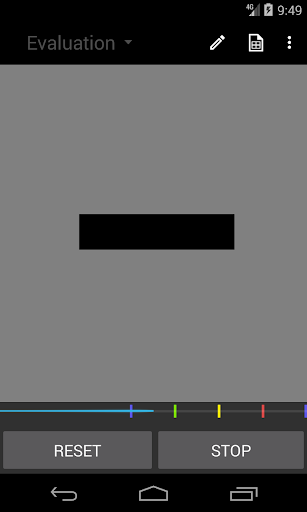
- Progress bar with optional indicators for 30-second grace limits.
- Eyes-free operation with vibration signals and stop control.
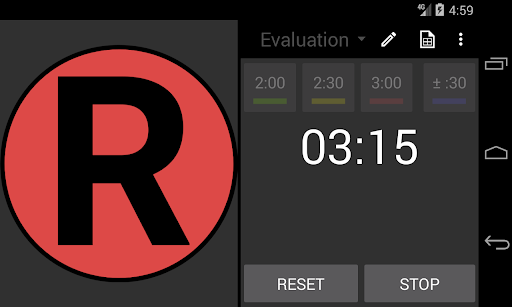
- Additional options for speakers with color blindness or other visual impairments: audio cues, alternatives to colors, and larger text.
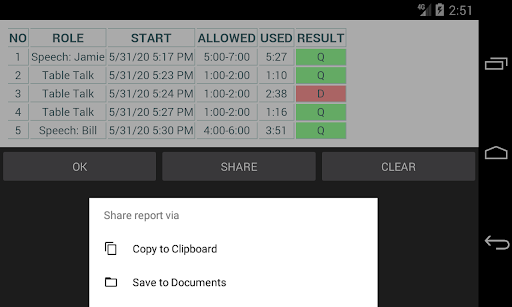
- Handy timing report, with auto-reset between meetings, that can be shared via Clipboard, folder, or other apps.
- Developed by a designer, not designed by a developer.
- NO ADS -- free for all TM members to use!
Notes
- Not an official product of Toastmasters International®.

Information

  • Category:
    Education
  • Latest Version:
    2.2.0
  • Updated:
    2020-09-28
  • File size:
    1.9MB
  • Requirements:
    Android 4.4 or later
  • Developer:
    ValidConcept
  • ID:
    com.validconcept.Timer4TM
  • Available on:
Reviews
  • avatar
    Easy to use
    2020-09-14 02:38
  • avatar
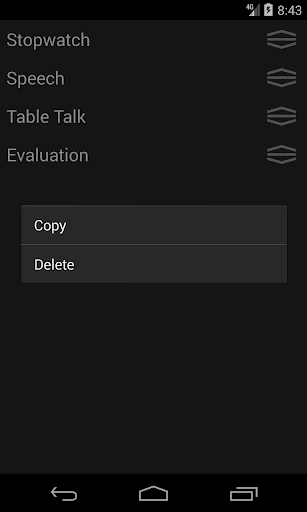
    Impressive simple to use. To add more timers use copy, change duplicate title and timing
    2020-08-28 09:10
  • avatar
    Has passed the test of time with me! Even though the club has a timer, I place my cell phone in front of me with the app turned on as it gives me guidance on time continuously as well as the lights. Also have used in on line meetings. Have recommended it to all members of both of my clubs!
    2020-04-11 04:00
  • avatar
    We can recommend this for every toasmaster club. Maybe you can add setting for full screen colour.
    2020-04-05 09:32
  • avatar
    Best-looking timer app I've found, simple elegant interface, clever that the yellow light automatically calculates mid-point between green and red, enables custom time setting to the second, and no ads. I appreciate that. However, the grace period alert doesn't appear to work. I've tried every configuration with the +/- buttons. Red just shines indefinitely after time expiration. Also, I couldn't find the report feature; I don't need it, but was frustrated that it was an advertised feature that doesn't appear to exist. The Speech Timer app by Michael Dobbins is the best timer for my purposes, but Timer4TM has more pleasing look and feel. If I could combine the best features of both along with a grace period chime, that would be a winner. Combined features would include: Color change when grace period expires. Optional chime when grace period expires. Large "G", "Y" and "R" letters displayed in circle so timer works for color-blind users. Custom time settings that can be saved. Option to hide clock so this could be used for contests.
    2017-02-03 03:27
  • avatar
    Quality Verbose Timer
    2017-01-15 03:03














