X Air Monitor Mixer icon

X Air Monitor Mixer

1.5 for Android
2.8 | 5,000+ Installs | Reviews

Eric Tetz

$2.99

Description of X Air Monitor Mixer

NOTE: This app does not transmit audio. It is a remote control for Behringer's XAir family of mixers (X18, XR18, XR16, XR12 , MR18, MR12).
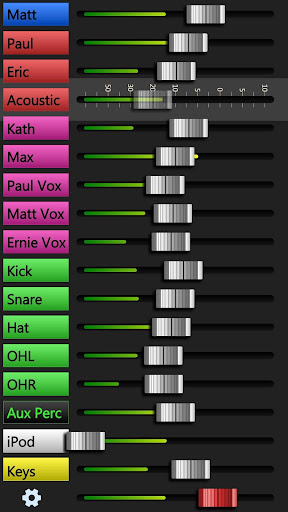
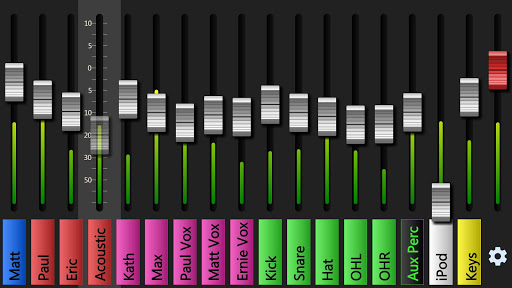
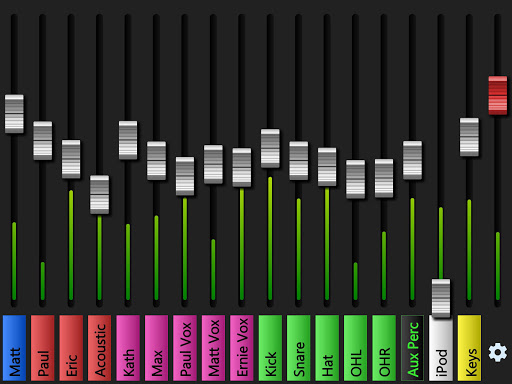
It allows each musician on stage to choose exactly what they hear in their monitor without affecting (or being able to affect, even by accident) the band's main mix.
Usage:
1. Connect to the same WiFi network as the mixer. In most cases, this should be enough for the app to find your mixer. However, if your sound engineer has changed the default address of the mixer, you'll have to enter that new address in the app's connection screen.
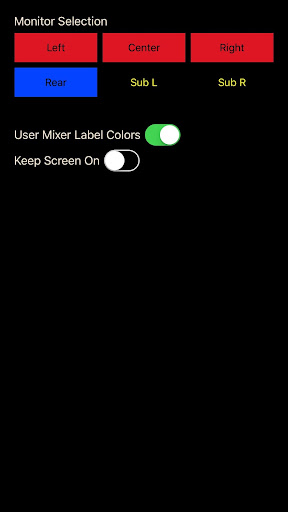
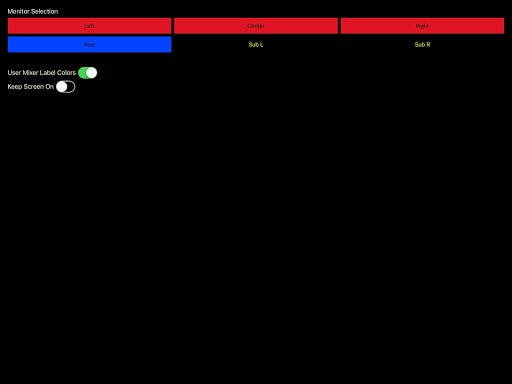
2. Choose which monitor you want to mix. If your sound engineer hasn't named these in a way that makes it obvious which is yours, ask him which is yours.
3. Mix away. :)
If you have feedback, suggestions, or bug reports, please visit the forums at xairmonitormixer.tetzfiles.com or email xairmonitormixer@tetzfiles.com.


Information

  • Category:
    Music & Audio
  • Latest Version:
    1.5
  • Updated:
    2019-10-03
  • Requirements:
    Android 0 or later
  • Developer:
    Eric Tetz
  • ID:
    com.tetzfiles.xairmonitormixer
  • Available on:
Reviews
  • avatar
    First class - has transformed our live sound
    2023-08-14 07:01
  • avatar
    Downloaded this app the other day. Tried using it last night at a gig. Wouldn't work. Entered the correct IP address. Everyone else uses iPhones. The other band members told me hit one of the buttons to make the demo come up. Did that. Then they say to exit demo. I did. 20 times and everytime it just kept flashing "Waiting for response". Never worked. Had to use the iPad for my monitor mix. Wasted $3.24 for something that won't work.
    2022-12-10 04:40
  • avatar
    Hey....cool app but, when using my Galaxy Phone I'm not getting the option to choose left, right or center. When choosing settings, it only goes to the page that chooses the busses. Any ideas? I like how it's laid out.
    2022-03-26 11:29
  • avatar
    I used this app at a gig last night. It works perfectly and is incredibly easy to start and also very simple to use. I was a bit reticent to buy it at first because of the low star rating but, after reading most of the reviews, I realized that the vast majority of problems were network issues. Here are a few tips - 1) NEVER use the XR internal router (even Behringer advises this). 2) Buy a GOOD external router (I'm using a Netgear Nighthawk, if you're playing gigs to make money you need to spend some). 3) On whatever router you're using log in as admin and set up static IP addresses for the XR and whatever machine you're using to control it. This way the IP address for the XR won't change. On Netgear routers these are called "Reserved IP addresses" and you have to go to the advanced page to do it (yes, this may require that you read the documentation). On a related note, we're using an X-Touch in conjunction with the XR and PC. If you want to run one of these over WiFi just get an ethernet to WiFi adapter.
    2022-02-26 03:54
  • avatar
    Like to have my money refunded. Can easily can not connect app to mixer and get a lot of pretty colors but it changes nothing on mixer. Just demo mode.
    2021-07-13 05:57
  • avatar
    This app looks like exactly what I'm looking for... unfortunately I couldn't get it working. A couple bugs fixes and I'd like to give it another try.
    2021-06-20 04:20