


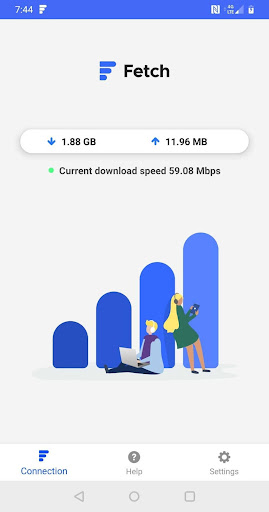
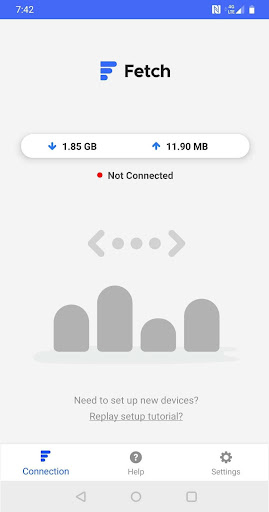
AS FEATURED ON CBS NEWS, NBC NEWS & FOX NEWS!!
What Fetch Internet Does
Fetch Internet gets your Android's Internet access on your Mac and Windows computer without paying for a hotspot. Yes, you read this correctly! Cancel your hotspot, and instead use this app to get Internet on your computer.
How Good Is Fetch Internet?
It's frikkin amazing. Fetch is faster, better and less expensive than hotspots, and so much more secure than public WiFi!
Can I Really Cancel My Hotspot?
You don't need to pay for a hotspot in order for Fetch Internet to work.
Fetch Internet is Better
Hotspots are finicky creatures. Their connections get spontaneously disconnected, especially while in motion (on a train, in a car, etc.). Fetch Internet is reliable. Never get
disconnected again with Fetch Internet.
Fetch Internet is Safer
Using public and non-secure WiFi exposes your computer to security vulnerabilities and hacker exploitation. Hotspots create a wireless door that makes your smartphone and any computer connected to your Hotspot vulnerable to hackers. Using Fetch Internet eliminates the door.
Fetch Internet is Faster
Using Fetch Internet, your computer will get the same Internet speeds as the smartphone to which your computer is connected. Hotspot speeds are often throttled (intentionally downgraded) by network providers. Really slow speeds make using Hotspots frustrating and impractical. Using Fetch Internet is always painless.
Fetch Internet is Much Less Expensive!!
With a Hotspot, you pay $10 to $25 per month for additional data beyond an unlimited data plan, with bandwidth and speed limitations.With Fetch you pay a one-time download fee with no additional costs or data restrictions. To save money and to be more productive, cancel that expensive Hotspot and switch over to Fetch Internet!
Cut The Cord & Save!
Attention parents! Did you know that all your kids need for fast, safe and secure Internet service is their smartphone’s unlimited data plan working together with Fetch Internet? Separate Internet service for dorm rooms and apartments generally cost an average of $1,000 per year. Tuition is expensive enough! Save thousands with no performance sacrifices. In fact, your kids will say that “Fetch Internet is faster than WiFi.”
How Do I Get Started?
Download Fetch Internet from Google Play. Then download and install Fetch Connect, the free Windows companion app for Fetch by going to http://fetchinternet.com Then, connect your Android to your computer using a charging cable to enable Internet access. Follow the simple, guided tutorial on your Android and you'll be all set. Setup takes less than one minute.
Great For Corporate Security
Using public and non-secure WiFi opens your computer to potential security vulnerabilities from hackers. Fetch Internet is a more secure alternative to using public WiFi networks. Professionals in private and public sectors are using public WiFi and wireless signals to connect their work computers to the Internet even though they have additional privacy and data protection concerns. Fetch Internet provides a workable solution toward achieving compliance with these responsibilities with no loss of productivity.
No More Bulky External Hardware
Fetch Internet is an efficient and inexpensive alternative for those with computers that have malfunctioning or broken WiFi adapters. Most newer laptops no longer have Ethernet ports built in. Instead of purchasing expensive and bulky external hardware adapters, consider using Fetch Internet as a convenient and inexpensive alternative!


![[FIXED] No WiFi Networks Found Windows 10 screenshot 2](https://i.ytimg.com/vi/10o4CGb8nHc/mqdefault.jpg)
![Apps Say No Internet Connection || Some Apps Not Working On Mobile Data Android [Fixed] screenshot 4](https://i.ytimg.com/vi/mrrW2aGY2-8/mqdefault.jpg)






9Apps 4.9














