Photo Lens Corrector icon

Photo Lens Corrector

1.11 for Android
3.1 | 5,000+ Installs | Reviews

M-Apps

$1.49

Description of Photo Lens Corrector

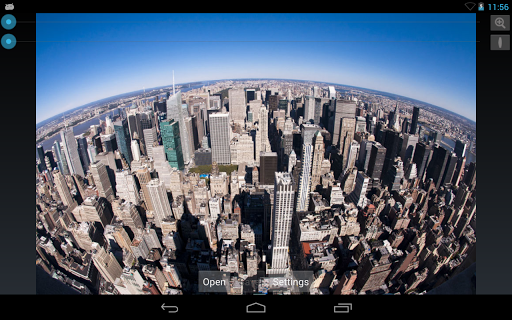
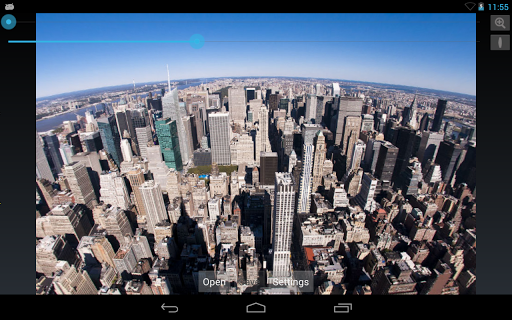
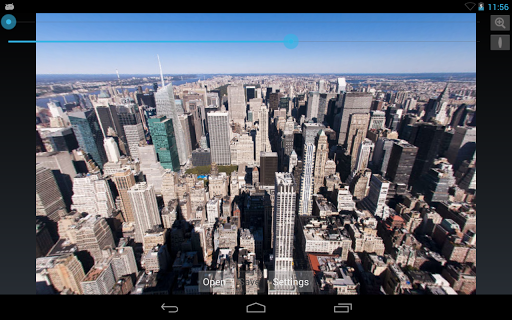
Lens Corrector corrects/removes radial distortions* which occur with wide angle lenses, such as used in GoPro Hero cameras, and fish eye lenses. Lens distortions are especially visible on aerial photography where straight lines, such as the horizon, show significant curvature.
* Lens distortions/barrel distortion

Information

  • Category:
    Photography
  • Latest Version:
    1.11
  • Updated:
    2016-06-27
  • File size:
    601.9KB
  • Requirements:
    Android 2.2 or later
  • Developer:
    M-Apps
  • ID:
    com.teapps.lenscorrector
  • Available on:
Reviews
  • avatar
    App has very few features. Get SKRWT instead, it only coats 20 cents more and has everything you need.
    2022-05-30 04:30
  • avatar
    nice
    2022-03-29 08:14
  • avatar
    Very poor experience, this thing does not do any lens correction
    2021-10-17 04:56
  • avatar
    It only distorts images, no correction whatsoever...
    2021-04-21 09:58
  • avatar
    Seems it can only do a simple reverse fisheye / barrel distortion. I need the opposite!
    2020-11-15 12:52
  • avatar
    This app does a rather good job of doing the one thing it is intended to do: correct barrel distortion. It's not perfect in extreme cases - such as trying to turn an extreme fisheye into something rectilinear, but it will nicely correct mild distortion in an inexpensive wide angle lens. In doing so, it must interpolate missing pixels (which it doesn't do very well), so the lower resolution your image, the more problems you might have with that. If you are trying to correct other types of distortion, this isn't the app you're looking for. Maybe try SKRWT. I am using Sirui and Rhinoshield lenses with a Moment lens case on my Pixel 3a,. The Rhinoshield HD Wide Angle is not fully rectilinear, but SKRWT was not working on the 3a, so I tried this. The app works fine on the 3a for both on-device images, and Google Photos cloud images. On my Samsung tablet, it works fine with device files, but fails to load cloud files. No problem, SKRWT works fine there, and if I needed to, I could just download the files from the cloud before loading in the app. I don't mind buying both apps, since both are cheap, and it is usually worth spending something for apps. However, SKRWT does a significantly better job at this single function, and many other useful things as well, so I really can't justify more than 4 stars for this app.
    2020-04-10 03:21