
Camera Controller for Hero Cameras icon

Camera Controller for Hero Cameras

2.1 for Android
4.2 | 5,000+ Installs | Reviews

M-Apps

$0.99

Description of Camera Controller for Hero Cameras

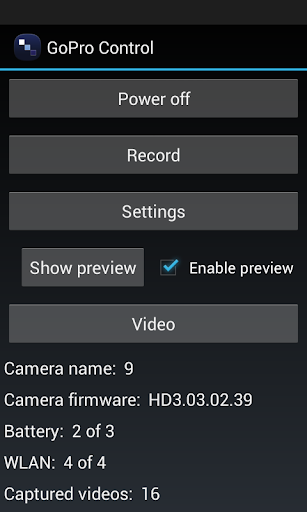
Camera Control for GoPro Hero cameras allows you to easily control your GoPro Hero 2 (with Wifi BacPac) and Hero 3 White/Silver/Black Edition cameras. This alternative GoPro app is intended for users who have problems with the original app and/or want a more cleaned-up app.
Features include:
- Turn camera on/off
- Start/stop recording
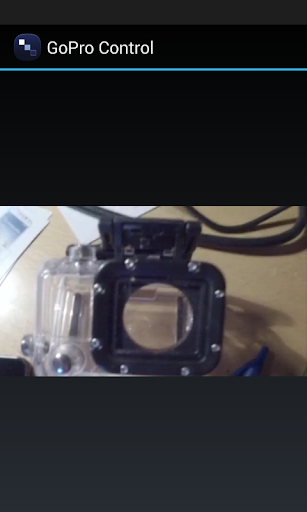
- Live preview (internal and external players supported)
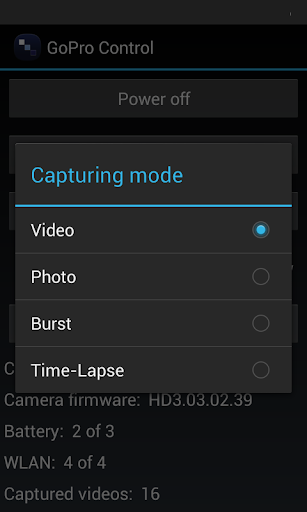
- Switch between modes (burst, video, photo, time-lapse, etc.)
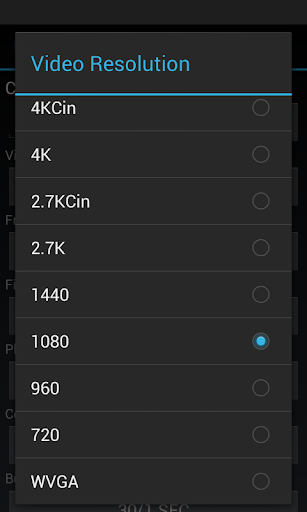
- Change settings (camera name, resolution, frame rate, ProTune, white balance, etc.)
- Support for new Hero 3 camera
How to use GoPro Control:
- Update your GoPro camera to one of the latest firmwares with app support
- Enable WiFi on your Android device and on the GoPro (switch to App Wifi mode). Then connect your device to the GoPro using the GoPro Wifi password
- Start our GoPro Control app to control your camera
Questions, ideas, comments? Contact us here: http://www.mobwheel.com/contact
Important:
- We are not affiliated with Woodman Labs.
- GoPro Hero is a trademark of Woodman Labs Inc.

Information

  • Category:
    Sports
  • Latest Version:
    2.1
  • Updated:
    2013-10-29
  • Requirements:
    Android 0 or later
  • Developer:
    M-Apps
  • ID:
    com.teapps.goprocontroller
  • Available on:
Reviews
  • avatar
    Wouldn't connect.
    2022-05-19 12:34
  • avatar
    it worked for me with my hero 3
    2022-01-20 04:11
  • avatar
    This App worked for me. Hero 3+ silver. Samsung J2 running android 6. The trick is to update your GoPro first. Then set a wireless network name on the Go Pro with password. Then reboot Gopro. Install this app on your phone. Then reboot phone. Start app and it connected. If you dont reboot it wont connect. If you GoPro is not fresh update im guessing it wont connect. The Preview option is basic but it does work, it a bit glitchy on the phone screen but i can definitely see a previe on my phone of the camera and video. But the video preview is like a looped 3-5 second preview. So if you move the camera it does not change the preview on the phone straight away. I am guess ing that it might need to reconnect again or switch from pic to vid preview to refresh the vid image on the phone. For 2 bucks I am happy and a little surprised it works.
    2020-07-11 12:42
  • avatar
    Good
    2020-03-01 02:00
  • avatar
    Might be a brilliant app but dose not have support for the Hero 4 Black.
    2019-12-08 02:41
  • avatar
    Hero3 support is very buggy. preview crashes. poor features. app is in alpha stage, still have to pay for it?
    2019-07-20 08:38