

Are you finding some interesting apps? 20,000+ users downloaded Easy 3D Camera FREE (Push Ads) latest version on 9Apps for free every week! It works great even on 2G. This hot app was released on 2013-04-19. Get the latest version now!
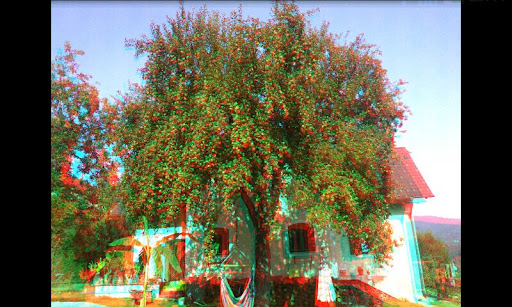
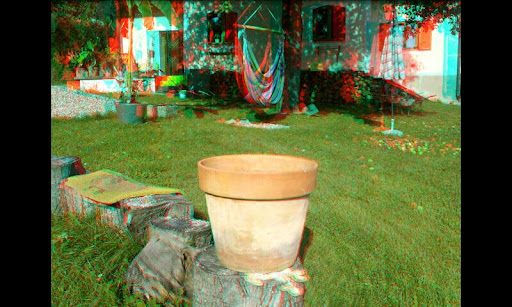
Take 3D photos and show your friends that the camera of your phone can see behind objects in a pictureIf you own Anaglyph Redblue, redcyan, ... glasses, you get a better depth effect.This is the version with Notification Ads, but no ads inside the app. You can also choose the free version with internal ads uses up some space on main screen or the full version with no ads for only 0.99, that can save an endless number of 3d pictures. free versions: 50 picturesYou can: Take and view 3D photos. The pictures can be viewed in several modes: anaglyph view with selectable glasses colors wiggle mode manual movement with accelerometer or swiping leftright Take 3 up to 15 photos to get not only stereo view, but a 3D photo with movement from side to side...finally you can see behind some objects in an image Not only look at stereo or wiggle images, but move from side to side or around an object in the picture Use the wiggle mode to create little max. 15 frames stop motion movies happens automatically when trying to take a 3D photo of a toddler ; upload pictures to Facebook, send by email, ... Look at the icon of this app on your home screen with anaglyph glasses, a part of the icon of this app is floating above your home screen ;You can39;t: create stop motion movies longer than 15 images or series of images that don39;t run forward and backwards continuously wiggle create and export 3D models from stereo imagesThe free version is limited to taking max. 50 pictures and shows some ads.The full version has no ads and can save an unlimited number of pictures and in a higher resolution.Buy the full version if you like this app and if you want to save more than 50 images ;Also try the great tool quot;Easy Voice Calculator FREEquot;... a speech recognition and voice output calculator No more typing for little calculationsIf you only want to capture wiggle images and dont need the mode for red cyan glasses, download the app Easy Wiggle Image CreatorTry my app Facts about me Free for some funny facts about yourself ; sense of humor not included.How to use this app: Tap the green button to take a new picture or tap a thumbnail to view the picture In the live view choose a point to look at and aim at this point with the crosshair.Take 215 photos from left to right aiming at this point or at least at the same height The distance between 2 photos should be eye distance or smaller depending on the distance to the object press quot;backquot; to get to the home screen and view the new photo tap anywhere in the viewer to get to the preferences menu swipe leftright or tilt the device depending on setting to move leftright in the image a photo can be deleted permanently in the preferences menuPlease send a mail for feedback, bug reporting or feature requests.




9Apps 4.9














