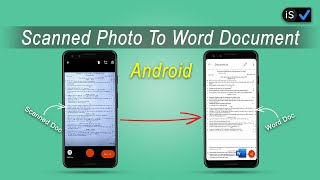
Document Scanner is a mobile scanner (pdf creator) that can convert your mobile phone into powerful document scanner.
Document Scanner can act as:
1. Document Scanner app:
(auto sharpen images; add signature, text, or shapes; store, search and share in jpgpngpdf format),
2. Image to PDF converter , and
3. OCR scanner (with accurate OCR technology to instantly recognize typed text in any language(hindi etc.)).
Use Document Scanner to scan anything — receipts, notes, documents, photos, business cards, whiteboards — edit images, OCR text from images, and store & retrieve images/pdf on phone.
Some of the use cases of this mobile app are listed below:
• SCAN DOCS, BOOKS, TAX RECEIPTS AND MORE.
Document Scanner can scan anything with precision using mobile camera scanner. Advanced image technology automatically sharpens scanned content and recognizes text (OCR) thus acting as document scanner app.
• ENHANCE IMAGES WITH EDITING OPTIONS.
Document Scanner can preview, crop, perspective correct, and auto sharpen images thus acting as document scanner..
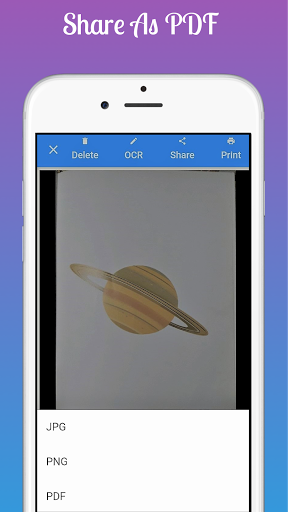
• SHARE IMAGE IN ANY FORMAT (JPG, PNG, PDF).
Document Scanner can share image in any format thus acting as image to pdf converter.
• PRINT IMAGEPDF
Document Scanner can use GOOGLE CLOUD printer to print image or PDF files thus acting as both document scanner and image to pdf converter.
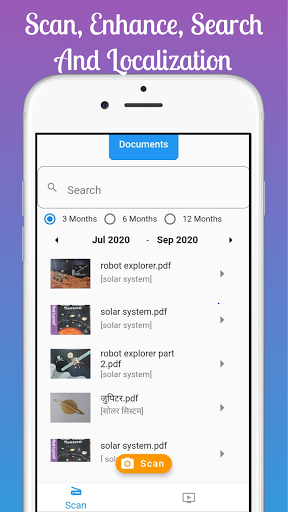
• STORE IMAGEPDF (ON PHONE) AND SEARCH THEM USING TAGS
Document Scanner can assign tags to images. Thereafter, you can search your documents using tags, date or name of document.
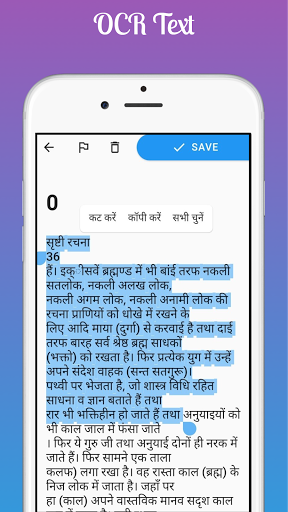
• OCR IMAGEPDF TO GENERATE TEXT WHICH CAN BE COPIED AND PASTED
Document Scanner can use advanced OCR technology to get text (in any language) from any image and pdf. This text can copied and pasted in external applications.
Summary of features:
- Portable Document Scanner – By using Document Scanner , you can save your time and efforts by quickly scanning anything on the fly. This document scanner app is quick and easy to use.
- Paper Scanner – Document Scanner data is automatically backed by on google drive. Thus a user does not have to worry about loosing data. Also, users don’t have to pay hefty amount cloud storage.
- PDF Document Scanner - Document Scanner scans image with edge detection feature additionally. Then using the image to pdf converter it can save the document in pdf format.
- Easy Scanner - Scan and Instant print out documents in any size like A1, A2,A3,A4… etc.
- Portable Scanner - The Doc scanner once installed can turn every smartphone into a portable scanners.
- PDF Creator - Convert scanned images to the best quality PDF file.
- QR Code Scanner (Upcoming feature in next update)
- Bar-code Scanner (Upcoming feature in next update)
- OCR Text Recognition - Document Scanner: ocr scanner uses the OCR Text Recognition to let you recognize text from images then edit texts or share text to other apps.
- Images to PDF Converter
- Cam Scanner - Scan whiteboard with the help of Document Scanner.
- No internet required for the app to function.
- Remove grain/noise - Document Scanner
removes noise using various advanced filter techniques
- Flashlight - Document Scanner
also has auto Flash light feature that helps in low-light environment.
Terms & Conditions: Your use of this application is governed by the
eHealthScience.app's Terms & Conditions of use (https://sites.google.com/view/swadeshi-document-scanner/terms-of-service) and the Privacy Policy (https://sites.google.com/view/swadeshi-document-scanner/privacy-policy)


9Apps 4.9